 SchedPilot
How to Create a LinkedIn Content Calendar in 2026 (Free Template + 30-Day Plan)
You open LinkedIn, stare at the empty post box, and close the app. Three days later you do it again. Some weeks you post four times; other weeks, nothing. Your reach looks like a heart-rate monitor — spikes, flatlines, no pattern anyone could plan around.
The fix isn’t posting more. It’s posting with a plan.
A content calendar turns scattered, mood-dependent posting into a system. You decide what to post, when to post it, and which format to use ahead of time — not in the thirty seconds before you give up for the day. The payoff is consistency without the daily scramble.
This guide walks you through building one step by step. You’ll get a free template you can use today, a ready-made 30-day plan, weekly examples for different goals, and the mistakes that quietly kill most calendars before they ever pay off.
TL;DR — the seven steps:
- Set a clear goal for your LinkedIn presence.
- Define 3–5 content pillars.
- Choose a posting frequency and format mix.
- Brainstorm and batch your content.
- Schedule and automate.
- Track results and adjust weekly.
- Repeat — and let the calendar evolve.
Try SchedPilot for free
Free trial · No upfront payment · 10+ platforms
Post on 10 platforms at once. Great for influencers, marketers, agencies.
What Is a LinkedIn Content Calendar?
A LinkedIn content calendar is a planning document that maps out your posts in advance — usually by date, topic, format, and status. Think of it as the operational layer between “I really should post on LinkedIn” and actually doing it consistently.
It doesn’t need to be fancy. A spreadsheet works. A Notion board works. What separates a calendar that helps from one that gets abandoned is simply whether you fill it in and follow it.
A good LinkedIn content calendar includes:
- Date and time for each planned post
- Content pillar — which of your core themes the post belongs to
- Format — text, carousel, image, video, poll, or document
- Topic or hook — what the post is actually about
- Status — idea, draft, scheduled, or published
- Results — impressions, comments, and saves, so you can learn from what worked
That last column is the one most people skip, and it’s the one that turns a calendar from a to-do list into a feedback loop.
Try SchedPilot for free
Free trial · No upfront payment · 10+ platforms
Post on 10 platforms at once. Great for influencers, marketers, agencies.
Why You Need a LinkedIn Content Calendar
If posting “when inspiration strikes” were working, you wouldn’t be reading this. Here’s what a calendar actually changes.
It kills the blank-screen problem. When Monday already says “industry insight, text post,” you’re editing, not inventing. The hardest part of posting — deciding what to post — is done before you sit down.
It keeps you consistent, and consistency is what the algorithm rewards. LinkedIn favors creators who show up regularly. Sporadic brilliance loses to steady presence almost every time, because each post builds on the audience the last one reached.
It ties every post to a goal. Whether you’re after leads, authority, or community, a calendar lets you check that your content actually points somewhere instead of being random noise.
It creates a record you can learn from. Once you’re tracking what you publish, patterns emerge: which pillars land, which formats travel, which days outperform. You stop guessing and start adjusting.
Get the Free Template
Before the strategy, here’s the thing you can start using right now.
The SchedPilot LinkedIn Content Calendar Template is a ready-to-use spreadsheet with five tabs:
- Start Here — a quick orientation so anyone on your team can pick it up
- Content Pillars — define your 3–5 themes with example topics and best-fit formats
- Weekly Planner — the core grid (date, day, pillar, format, hook, status, link, results), with dropdown menus so entries stay clean
- Ideas Backlog — a dumping ground for raw ideas so you never plan from zero
- 30-Day Plan — a complete month, pre-filled, that you can adapt in minutes
Download it, delete the example rows, plug in your own pillars, and you’ve got a working calendar in under ten minutes.
How to Create Your LinkedIn Content Calendar (Step by Step)
Step 1 — Set your goal
Before you plan a single post, answer one question: what is this for? “More followers” is too vague to guide anything. Pick something concrete:
- Build authority in a specific niche
- Generate inbound leads or demo requests
- Grow a community around a topic
- Support a job search or career move
Your goal shapes everything downstream. If you want engagement, you’ll lean into conversation-starters and opinions. If you want leads, you’ll weave in social proof and clear calls to action. Make the goal measurable — “book five discovery calls a month from LinkedIn” beats “get more visibility” — so you can actually tell whether the calendar is working.
Step 2 — Define 3–5 content pillars
Content pillars are the recurring themes you rotate between. They keep your feed focused and end the “what should I post about?” paralysis, because every post is just a fresh take on one of a handful of topics you’ve already chosen.
Pick three to five based on what you know, what your audience cares about, and what you want to be known for. Here’s what that looks like in practice:
| Pillar | What it covers | Example topics | Best formats |
|---|---|---|---|
| Industry insights | Trends, data, news in your field | Market shifts, new research, platform changes | Text, carousel |
| How-to / tactical | Step-by-step advice your audience can use | Frameworks, checklists, workflows | Carousel, document |
| Personal stories | Lessons, failures, career moments | What you learned from X, behind the scenes | Text, video |
| Opinion / hot takes | Your perspective on common advice | Why X is overrated, unpopular opinions | Text, poll |
| Social proof | Results, case studies, client wins | Before/after, numbers, testimonials | Image, carousel |
You don’t need all five. Three is plenty to start. The point is that you’re choosing from a defined menu instead of reinventing your strategy every morning. If you already post on LinkedIn, look at what’s performed best — your strongest pillar is often hiding in your own analytics.
Step 3 — Choose your posting frequency and format mix
How often? The sweet spot for most professionals and creators is 3–5 posts per week. Once a week is better than nothing, but you won’t build momentum. Daily can work, but quality usually collapses by Thursday when you’re out of ideas. Pick a pace you can sustain for 90 days — that matters far more than hitting some “optimal” number for two weeks and then burning out.
What format? Different formats do different jobs. A balanced week mixes two or three of them:
| Format | Best for | Engagement profile |
|---|---|---|
| Text posts | Stories, opinions, quick insights | High comments, fast to create |
| Carousels / documents | Frameworks, step-by-step guides, lists | High saves, long shelf life |
| Image posts | Quotes, data snapshots, infographics | High impressions, easy to consume |
| Video | Tutorials, personal updates, thought leadership | High dwell time, more effort |
| Polls | Quick engagement, conversation starters | High engagement rate, low effort |
Don’t default to one format forever. Variety keeps your feed interesting and tells you which types your specific audience rewards.
Step 4 — Brainstorm and batch your content
This is where a calendar saves real time. Two habits do the heavy lifting.
First, keep an ideas backlog. Capture every idea the moment it shows up — a question a client asked, a take you had in a meeting, a trend you noticed. Drop it into the backlog tab of your template. When planning day comes, you’re choosing from a list, not staring into the void. Reliable sources of ideas:
- Trends — react to what’s already being discussed in your industry
- Competitor and peer content — see what’s landing for others and add your own angle
- Repurposing — turn a blog post, webinar, or old top-performing post into something new
Second, batch-write. Instead of writing one post each morning, block 90 minutes once a week and draft the whole week at once. Batching works because switching contexts is expensive: the first post takes 30 minutes cold, but the next four come far faster once you’re already in writing mode. A simple flow — open the calendar, draft everything rough, let it sit overnight, edit with fresh eyes, then queue it up.
Step 5 — Schedule and automate
With drafts ready, scheduling is the easy part.
LinkedIn’s built-in scheduler is free and available to everyone. From the post composer, click the clock icon, pick a date and time, and you can queue posts up to three months out. The one catch: once a post is scheduled natively, you can’t edit it — you have to delete and recreate it.
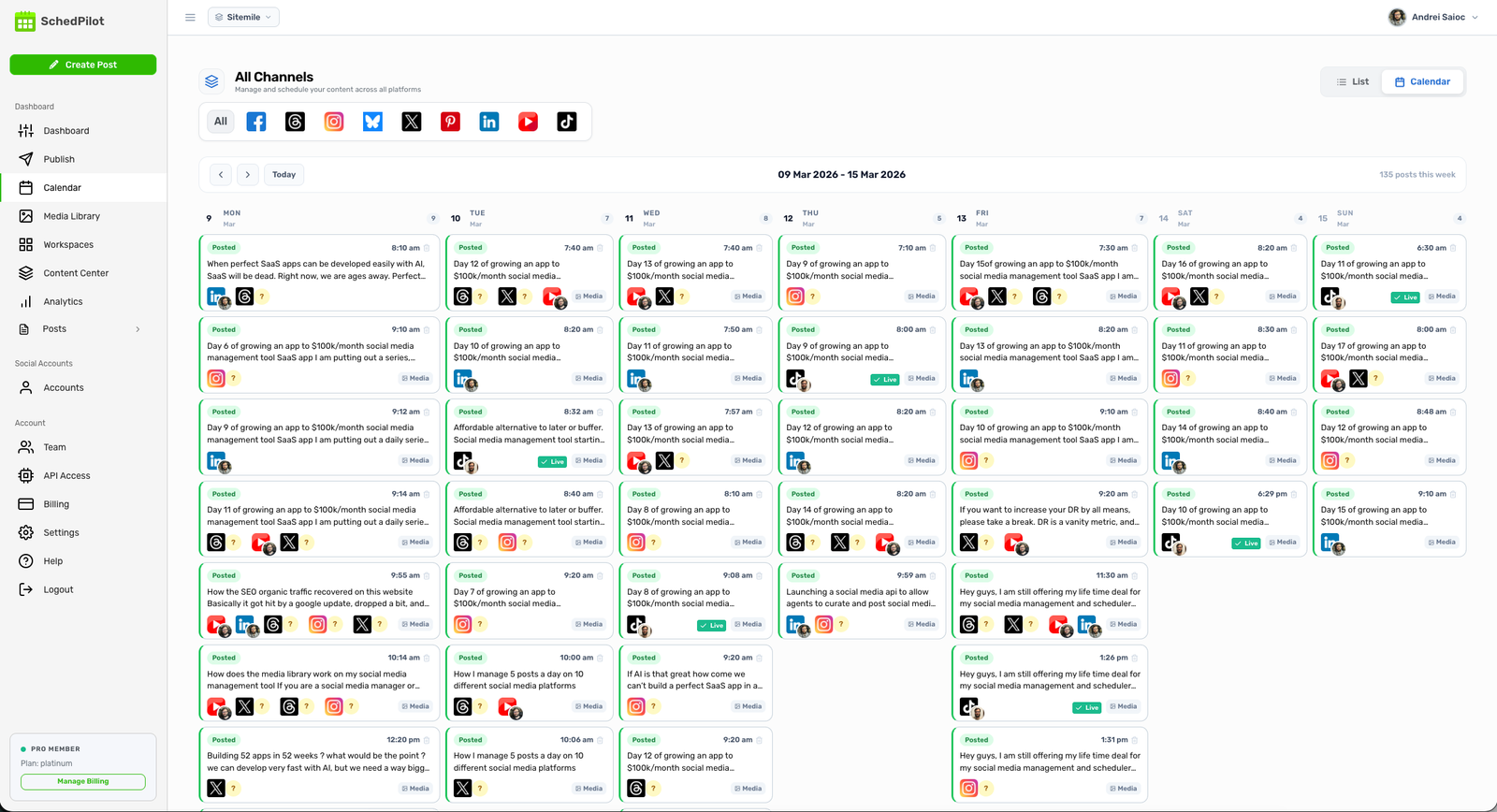
A dedicated tool removes that friction and adds a layer the native scheduler doesn’t. With SchedPilot, you draft, schedule, and see everything in one visual calendar — making it easy to spot gaps, reschedule with a drag, and keep your whole week in view. If you manage more than one account or post for clients, that single overview is the difference between control and chaos.
Whichever you use, schedule for when your audience is actually online (more on timing next).
Step 6 — Review performance and adjust weekly
A content calendar is not “set it and forget it.” Every week or two, spend fifteen minutes looking at:
- Which pillars drove the most engagement? Do more of those.
- Which formats got the most reach? If carousels double your text posts’ impressions, shift the mix.
- Which day-and-time combinations worked? Patterns show up fast.
- What got saved or reposted? Saves are an underrated signal — they mark content valuable enough to return to.
Then change the calendar based on what you find. Kill the poll format if it keeps bombing. Swap out a pillar that never lands. Your calendar should look a little different every month, because it’s learning.
Best Times to Post on LinkedIn
There’s no universal magic hour, but there are reliable starting points. For most B2B audiences, weekday mornings — roughly 7–9 AM in your audience’s time zone — perform well, with Tuesday through Thursday generally stronger than Mondays and Fridays. The logic is simple: LinkedIn treats early engagement as a signal, so posting when your network is already scrolling gives each post a better launch.
Treat those windows as a hypothesis, not a rule. Your own analytics beat any general benchmark. Post consistently for a few weeks, check when your audience engages, and let your real data move your schedule.
A Ready-to-Use 30-Day LinkedIn Content Calendar
If you want to start today, here’s a full month built on four posts a week and a rotating pillar mix. Swap the ideas for your own topics and you’ve got a plan.
Week 1
| Day | Pillar | Format | Post idea |
|---|---|---|---|
| Monday | Industry insights | Text | A trend in your field plus your take on what it means |
| Tuesday | How-to / tactical | Carousel | A 5-step framework your audience can use today |
| Thursday | Personal stories | Text | A lesson you learned the hard way |
| Friday | Opinion / hot take | Poll | A yes/no question on a common industry practice |
Week 2
| Day | Pillar | Format | Post idea |
|---|---|---|---|
| Monday | Social proof | Image | A result, before/after, or client win |
| Tuesday | Industry insights | Text | Comment on recent news or research |
| Thursday | How-to / tactical | Document | A checklist or template people can save |
| Friday | Personal stories | Video | Behind the scenes of how you work |
Week 3
| Day | Pillar | Format | Post idea |
|---|---|---|---|
| Monday | Opinion / hot take | Text | An unpopular opinion you can defend |
| Tuesday | How-to / tactical | Carousel | Break down a process step by step |
| Thursday | Social proof | Text | A short case study with a clear number |
| Friday | Industry insights | Poll | Ask your audience to weigh in on a trend |
Week 4
| Day | Pillar | Format | Post idea |
|---|---|---|---|
| Monday | Personal stories | Text | A career moment that shaped how you work |
| Tuesday | How-to / tactical | Carousel | Your best tips on one specific topic |
| Thursday | Industry insights | Text | A prediction for the next 6–12 months |
| Friday | Social proof | Image | Recap your best content or a milestone |
The same plan lives in the 30-Day Plan tab of the free template, ready to edit.
LinkedIn Content Calendar Examples by Goal
One size doesn’t fit every creator. Here are three weekly rhythms for different situations — use them as starting points.
B2B consultant (3 posts/week)
| Day | Pillar | Format | Topic |
|---|---|---|---|
| Monday | Industry insight | Text | Commentary on a recent market trend |
| Wednesday | How-to / tactical | Carousel | A framework for solving a common client problem |
| Friday | Personal story | Text | A lesson from a recent engagement |
Light and sustainable for someone with a full client load. It balances credibility, usefulness, and relatability.
SaaS marketer (5 posts/week)
| Day | Pillar | Format | Topic |
|---|---|---|---|
| Monday | Product education | Carousel | How to use a feature to solve a problem |
| Tuesday | Industry insight | Text | A data point from recent research |
| Wednesday | Customer story | Image | A quote or result from a case study |
| Thursday | How-to / tactical | Text | A quick tip in your product’s category |
| Friday | Opinion / hot take | Poll | A low-effort question that drives weekend engagement |
More aggressive, but very doable if you batch on Mondays.
Personal brand builder (4 posts/week)
| Day | Pillar | Format | Topic |
|---|---|---|---|
| Monday | Career lesson | Text | Something you learned the hard way |
| Tuesday | Tactical advice | Carousel | A step-by-step guide in your area |
| Thursday | Behind the scenes | Image or video | What your work actually looks like |
| Friday | Audience engagement | Poll or text | A question or conversation starter |
Great for founders and freelancers — the Thursday “behind the scenes” post humanizes the feed and tends to overperform.
LinkedIn Content Calendar Best Practices
A few habits separate calendars that compound from ones abandoned in week two:
- Consistency beats volume. Three posts a week for six months will outperform seven a week for three weeks. Pick a pace you won’t resent.
- Rotate your pillars. Don’t run the same theme three days straight — your audience tunes out. Color-coding pillars in your calendar makes imbalance obvious at a glance.
- Leave room for reactive content. When something newsworthy hits your industry, break the plan and post about it. A calendar is a plan, not a prison — and timely takes often outperform anything pre-written.
- Repurpose what works. A strong text post can become a carousel. A carousel that drove saves can be reposted in 6–8 weeks. Your best content is reusable.
- Plan around key dates. Map industry events, conferences, and launches at the start of each quarter. Content riding an existing conversation gets more reach.
- Track and adjust monthly. Review the numbers, not your gut. Let the data move your mix.
Common Mistakes to Avoid
Most calendars don’t fail because the strategy was wrong. They fail in predictable, avoidable ways.
Over-planning. Mapping out detailed posts three months ahead feels productive, but it backfires — your content goes stale and you miss timely moments. Plan the month at the pillar-and-format level; write the actual posts one week at a time.
The one-format trap. Posting nothing but text (or nothing but carousels) flattens your reach. Every format reaches a slightly different slice of your audience. Mix at least two or three a week.
Ignoring the results column. A calendar you never review is just a publishing schedule. The fifteen-minute weekly check is where the actual growth comes from.
Treating it as set-in-stone. The first calendar you build is a hypothesis, not a contract. If a pillar consistently underperforms, replace it. Rigidity, not imperfection, is what kills momentum.
Quitting at week two. This is the big one. Results on LinkedIn compound, and the curve is slow at the start. The people who win are simply the ones who didn’t stop. Commit to 90 days before you judge whether it’s working.
How SchedPilot Makes This Easier
You can absolutely run a content calendar with a spreadsheet and LinkedIn’s native scheduler. But once you’re posting several times a week — or managing more than one account — the manual workflow starts to drag: copy-pasting between docs, losing track of what’s scheduled, rebuilding posts you can’t edit.
SchedPilot is a social media management tool that connects the dots between planning, scheduling, and analyzing in one place:
- A visual calendar that shows every scheduled and published post at a glance, so gaps are obvious and rescheduling is a drag-and-drop.
- Drafting and scheduling together, so you go from idea to queued post without switching tools.
- Analytics that close the loop — track impressions, engagement, and saves by post, format, and pillar, so your weekly review takes minutes.
- Multi-account and client support, so agencies and freelancers can run several calendars without the chaos.
Start with the free template to build the habit. When the spreadsheet starts to feel like friction, SchedPilot picks up where it leaves off.
Try SchedPilot for free
Free trial · No upfront payment · 10+ platforms
Post on 10 platforms at once. Great for influencers, marketers, agencies.
FAQ: LinkedIn Content Calendar
How do I create a LinkedIn content calendar? Start by setting a clear goal, then define 3–5 content pillars (the recurring themes you’ll cover). Choose a posting frequency — 3–5 times a week is a solid default — and map each week with a specific pillar, format, and topic per post. Use a spreadsheet, Notion board, or a tool like SchedPilot. Batch-write your content weekly, schedule it, then review performance and adjust.
What should be in a LinkedIn content calendar? At minimum: date, content pillar, format (text, carousel, image, video, poll), topic or hook, and status (idea, draft, scheduled, published). Stronger calendars also track a link to the published post and results — impressions, comments, and saves — so you can see what’s working.
How often should I post on LinkedIn? Most professionals see the best results at 3–5 posts per week. Once a week beats nothing but won’t build momentum; daily can work if you can hold quality, but few people sustain it. Pick a frequency you can commit to for at least 90 days.
What’s the best LinkedIn content calendar template? The best one is the one you’ll actually use. A simple spreadsheet with columns for date, pillar, format, topic, and status covers most needs. The free SchedPilot template above adds color-coded pillars, an ideas backlog, and a ready-made 30-day plan.
Can I schedule LinkedIn posts for free? Yes. LinkedIn has a built-in scheduler available to all users — click the clock icon in the post composer and pick a date and time, up to three months ahead. The limitation is that natively scheduled posts can’t be edited; you have to delete and recreate them.
What are content pillars for LinkedIn? Content pillars are the 3–5 recurring themes that define what you post about — for example: industry insights, how-to advice, personal stories, opinions, and social proof. They keep your content focused and solve the “what should I write about?” problem. Choose them based on your expertise, your audience’s interests, and what you want to be known for.
How far in advance should I plan LinkedIn content? Plan at least a week ahead. Ideally, map a full month at the pillar-and-format level, then batch-write the actual posts one week at a time. Planning detailed content too far out backfires — you’ll miss timely topics and the posts will feel stale.
What tools can I use to plan LinkedIn content? Google Sheets and Notion are popular free options for planning. LinkedIn’s native scheduler handles basic queuing. For the full workflow — planning, scheduling, and analytics in one visual calendar, including multiple accounts — a purpose-built tool like SchedPilot ties it all together.
Try SchedPilot for free
Free trial · No upfront payment · 10+ platforms
Post on 10 platforms at once. Great for influencers, marketers, agencies.