Sharing Facebook posts to Instagram sounds simple, until you actually try to do it and something breaks. One moment you are posting a great update on your Facebook page, the next moment you are manually downloading images and copy pasting captions for Instagram. That gets old very fast, especially when you post often and try to grow seriously.
With a bit of structure though, you can turn this into a smooth and predictable routine.
In this guide, I will walk you through how to share Facebook posts to Instagram in a smart way.
We will cover the official flow, some practical workarounds, and the hidden details that decide whether your posts work or flop. I will also sprinkle in a few personal notes, because I have definitely messed this up more than once. If my mistakes can save you time, I will call that a win.
Understand the difference between platforms first
Before you share anything from Facebook to Instagram, you must remember that the platforms behave differently. Facebook tolerates long text, links, and busy designs, while Instagram prefers clean visuals and shorter captions. When you push the same thing everywhere without thinking, you usually hurt performance. I know it feels efficient, but results say otherwise.
On Facebook, people expect links, article previews, and comment debates that go on forever. On Instagram, people mostly scan visuals and decide in seconds if they care. That means your Facebook post can be the source, but Instagram needs a tailored version. When you respect that difference, cross sharing becomes an advantage, not a lazy shortcut.
Get the basics ready for cross sharing
To share from Facebook to Instagram in a consistent way, you need to prepare your accounts correctly. Use a Facebook page, not only a personal profile, if you care about long term growth. Your Instagram account should be a professional account, either business or creator. That gives you better options for connecting accounts and tracking results.
Once both accounts are set up properly, connect them inside your account settings. Use the same email and name structure if you can, so you avoid confusion later.
I still remember a client who had three pages and two Instagram accounts with similar names, and nobody knew what was connected to what. It was chaos with pastel logos.
A simple checklist you can follow looks like this:
-
Use a Facebook page instead of only a personal profile
-
Switch your Instagram account to business or creator mode
-
Make sure you can access both accounts in the same app environment
-
Connect Facebook and Instagram from the settings area for your page
When this foundation is solid, sharing becomes much more predictable and less stressful.
Create Facebook posts that work on Instagram too
The easiest way to share from Facebook to Instagram is to design your post for both from the start. Think about the visual first, because Instagram is unforgiving with low effort images. Use square or vertical formats, readable text, and clear focal points. Avoid cluttered banners that only look good on a desktop screen.
Your caption can still be written on Facebook first, but keep Instagram in mind. Place the key hook in the first line, use simple language, and avoid walls of text. You can always trim or slightly edit the caption when you push it to Instagram. When I write captions, I sometimes whisper them out loud to hear if they sound natural. It looks weird, but it works.
If you use emojis, spacing, or line breaks, make sure they survive the move between platforms. Some formatting looks fine on Facebook and becomes messy on Instagram. Always check the preview before you send the post live in both places.
Step by step sharing workflow that actually feels smooth
Let us walk through a practical workflow for sharing a Facebook post to Instagram without losing your mind. Start by opening your Facebook page and creating a new post with your image, caption, and any necessary tags. Focus on a single clear message, because posts that try to say everything usually say nothing.
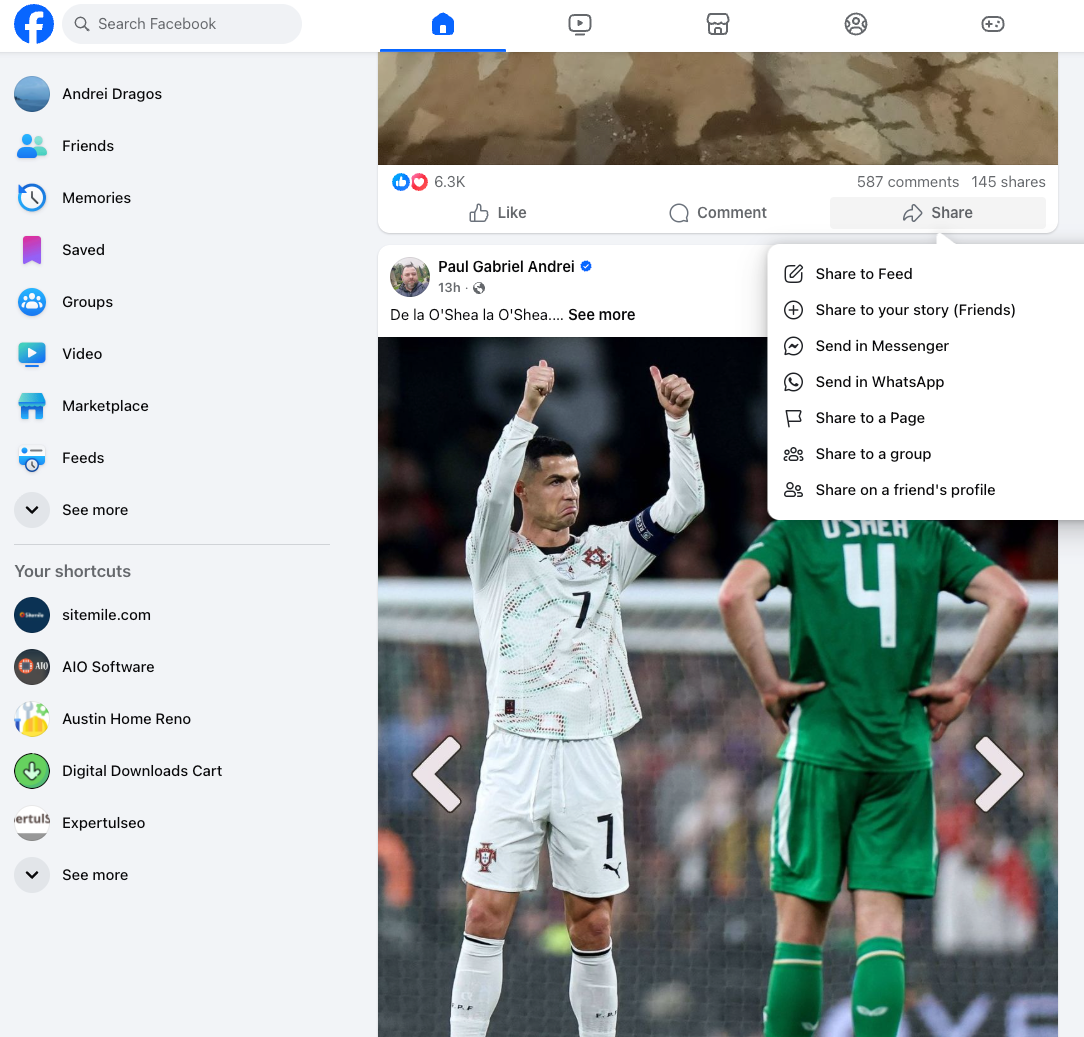
When you reach the stage where you choose where to publish, select both Facebook and Instagram if your accounts are connected. You should see a simple option to publish to both at once. Review the Instagram preview, check the cropping, and verify that there are no ugly cut off texts near the edges. I have posted banners with chopped call to action text more times than I want to admit.
Then use a structure like this for each important post:
-
Choose a strong visual that works well in square or vertical format
-
Write a caption that can be reused on both platforms with minimal edits
-
Select both Facebook and Instagram before clicking the final publish button
-
Double check the preview for cropping, readability, and basic spelling
If you need to share an older Facebook post, consider saving the image and recreating the caption on Instagram rather than blindly forwarding it. A small amount of extra effort there often produces much better reach.
Optimize your content for each audience
Even when you publish the same core idea, your audiences can behave very differently on each platform. On Facebook, you might see more comments and longer conversations, while Instagram delivers saves and quick reactions. So treat the cross shared post as a starting point and then iterate based on the data you see.
Track how many likes, comments, and saves your Instagram version receives compared to the Facebook post. Look at posting times, visual styles, and caption length. Over a few weeks, patterns start to appear, even if at the beginning everything looks random. I often tell people that social media data does not shout, it quietly whispers.
Use that information to adjust future shared posts. Maybe you keep the same image but write a shorter and punchier caption for Instagram. Maybe you change the opening line to something more direct. The goal is not perfect alignment, the goal is better performance on both sides.
Common mistakes when sharing Facebook posts to Instagram
Many creators think the main risk is forgetting to share, but the real danger is poor adaptation. A very common mistake is pushing link heavy posts from Facebook into Instagram, where links in captions do nothing. You end up with a caption that points nowhere and looks lazy. People notice that, even if they do not say it out loud.
Another typical issue is posting horizontal images that look fine on a desktop but tiny on a phone screen. When someone scrolls quickly, your post becomes a small stripe with no impact.
If you must reuse a horizontal visual, consider adding margins or redesigning the layout first. I once tried to reuse a webinar slide as a post and it looked like a postage stamp.
There is also the issue of tone. Facebook audiences sometimes accept more corporate language, while Instagram users often prefer a relaxed, human voice. If you copy a very formal caption from Facebook into Instagram, it can feel stiff or distant. A small rewrite can fix that feeling and make your post more approachable.
Use tools and routines to stay consistent
Manually remembering every post, every time, quickly becomes exhausting. That is why many marketers build simple routines or use scheduling tools to handle cross posting. You can still review each post before publishing, but you remove the mental load of constant manual work. Think of it as building a conveyor belt for your content.
Plan your main posts for the week and decide in advance which ones should appear on both Facebook and Instagram. Then prepare visuals and captions with that plan in mind. I like to batch this work once or twice per week, so daily posting feels almost effortless. When you do this well, your future self will send you a quiet thank you.
Conclusion
Sharing Facebook posts to Instagram successfully is less about magic tricks and more about thoughtful preparation.
When your accounts are connected correctly, your visuals are designed for both feeds, and your captions respect platform differences, cross sharing becomes a real growth tool. You save time without sacrificing quality, which is a rare combination in the social media world.
Focus on building a repeatable workflow rather than chasing perfect posts every single day. Use checklists, simple routines, and basic analytics to refine your approach over time. As you adjust, you will start to see certain formats and topics perform well across both platforms. Those become your reliable pillars, not random lucky hits.
The more you experiment, the more you understand where Facebook and Instagram behave similarly and where they diverge. That understanding lets you reuse ideas without boring your audience or confusing them. It also gives you more confidence, which is strangely important when you hit publish every day.
And if one of your early experiments completely flops, just tell everyone it was a sophisticated test that needed more data.