 SchedPilot
11 Social Media Management Tips That Save 10+ Hours Every Week
Quick answer: Social media managers who save the most time do five things consistently: (1) batch content creation into dedicated blocks rather than posting daily, (2) use a scheduling tool to publish across all platforms from one upload, (3) maintain a content bank of 50-100 evergreen posts for fast scheduling, (4) build templates and recurring content formats that reduce decision fatigue, and (5) track performance weekly (not daily) to avoid reactive churn.
Combined, these approaches cut a 40-hour per week social media workload down to roughly 15-20 hours while actually improving results.
Try SchedPilot for free
Free trial · No upfront payment · 10+ platforms
Post on 10 platforms at once. Great for influencers, marketers, agencies.
This guide walks through 11 specific tips used by experienced social media managers in 2026, with concrete workflows, tool recommendations, and the time-savings each one delivers.
Table of contents
- Tip #1: Schedule everything in advance (batch + automate)
- Tip #2: Build a content bank of 50-100 evergreen posts
- Tip #3: Cross-post to every platform from one upload
- Tip #4: Create templates for recurring post types
- Tip #5: Batch similar tasks into dedicated time blocks
- Tip #6: Repurpose one piece of content into 5-10 formats
- Tip #7: Use AI tools for captions, hashtags, and research
- Tip #8: Set response SLAs instead of replying in real time
- Tip #9: Track performance weekly, not daily
- Tip #10: Delegate engagement to virtual assistants or community managers
- Tip #11: Use keyboard shortcuts, text expanders, and browser tools
- The full time-saving math: how many hours you’ll actually save
- Frequently Asked Questions
Tip #1: Schedule everything in advance (batch + automate)
Time saved per week: 6-10 hours
This is the single highest-leverage change any social media manager can make. Posting manually — opening each app, writing a caption, uploading media, selecting hashtags, hitting publish — takes roughly 15-25 minutes per post per platform. For a manager posting 3-5 times per day across 4-6 platforms, that’s 5-12 hours per week just on the mechanical act of publishing.
The batch-then-schedule workflow
Instead of posting live throughout the week:
- Pick one afternoon per week (3-4 hours) for content creation
- Create 15-30 pieces of content in that block
- Schedule everything across all platforms in a scheduling tool
- Monitor only for replies and engagement during the rest of the week
The actual publishing happens automatically. Your role shifts from “posting” to “responding” — which is much lighter weight.
Why scheduling dramatically outperforms live posting
- Consistency: algorithms reward regular posting cadence. Manual posting always has gaps.
- Timing optimization: you can schedule for each platform’s peak audience window regardless of when you’re actually working.
- Mental load: you’re not thinking about social media every day — you batch it and move on.
- Quality: batched content is measurably better than rushed daily posts because you have time to consider each piece.
Which scheduling tool to use
There are dozens of options at different price points. We obviously recommend SchedPilot — it’s our product. Flat $5/month gives you scheduling across Instagram, TikTok, LinkedIn, X, YouTube, Facebook, Pinterest, Threads, and Bluesky with no per-platform or per-post fees. If you’re managing multiple platforms on a budget, flat pricing makes the math much simpler than per-seat tools.
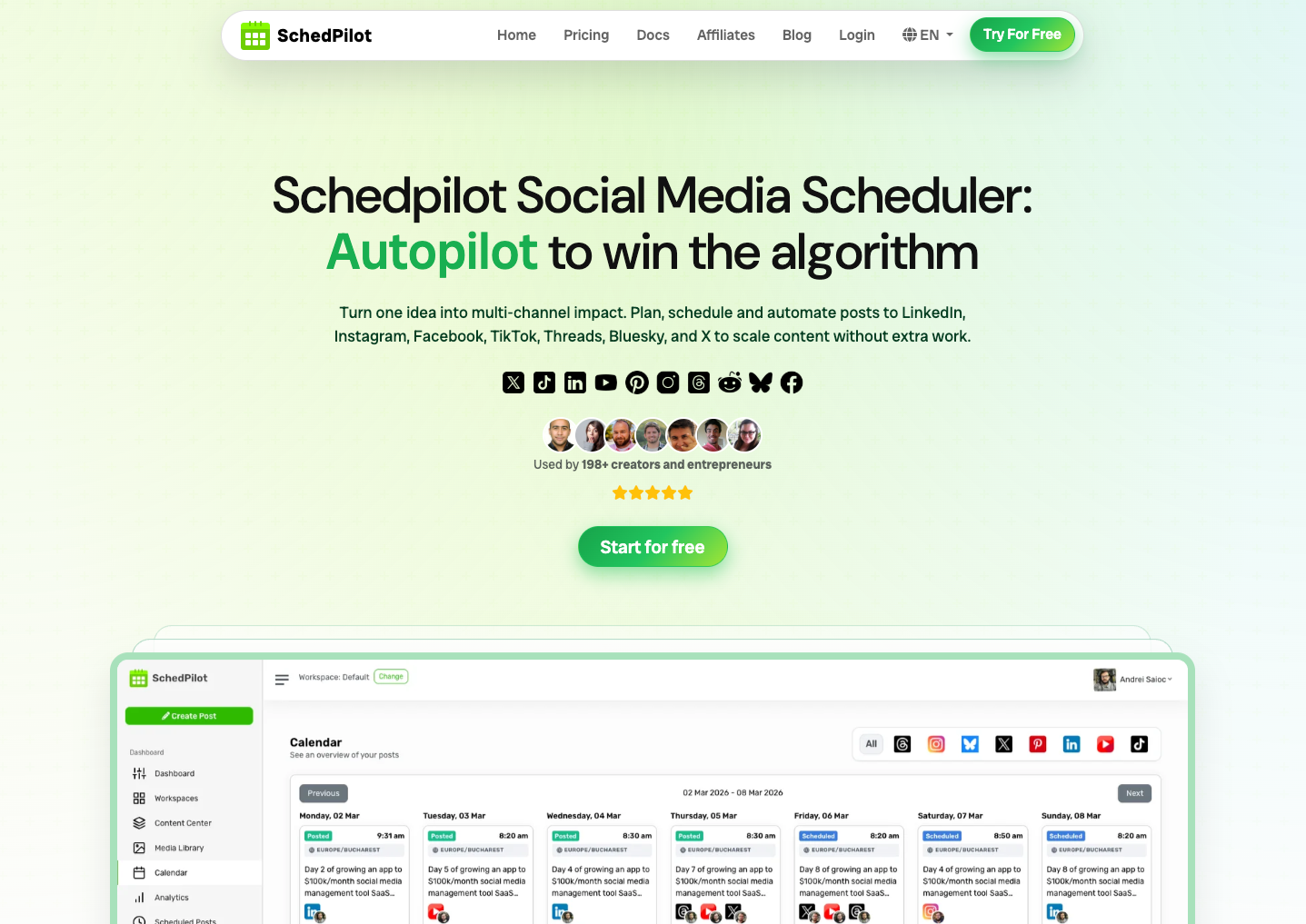
Other options worth considering: Buffer (simpler, more expensive at scale), Later (Instagram-heavy), Hootsuite (enterprise-grade with enterprise pricing).
The tool choice matters less than actually committing to scheduling. Any tool beats no tool. See our Hootsuite alternatives guide for a full comparison if you’re evaluating options.
Tip #2: Build a content bank of 50-100 evergreen posts
Time saved per week: 3-5 hours
Most social media managers create content from scratch every week. That’s exhausting and wasteful. Experienced managers maintain a content bank — a library of 50-100 evergreen posts they can pull from whenever they need filler content or a gap to plug.
What belongs in a content bank
- Tips and quotes relevant to your niche (can be reshared quarterly)
- Behind-the-scenes content (photos from workspace, team, process)
- Educational carousels (7-10 slide breakdowns that stay relevant)
- Evergreen promotions (product highlights, service reminders)
- Community spotlights (featuring customers, partners, team)
How to build it
- Audit your best-performing past content — identify top 20-30 posts from the last year
- Refresh and reformat them (new caption, new image, same core idea)
- Create 30-50 additional evergreen pieces in batches of 10
- Organize by theme in a spreadsheet or Notion doc
- Schedule 1-2 evergreen posts per week as anchors alongside fresh content
Evergreen content saves weekly scrambling. When Friday afternoon hits and you realize you don’t have Monday’s post ready, you pull from the bank and it’s done in 2 minutes.
Tip #3: Cross-post to every platform from one upload
Time saved per week: 4-8 hours
Here’s the math that most managers miss: creating one great video and posting it to one platform takes, say, 45 minutes. Creating the same video and posting it to five platforms natively takes 45 + 4×5 = 65 minutes — but reaches 5× more people.
Most of the extra 20 minutes is just the mechanical act of uploading to each platform. Scheduling tools that support cross-posting reduce this from 20 minutes to 2 minutes.
The smart cross-posting workflow
- Create once — shoot the content natively in the best format (usually 9:16 vertical video)
- Adapt captions per platform — each platform has different norms (LinkedIn formal, TikTok casual, Instagram aesthetic-driven)
- Upload once to a scheduler — set scheduling times per platform
- Let the tool publish natively to each platform at optimal times
SchedPilot supports 10 platforms from a single upload. You write platform-specific captions once, schedule for each platform’s peak time, and the content publishes natively everywhere. This one change alone cuts cross-posting time by 80%.
What NOT to do when cross-posting
- Don’t literally copy-paste the same caption everywhere — each platform rewards native tone
- Don’t keep platform watermarks (TikTok’s logo on a video posted to Instagram gets reach-penalized)
- Don’t ignore platform-specific formats (stories vs reels vs posts for Instagram specifically)
For the nuanced breakdown of how formats differ, see our Instagram post vs story vs reel guide.
Tip #4: Create templates for recurring post types
Time saved per week: 2-4 hours
Every social media account has recurring post types — quotes, tips, product highlights, behind-the-scenes, user-generated content features. Creating each one from scratch is a waste. Building templates means the structure is done; you just swap in new content.
The templates to build first
- Quote cards — one Canva template, swap quote + author + background
- Tip posts — carousel template with headline + 6 slides of content
- Product highlights — template with product shot + benefits + CTA
- Customer/community features — template with testimonial + photo + credit
- Announcement posts — template with banner + headline + details
- FAQ posts — template with question + answer structure
Where to build templates
- Canva: free, easiest to start with. Create templates once, duplicate and edit.
- Figma: more control if you’re design-inclined.
- CapCut: for video templates (reel intros, transitions, text overlays).
Templates should take 30 seconds to customize, not 30 minutes. If you’re spending more than 5 minutes per template customization, simplify the template.
Tip #5: Batch similar tasks into dedicated time blocks
Time saved per week: 3-5 hours (from reduced context switching)
Context switching is the silent killer of social media productivity. Every time you jump from strategy to design to writing to responding to analytics, you lose 15-25 minutes of flow state.
The weekly batched schedule
| Day | Focus | Duration |
|---|---|---|
| Monday morning | Strategy review + weekly planning | 1 hour |
| Monday afternoon | Content creation (all week’s posts) | 3-4 hours |
| Tuesday | Graphic design + video editing | 3 hours |
| Wednesday | Captions, hashtags, scheduling in tool | 2 hours |
| Thursday | Engagement: comments, DMs, community | 3 hours |
| Friday | Analytics review, report creation, strategy tweaks | 2 hours |
Compare this to “do a little of everything every day” — which often consumes 6-8 hours per day but produces less output.
Why batching works
- Setup cost is amortized — opening Canva once and creating 10 graphics is 10× faster than opening it 10 separate times
- Deep focus quality — one 3-hour design block beats six 30-minute blocks
- Decision fatigue reduction — you’re making one type of decision at a time
- Less tool-switching overhead — you stay in one tool/context longer
Tip #6: Repurpose one piece of content into 5-10 formats
Time saved per week: 4-6 hours
The most productive social media managers in 2026 have shifted from “new content daily” to “one core piece repurposed across 5-10 platforms and formats.”
The content repurposing cascade
Start with one long-form piece:
- A podcast episode (30-60 min)
- A YouTube video (10-30 min)
- A blog post (1,500-3,000 words)
- A webinar or speech
Then extract derivatives:
- 1-3 short video clips (30-90 seconds) → Reels, TikTok, YouTube Shorts
- 1 quote card → Instagram + LinkedIn post
- 1 carousel (7-10 slides) → Instagram + LinkedIn
- 1 thread (10-15 posts) → X/Twitter
- 1 newsletter summary → email
- 1 infographic → Pinterest
- 3-5 story updates → Instagram Stories throughout the week
- 1 behind-the-scenes post → process of making the core content
One 2-hour piece of work becomes 10-15 pieces of social media content. That’s 7+ days of posting from a single core asset.
For the full repurposing math applied to creator monetization, see our which social media platform pays the most guide.
Tip #7: Use AI tools for captions, hashtags, and research
Time saved per week: 2-4 hours
In 2026, AI tools are genuinely useful for the grunt work of social media management. Not for replacing your strategy or voice — for accelerating the mechanical parts.
Where AI actually helps
- First-draft captions: ChatGPT/Claude can produce 5 caption variations in 30 seconds. You edit the best one in 2 minutes. Total: 3 minutes vs 15 minutes writing from scratch.
- Hashtag research: AI can suggest relevant hashtags based on your post content (though human refinement still matters for niche accuracy).
- Audience research: “What are people in [niche] talking about this week” gives you a quick topical audit.
- Content brainstorming: “Give me 20 post ideas about [topic] for Instagram” is a useful unblock when you’re stuck.
- Competitor analysis: AI tools can summarize competitor strategies faster than manually scanning feeds.
Where AI doesn’t help
- Your voice and tone — AI-generated captions all sound the same if unedited. Humans can tell.
- Strategic decisions — which platforms to focus on, which content to prioritize, which audience to serve
- Community building — real engagement requires humans
Tools worth trying
- ChatGPT / Claude — general-purpose writing and research
- Copy.ai / Jasper — marketing-specific copy generation
- Canva AI — design variations, background removal
- CapCut AI — video editing automation, voiceover generation
Start small: use AI for hashtag research and first-draft captions. Expand from there as you build trust with the workflows.
Tip #8: Set response SLAs instead of replying in real time
Time saved per week: 2-5 hours
Most social media managers feel pressure to reply to every comment and DM instantly. This is a trap. Real-time response means you’re interrupted 40-80 times per day, losing focus for 10 minutes each time.
The SLA-based response model
Instead of real-time:
- Comments: respond twice per day (morning batch + afternoon batch, 30 min each)
- DMs: respond twice per day (same pattern)
- Mentions: check once daily unless urgent
- Crisis/support issues: these override the schedule — respond immediately
Why this works
- Response quality improves — batching means you can give thoughtful responses
- Focus stays intact — you’re not constantly task-switching
- Relationships are fine — users don’t expect instant replies on social media (unlike customer support channels)
- Time saved is massive — 40 interruptions × 10 min = 6.5 hours of focus lost daily, just to be available
Set audience expectations
Add to your bio or pinned post: “Replying to DMs twice daily. For urgent matters, email [support@yourcompany.com].” This reframes “instant response expected” to “batched professional response.”
Tip #9: Track performance weekly, not daily
Time saved per week: 2-3 hours
Checking analytics daily is another productivity trap. Social media data is noisy at daily granularity — you get false signals, make reactive decisions, and lose time.
The weekly analytics routine
Friday afternoon (1-2 hours):
- Pull key metrics across all platforms (followers, engagement rate, top posts, reach)
- Identify patterns from the week (what worked, what didn’t, why)
- Write a 1-page summary for yourself or stakeholders
- Adjust next week’s plan based on what you learned
Daily analytics checking gives you noise. Weekly checking gives you signal.
The metrics that actually matter
Don’t track everything. Focus on:
- Follower growth rate (weekly)
- Engagement rate (engagement ÷ reach)
- Top-performing post format (which type drove the most engagement)
- Top-performing platform (if multi-platform)
- Conversion events (if applicable — clicks, signups, sales)
Everything else is vanity. Measuring it doesn’t improve anything.
Tip #10: Delegate engagement to virtual assistants or community managers
Time saved per week: 8-15 hours (if you delegate properly)
At a certain point, you can’t do everything yourself. If you’re managing multiple accounts or a high-engagement community, delegation becomes essential.
What to delegate
- First-pass DM responses (with scripts for common questions)
- Comment replies on standard posts (thank-yous, basic answers)
- Community moderation (removing spam, flagging issues)
- Hashtag research (repetitive, automatable)
- Content uploading and scheduling (once content is created)
- Reporting (gathering data, not interpreting it)
What NOT to delegate
- Strategic decisions (what to post, when, why)
- Crisis responses (require senior judgment)
- Brand voice content (core messaging must stay in-house)
- Big announcements and launches (these need the manager’s direct attention)
Where to find virtual assistants
- Upwork / Fiverr — freelancers, $10-$25/hour
- OnlineJobs.ph — Philippines-based VAs, $5-$15/hour
- Local interns — great for learning the craft
Budget $800-$2,000/month for a part-time VA. If they save you 10+ hours per week at a professional-level hourly rate, it pays for itself within the first week.
Tip #11: Use keyboard shortcuts, text expanders, and browser tools
Time saved per week: 1-2 hours
Small optimizations compound. The managers saving the most time have built micro-efficiencies into every workflow.
Text expanders
Tools like aText (Mac), PhraseExpress (Windows), or TextExpander (both) let you trigger common phrases with short codes:
- Type
;thx→ expands to your thank-you response - Type
;sig→ expands to your email signature - Type
;faq1→ expands to your most common FAQ answer
You’ll use these hundreds of times per week. Saves 5-10 seconds per trigger, which is 1-2 hours per week.
Keyboard shortcuts
Learn the keyboard shortcuts for your most-used tools:
- Canva: T for text, C for circle, V for select
- Instagram web: Ctrl+A for all, Ctrl+K for DM search
- Buffer/Hootsuite/SchedPilot: keyboard shortcuts for scheduling actions
Tiny individually. Massive over time.
Browser bookmarks and folders
Create a dedicated browser profile for social media work. Bookmark all 10+ platforms in a folder. Open the entire folder at once each morning. Sounds small — saves 5 minutes per day.
The full time-saving math: how many hours you’ll actually save
Combining all 11 tips, a typical social media manager moves from:
| Task | Before | After |
|---|---|---|
| Manual posting across platforms | 10 hrs/wk | 0 hrs/wk (scheduled) |
| Content creation from scratch | 12 hrs/wk | 6 hrs/wk (batched) |
| Cross-posting manually | 6 hrs/wk | 1 hr/wk (tool-automated) |
| Daily engagement (interrupted) | 10 hrs/wk | 6 hrs/wk (SLA batched) |
| Daily analytics (reactive) | 5 hrs/wk | 1.5 hrs/wk (weekly) |
| Admin, design, research | 7 hrs/wk | 3 hrs/wk (templates + AI) |
| Total | 50 hrs/wk | 17.5 hrs/wk |
Savings: 32.5 hours per week — essentially freeing up a full 4-day workweek to focus on strategy, new channels, or taking on additional accounts.
Realistic implementation: you won’t hit the full 32 hours in week 1. But implementing 3-4 tips at a time, you’ll realistically save 15-20 hours per week within 6-8 weeks.
Frequently Asked Questions
What’s the single biggest time-saver for social media managers?
Using a scheduling tool. Manual posting to multiple platforms takes 10-15 minutes per post per platform. Scheduling batches of 20-30 posts in a single session takes 1-2 hours. For managers posting 3-5 times per day across 4-6 platforms, scheduling saves 6-10 hours per week — more than any other single change.
How much time does a typical social media manager spend per week?
A full-time manager handling one brand with 4-6 active platforms typically spends 40-60 hours per week without optimization. With good systems (scheduling, templates, batching, delegation), the same output can be achieved in 15-25 hours.
What’s the best social media automation tool in 2026?
Depends on your budget and scale. Flat-priced tools like SchedPilot ($5/month for unlimited platforms) work well for small-to-mid teams. Enterprise tools like Sprout Social or Hootsuite work better for agencies managing many clients but cost $200-$500+/month. See our which social media scheduling tool is best comparison for detailed breakdowns.
Is social media automation cheating?
No. Automation handles mechanical tasks (publishing, cross-posting, hashtag research). It doesn’t automate your voice, strategy, or creativity. Every major brand uses automation — the question is only how efficiently you use it.
How do I automate social media posts across platforms?
Use a scheduling tool that supports all your target platforms. Upload your content once, write platform-specific captions, set scheduling times for each platform, and let the tool publish automatically. SchedPilot supports Instagram, TikTok, LinkedIn, X, YouTube, Facebook, Pinterest, Threads, and Bluesky from a single dashboard.
How do I manage social media for multiple clients efficiently?
Three essentials: (1) a scheduling tool that separates client accounts cleanly, (2) standardized templates per client so you’re not reinventing format, and (3) a weekly batch-creation session per client rather than daily scrambling. Agencies handling 10+ clients typically assign one batch day per 2-3 clients.
What skills does a good social media manager need?
Core skills in 2026: strategic planning, copywriting, basic design (Canva-level), video editing (CapCut-level), analytics interpretation, community engagement, and tool mastery. Soft skills: adaptability to platform changes, pattern recognition across data, and clear client/stakeholder communication.
How many posts should a social media manager create per week?
Varies by platform. Realistic baseline: 3-5 posts/week per major platform (Instagram, LinkedIn, Facebook), 5-10 Stories/week per platform that supports them, 1-3 Reels or Shorts per week. That’s roughly 30-60 pieces of content per week across 4-5 platforms.
Should I check social media every hour?
No. Checking constantly creates reactive behavior and destroys focus. Best practice: check scheduled times (morning + afternoon batches) unless handling a crisis. This preserves 4-6 hours of deep work per day that would otherwise be lost to interruptions.
How do I create content faster without quality dropping?
Templates + batching + repurposing. Templates reduce each post from 20 minutes to 3 minutes. Batching creates flow state (3x faster output). Repurposing means one 2-hour piece of core content becomes 10-15 social posts. Combined, content creation time drops 70% while quality stays the same or improves.
What’s the 80/20 of social media management?
80% of results come from: consistency (posting reliably), quality (not just quantity), platform fit (using formats that work), and real engagement (responding thoughtfully, not just broadcasting). Everything else — perfect hashtags, optimal timing, trending sounds — is 20%. Optimize the 80% first.
How do I stop social media management from consuming my whole day?
Schedule everything (eliminates live-posting hours), set response SLAs (2x daily instead of real-time), track performance weekly (not daily), batch similar tasks (reduces context switching). These four changes alone free up 15-20 hours per week.
Is it worth hiring a virtual assistant for social media?
Yes, if you’re spending 30+ hours per week on social media management and can afford $500-$2,000/month. Delegate the mechanical tasks (uploading, first-pass responses, research, reporting) and keep strategy and brand voice in-house. Most managers who hire VAs recoup the cost within 2-4 weeks.
What’s the difference between social media marketing and social media management?
Social media management is operational: creating content, posting, responding, tracking. Social media marketing is strategic: setting goals, planning campaigns, measuring ROI, tying social to revenue. A social media manager executes. A social media marketer decides what to execute. Same person often does both in smaller organizations.
How often should I post on each social media platform?
General baseline: Instagram (3-5 posts + 5-10 stories + 2-3 reels per week), LinkedIn (3-5 posts per week), TikTok (3-7 reels per week), X/Twitter (5-20 posts per week — higher volume), Facebook (3-5 posts per week), Pinterest (5-15 pins per week). Consistency matters more than exact frequency — pick a realistic cadence and stick to it.
Try SchedPilot for free
Free trial · No upfront payment · 10+ platforms
Post on 10 platforms at once. Great for influencers, marketers, agencies.
The bottom line
Social media management doesn’t need to consume 40-60 hours per week. The managers with best results work 15-25 hours per week by:
- Scheduling everything in advance (the biggest single time-saver)
- Building a content bank to reduce weekly scrambling
- Cross-posting efficiently from a single upload
- Using templates for recurring post types
- Batching tasks into dedicated time blocks
- Repurposing content across formats and platforms
- Using AI for mechanical work (captions, hashtags, research)
- Setting response SLAs instead of real-time replying
- Tracking performance weekly instead of daily
- Delegating mechanical tasks to VAs or community managers
- Using micro-efficiencies like text expanders and keyboard shortcuts
You don’t need to implement all 11 at once. Starting with the top three (schedule everything, build a content bank, cross-post from one upload) will free up 10-15 hours per week within a month.
The scheduling tool is where most managers see the biggest instant improvement. SchedPilot lets you schedule across Instagram, TikTok, LinkedIn, X, YouTube, Facebook, Pinterest, Threads, and Bluesky for $5/month flat — no per-platform or per-seat fees. Upload once, schedule for each platform’s optimal time, and let automation handle the publishing. Free trial, no credit card required.
For related guides on building an efficient social media workflow:
- Which social media platform pays the most — platform prioritization data
- Instagram post vs story vs reel — format strategy
- Hootsuite alternatives — tool comparison
- Most affordable social media schedulers — budget-focused options