 SchedPilot
The 10 Best Post Planner Alternatives in 2026 (Tested & Priced)

TL;DR — best Post Planner alternatives by use case
| If you need… | Best alternative | Starting price |
|---|---|---|
| A free post planner replacement | Buffer | Free (3 channels) |
| Better content curation than Post Planner | FeedHive | $19/mo |
| Content recycling on autopilot | SocialBee | $29/mo |
| Client approvals and visual previews | Planable | $39/mo |
| Social inbox + publishing in one | Agorapulse | $79/mo |
| Multi-platform scheduling at Post Planner prices | SchedPilot | $9/mo |
| Enterprise social listening | Sprout Social | $249/mo |
| Agency white-label | SocialPilot | $42.50/mo |
| Deep analytics + web data | Metricool | $22/mo |
| Simple, reliable queues | Buffer | Free / $5/mo |
Post Planner is solid for content discovery and recycling, but weak on collaboration, inbox management, and analytics. The best alternative depends entirely on which of those gaps matters most to you. This guide matches each tool to a specific use case — no generic “top 9” list.
Try SchedPilot for free
Free trial · No upfront payment · 10+ platforms
Post on 10 platforms at once. Great for influencers, marketers, agencies.
Why creators leave Post Planner (based on real reviews)
Before comparing alternatives, it’s worth naming what actually drives people to look. Based on 200+ reviews across G2, Capterra, and GetApp, these are the complaints that come up repeatedly:
- No collaboration or approval workflows. Team members can share an account, but there are no approval chains, comments on draft posts, or client review views. Agencies manage multiple clients through separate queues — clunky once you cross three or four accounts.
- No social inbox. You can schedule and publish, but you cannot reply to comments or DMs from inside Post Planner. Everything goes back to the native platform apps.
- Basic analytics only. Per-post engagement stats, not campaign-level reports. If you need client-facing PDFs or UTM-level attribution, you’re exporting to a spreadsheet.
- No drag-and-drop calendar. Post Planner’s “Posting Plan” is a list view, not a visual calendar. Moving posts between dates requires re-opening the composer.
- Pricing has shifted. Post Planner restructured pricing in 2025 — entry-level plans got more restrictive, and some existing users report being auto-renewed onto more expensive plans without clear communication. The Starter plan now sits at $12/month with significant limits on scheduled posts.
- No AI content generation. Post Planner’s “Find” feature surfaces existing content to curate. If you want AI to help draft captions, write thread variants, or generate carousel scripts, you need a different tool.
If any two of those match your actual problem, Post Planner isn’t the issue — the fit is. The right alternative below solves the specific gap you’re hitting.
Quick comparison — the 10 alternatives at a glance
| Tool | Starting price | Free plan | Networks | Approvals | Social inbox | AI content | Best for |
|---|---|---|---|---|---|---|---|
| Buffer | $5/mo per channel | Yes | 9 | Basic | No | Yes | Solo creators, small teams |
| SchedPilot | $9/mo | Trial | 10 | Basic | No | Yes | Multi-platform creators, agencies on a budget |
| SocialBee | $29/mo | Trial | 8 | Yes | Partial | Yes | Evergreen content, coaches, service businesses |
| FeedHive | $19/mo | Trial | 7 | Yes | No | Yes | AI automation, solo marketers |
| Planable | $39/mo | 50 free posts | 10 | Advanced | No | Yes | Agencies, client approvals |
| SocialPilot | $42.50/mo | Trial | 9 | Yes | Yes | Yes | White-label agencies, multi-client |
| Agorapulse | $79/user/mo | Trial | 7 | Yes | Yes (flagship) | Partial | Engagement-heavy brands |
| Metricool | $22/mo | Yes | 8 | Basic | Yes | Yes | Marketers who live in analytics |
| MeetEdgar | $29.99/mo | Trial | 7 | No | No | Limited | Hands-off content recycling |
| Sprout Social | $249/user/mo | Trial | 6 | Advanced | Yes | Yes | Enterprise, deep listening |
| Post Planner (for reference) | $12/mo | Yes | 8 | No | No | Limited | Content curation |
Pricing reflects the lowest advertised monthly rate as of April 2026. Verify on each vendor’s site before purchase — pricing changes quarterly in this category.
The 10 best Post Planner alternatives, reviewed

1. Buffer — best free Post Planner alternative
Starting price: Free for 3 channels, then $5/mo per channel Networks: 9 (Facebook, Instagram, X, LinkedIn, Pinterest, TikTok, YouTube, Mastodon, Bluesky) Best for: Solo creators and small teams who want reliability over features
If all you want from Post Planner is a reliable way to schedule posts across a few accounts, Buffer does that better, for less, and with a free plan that’s actually usable (3 channels, 10 scheduled posts per channel — enough for a real solo creator).
What Buffer does better than Post Planner: cleaner composer, native Instagram carousel publishing, a proper link-in-bio tool (Start Page) included free, and AI-assisted captions on all plans.
What Buffer does worse: no content curation feeds. If your Post Planner workflow depended on discovering viral content to reshare, Buffer won’t replace it — you’d need to pair it with a discovery tool like Feedly.
Pros: Free plan is genuinely useful, extremely stable publishing, clean UI, strong mobile app Cons: Per-channel pricing adds up fast at scale, no content discovery feeds, limited analytics on cheaper plans
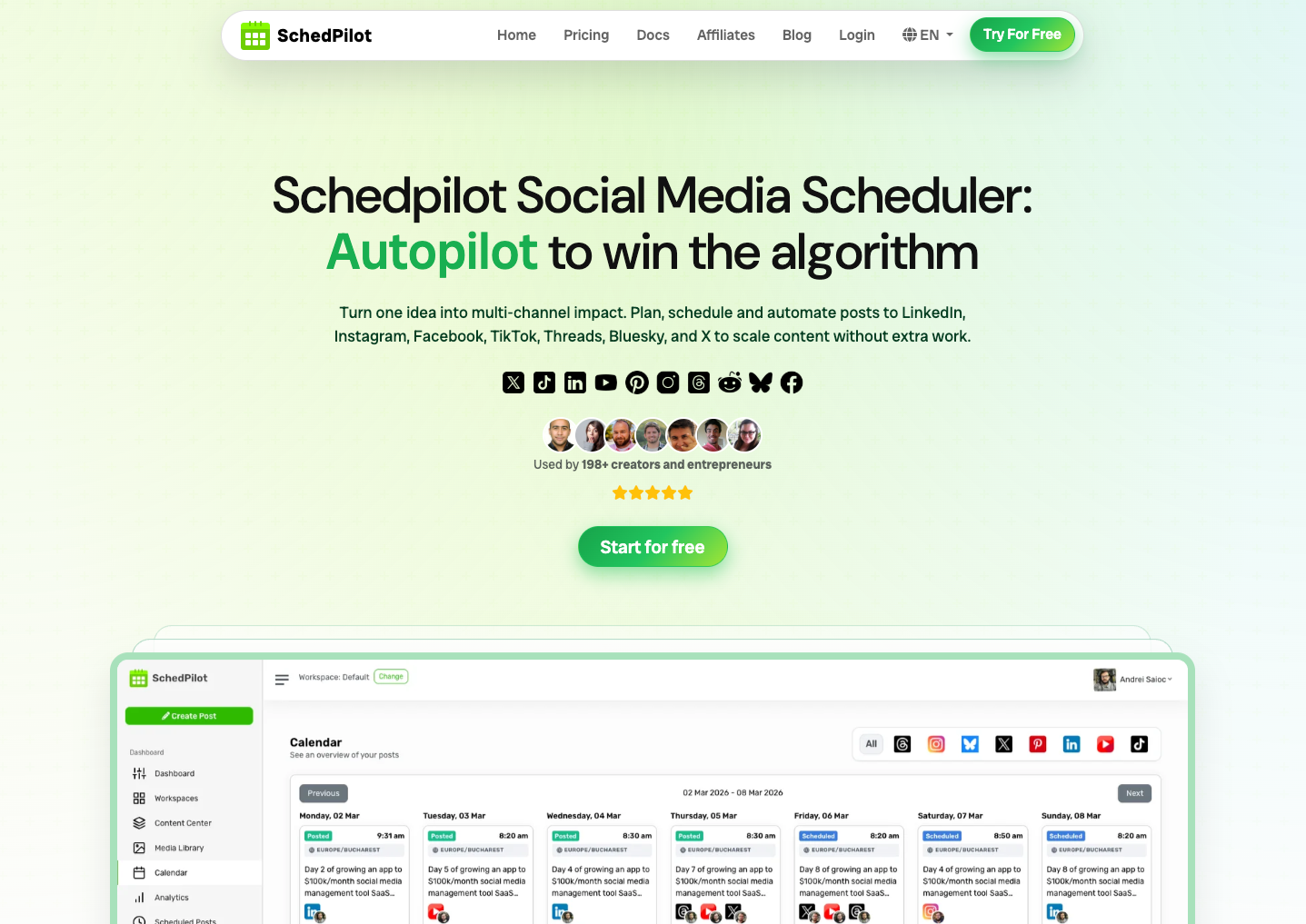
2. SchedPilot — best budget alternative for multi-platform creators
Starting price: $9/mo Networks: 10 (including Bluesky, Threads, Reddit) Best for: Creators and small agencies who post to 5+ platforms and don’t want per-channel fees
Full disclosure: SchedPilot is our tool. We built it because we were frustrated paying for Post Planner and Buffer at the same time — one for discovery, one for scheduling — while neither handled the newer platforms (Bluesky, Threads) well.
The $9/mo plan gets you one workspace, 10 platforms, AI caption generation, and a drag-and-drop calendar. It doesn’t have Post Planner’s content discovery feeds — if that’s your main use case, Buffer or FeedHive is a better fit.
Where SchedPilot actually beats Post Planner: native Bluesky and Threads publishing (Post Planner doesn’t have Bluesky), AI caption generation on the base plan (Post Planner’s AI is limited even on higher tiers), and a $9/mo price for unlimited scheduled posts on the Starter plan.
Pros: Flat pricing regardless of post volume, Bluesky + Threads support, AI content on all plans, API access on higher tiers Cons: No content discovery feeds, smaller team than Buffer or Hootsuite, no social inbox yet
Try SchedPilot free for 7 days →

3. SocialBee — best for evergreen content recycling
Starting price: $29/mo (Bootstrap plan) Networks: 8 Best for: Coaches, consultants, and service businesses who post similar messages across months
SocialBee is the cleanest replacement for Post Planner’s “Buckets” feature. Post Planner pioneered category-based content recycling; SocialBee turned it into the primary workflow.
You create content categories (tips, promos, testimonials, quotes), assign each category to specific time slots, and SocialBee rotates through them indefinitely. Set up a 20-post library in one afternoon and your calendar fills itself for months.
Where SocialBee beats Post Planner: proper approval workflows with comment threads, built-in Canva integration, native video publishing, and — critically — content import from your existing Post Planner library via CSV.
Pros: Best-in-class category-based recycling, legitimate migration path from Post Planner, strong Canva integration, concierge service available Cons: Higher base price than Post Planner, learning curve for the category system, overkill for one-off campaign content
4. FeedHive — best AI automation
Starting price: $19/mo (Creator plan) Networks: 7 Best for: Solo marketers who want AI to handle content variation, hooks, and optimization
FeedHive is the tool you pick if your Post Planner problem is “I don’t have time to write captions.” Its AI doesn’t just generate — it rewrites the same post in 5 variants, predicts engagement before you publish, and recycles your best-performing posts automatically with fresh copy.
The killer feature: “conditional posting.” You can set rules like “if this post gets 500+ likes in 24 hours, repost it to my other accounts next Tuesday.” Post Planner has no equivalent.
Where FeedHive falls short: only 7 networks (no Bluesky, limited Pinterest), and the team collaboration features are thin — this is a solo-operator tool, not an agency tool.
Pros: Best AI features in this category, unique conditional posting rules, engagement prediction, strong threads and carousel support Cons: Smaller team, no proper agency workflows, limited platform coverage vs. competitors
5. Planable — best for agency approvals
Starting price: $39/mo per workspace Networks: 10 Best for: Agencies and in-house teams where clients or stakeholders need to approve every post
Planable is the Post Planner replacement when your actual bottleneck is getting content approved, not creating or scheduling it. Every post renders as an exact preview of how it’ll look on the published platform — clients see what they’ll actually see, not a generic draft view.
Approvals happen with one click. Comments thread on individual posts instead of in Slack or email. Multi-layer approval flows (creative → brand → legal) are native, not bolted on.
This is the tool for anyone who has ever spent an hour explaining to a client why the Instagram carousel in their email looks different from what will actually post.
Pros: Best-in-class previews and approvals, multi-workspace for agencies, strong collaboration features, free plan for light use Cons: Premium pricing, analytics are basic vs. dedicated analytics tools, no content discovery or curation
6. SocialPilot — best white-label option for agencies
Starting price: $42.50/mo (Agency plan starts $170/mo) Networks: 9 Best for: Agencies managing 10+ client accounts who need white-label reporting
If you’re running an agency and Post Planner hit its wall because of client account limits, SocialPilot is the natural step up. The Agency plan supports 30+ social accounts, custom-branded reports, and client login access with granular permissions.
Their bulk scheduling (up to 500 posts via CSV) is best-in-class. Strong enough that many white-label agencies build their entire publishing operation on SocialPilot and never touch the native platforms.
Pros: Genuine white-label (you can resell with your branding), best-in-class bulk operations, generous account limits per plan, full social inbox Cons: UI feels dated compared to newer tools, Instagram direct publishing occasionally fails, analytics dashboards aren’t as pretty as Sprout or Agorapulse
7. Agorapulse — best for engagement-heavy brands
Starting price: $79/user/mo (Standard plan) Networks: 7 Best for: Brands getting hundreds of comments/DMs daily and need to respond fast
The Agorapulse inbox is the best in the category. If you’re leaving Post Planner because comments are slipping through the cracks, Agorapulse solves that specifically. Team members can assign messages to each other, tag conversations, set response SLAs, and avoid “collision” (two people replying to the same message).
As a publishing tool, it’s solid but not revolutionary — queues, drafts, content categories, recurring posts. The reason to pay $79/user is the inbox and the reporting, not the scheduler.
Pros: Best social inbox in the market, collision detection for teams, built-in mini-CRM for tracking superfans, strong customer support Cons: Per-user pricing gets expensive fast, mobile app is weaker than desktop, no Bluesky or Threads yet
8. Metricool — best analytics replacement
Starting price: $22/mo (Starter plan) Networks: 8 Best for: Performance marketers who care more about data than content curation
Where Post Planner is a curation-first tool, Metricool is an analytics-first tool that happens to also schedule posts. Their dashboards unify social metrics, web analytics (via their own tracking), and paid ad performance. If you live inside data all day, Metricool feels native.
The scheduling side is adequate — calendar view, drag-and-drop, best-time suggestions. It’s not the reason to use Metricool. The reason is that you can see which Reel drove website conversions, which Tweet drove email signups, and which LinkedIn post drove LinkedIn followers, all in one place.
Pros: Best-in-class analytics integration (social + web + ads), best-time-to-post based on your actual data, generous free plan, reasonable paid pricing Cons: Scheduling is functional rather than impressive, UI can feel crowded, team features cost more
9. MeetEdgar — pure evergreen automation
Starting price: $29.99/mo (Eddie plan) Networks: 7 Best for: Creators with 50+ evergreen posts who want hands-off recycling
MeetEdgar is a one-trick pony, but the trick is valuable: build a library, categorize it, and Edgar rotates through it forever. It’s the closest thing to “set and forget” in this category.
The tool is specifically for creators whose content is evergreen — book quotes, course plugs, motivational posts, testimonials, educational tips — content that works the same way 6 months from now as it does today. Not for news, trends, or campaign-driven content.
Compared to Post Planner’s Buckets: MeetEdgar’s variations feature auto-generates A/B versions of your posts so you don’t post the same exact caption twice, which Post Planner doesn’t do.
Pros: Best pure-recycling engine, A/B variation generation, straightforward pricing, very low maintenance once set up Cons: Terrible fit for campaign/news content, basic analytics, no collaboration features, small network count
10. Sprout Social — only when budget isn’t the question
Starting price: $249/user/mo (Standard plan) Networks: 6 Best for: Mid-market and enterprise teams with a real budget for social ops
Sprout is 20× more expensive than Post Planner. That’s the bar. If your organization has compliance requirements, needs enterprise-grade social listening, or has 10+ people working in the tool daily, Sprout is the answer and the cost is justified. Otherwise, look elsewhere.
What you actually get for $249/user: the best reporting in the category (exports are genuinely client-ready out of the box), enterprise SSO, real social listening with sentiment analysis, and a CRM that integrates with Salesforce and HubSpot.
Pros: Industry-leading reports, enterprise security + compliance, strong social listening, white-glove onboarding Cons: Pricing is aggressive even at Standard tier, per-user billing, overkill for teams under 5 people, long sales cycle to get access
Looking for Plann alternatives instead?
A note for searchers who landed here: Post Planner and Plann (by Linktree) are different products that get confused constantly.
- Post Planner is a scheduling + content discovery tool for all major networks. Originally focused on Facebook. Starts at $12/mo.
- Plann (plannthat.com) is an Instagram-first visual scheduler focused on feed grid previews and visual planning. Owned by Linktree since 2023. Starts at $8/mo.
If you’re actually looking for Plann alternatives, the tools that replace it best are Later (visual grid, Instagram-first), Preview (mobile-focused grid planner), and Planoly. Most of the tools on this page will work as Plann alternatives too — but if Instagram grid preview is your primary use case, start with Later.
How to choose: a 5-question decision guide
Don’t pick based on the comparison table alone. Answer these questions in order:
1. What broke first in Post Planner — scheduling, curation, or collaboration?
- Scheduling was too limited → Buffer or SchedPilot
- Discovery was the only thing working → FeedHive (has AI-powered discovery + curation)
- Collaboration bottlenecks → Planable or SocialBee
2. How many people actually use the tool?
- Just you → Buffer, SchedPilot, FeedHive, MeetEdgar
- 2–5 people → SocialBee, Planable, Metricool
- 5–15 people → SocialPilot, Agorapulse
- 15+ people → Sprout Social
3. How many social accounts are you scheduling?
- 1–5 → Buffer, SchedPilot, Metricool, MeetEdgar
- 5–15 → SocialBee, Planable, Agorapulse
- 15+ → SocialPilot, Sprout Social
4. Do clients or stakeholders approve your posts?
- Yes, formally → Planable is uniquely strong here
- Yes, informally → SocialBee or SocialPilot
- No → pick based on other criteria
5. Is your content mostly evergreen or mostly timely?
- Evergreen (80%+) → SocialBee or MeetEdgar
- Mixed → Buffer, SchedPilot, or Metricool
- Timely/news-driven → FeedHive or Agorapulse
The tool that wins on every question is usually wrong. The tool that wins on your top 2 questions is usually right.
How to migrate from Post Planner (without losing content)
Moving tools looks scarier than it is. The mechanical steps:
- Export your Post Planner content library. Most plans let you download scheduled posts as CSV. Post Planner → Settings → Export, or contact support for an assist.
- Back up your buckets/categories. If you’re moving to SocialBee or MeetEdgar, document your category structure first — both tools import category-tagged CSVs directly.
- Reconnect your social accounts to the new tool. Budget 20–30 minutes for OAuth flows across all your networks. Instagram and LinkedIn are slowest.
- Import the CSV. Every tool on this list accepts CSV import. Post Planner’s CSV format is standard — no custom mapping needed for Buffer, SchedPilot, SocialBee, or Planable.
- Run one week in parallel. Don’t cancel Post Planner the moment you import. Run both in parallel for 7 days, verify posts publish correctly from the new tool, then downgrade Post Planner to free (or cancel).
Biggest mistake to avoid: don’t try to migrate mid-campaign. Wait until you have a clean gap between publishing cycles (a quiet Monday, the week between campaigns) so you can test the new tool without risking a live launch.
Try SchedPilot for free
Free trial · No upfront payment · 10+ platforms
Post on 10 platforms at once. Great for influencers, marketers, agencies.
Frequently asked questions
What’s the cheapest Post Planner alternative?
Buffer’s free plan (3 channels, 10 scheduled posts per channel) is the cheapest genuinely usable alternative — $0/month. Among paid plans, Buffer and SchedPilot both start at $5-9/month, but the math differs: Buffer charges per channel, SchedPilot charges a flat rate regardless of channel count. If you post to 5+ platforms, SchedPilot’s flat pricing is usually cheaper. If you post to 1–2 platforms, Buffer is.
Is there a free Post Planner alternative with content discovery?
Not really. Post Planner’s main differentiator is content discovery, and most competitors have moved away from curation in favor of AI-generated content. The closest free option is Buffer (scheduling only) paired with Feedly (content discovery, free tier), which together replicate most of Post Planner’s workflow.
What’s the best Post Planner alternative for agencies?
Two answers, depending on what your agency actually needs: Planable if client approvals are the bottleneck, SocialPilot if client account volume is the bottleneck. For agencies managing 20+ client accounts with detailed white-label reporting, SocialPilot wins. For agencies where every post needs legal or client sign-off before publishing, Planable wins.
Does Post Planner have AI content generation?
Limited. Post Planner’s AI features focus on content discovery (finding viral posts) rather than content generation (writing captions, drafting posts). If AI-written content matters to you, FeedHive, SocialBee, SchedPilot, and Buffer all have stronger AI caption/hook/carousel generation built in.
Can I use multiple tools at once to replace Post Planner?
Yes, and many people do. A common stack is Buffer or SchedPilot (scheduling) + FeedHive or Feedly (discovery) + Metricool (analytics). Total cost can still be less than Post Planner’s higher tiers while covering each function better. The downside is context-switching between three tools — if you’re a solo creator, an all-in-one like SocialBee might be worth the premium.
Which Post Planner alternatives have a Bluesky scheduler?
Only a few Post Planner alternatives support Bluesky natively in 2026: Buffer, SchedPilot, and Postiz. Planable and SocialBee have it on the roadmap. Most legacy tools (Hootsuite, Sprout, Agorapulse) don’t support it yet.
How hard is it to switch from Post Planner?
Technically easy — all tools on this list accept CSV import and Post Planner exports cleanly. Psychologically harder — expect a 2-week adjustment period while you rebuild your habits around the new tool’s UI. The first 3–4 days feel slower. By week 3, you won’t remember the old workflow.
Is Post Planner shutting down?
No. Post Planner is still active and hasn’t announced sunset plans. But the product has received relatively few feature updates in 2024–2025 compared to competitors that shipped AI content generation, more networks, and better collaboration. Some users interpret that as slowing investment; the company has not confirmed.
What’s the best Post Planner alternative with a free plan?
Buffer (free for 3 channels), Metricool (free for 1 brand), and Planable (50 free posts total, one-time) all offer genuinely usable free tiers. Buffer’s free plan is the most generous for ongoing use. Metricool’s free plan is the most feature-complete for one user. Planable’s free “plan” is closer to an extended trial.
Do any Post Planner alternatives have content recycling like Buckets?
Yes — SocialBee and MeetEdgar are both explicitly built around category-based content recycling, and both arguably do it better than Post Planner’s Buckets feature (SocialBee has smarter approval flows; MeetEdgar has auto-variation). If Buckets is the feature keeping you on Post Planner, those two tools are your closest migration paths.
The honest bottom line
Post Planner isn’t a bad tool — it’s a tool that stopped evolving fast enough. The category moved toward AI content generation, better collaboration, and native Bluesky/Threads support. Post Planner stayed focused on its original strengths (content discovery, Buckets). That’s a defensible position for its existing users, not a compelling pitch for new ones.
If you’re evaluating alternatives right now, skip the “best overall” framing. Match your specific pain point to the tool that solves it. The comparison table at the top of this article maps those directly. Run 7-day trials on your top 2 picks. Pick the one that your team still wants to open in the morning after the novelty wears off.
That’s the one.
Scheduling posts across 10 platforms at a flat price — including Bluesky and Threads, which Post Planner still doesn’t support — is exactly why we built SchedPilot. Free 7-day trial.
Related posts
Agorapulse alternatives: what are the best 8 alternatives ?
August 28, 2026
The 10 Best Planable Alternatives in 2026 (Honest Comparison)
April 23, 2026
10 Best Sprinklr Alternatives in 2026 (Now That Self-Serve Is Gone)
April 23, 2026
10 Best Social Media Management Tools for Restaurants in 2026
March 31, 2026