 SchedPilot
11 Best Social Media Automation Tools in 2026 (Tested, Compared & Priced)
I’ve spent the last year actually using social media automation tools, not skimming feature pages, but connecting real accounts, scheduling real campaigns, and running real workflows for my own brand and a handful of clients. This article is the shortlist that survived.
If you’re tired of round-ups that read like AI-stitched press releases, you’re in the right place. Below you’ll find 11 tools, what each one is genuinely good (and bad) at, real pricing, and a comparison table so you can pick one in five minutes instead of five hours.
Try SchedPilot for free
Free trial · No upfront payment · 10+ platforms
Post on 10 platforms at once. Great for influencers, marketers, agencies.
TL;DR — The quick picks
- Best overall for technical marketers and AI-agent workflows: SchedPilot
- Best for simple cross-platform scheduling: Buffer
- Best for enterprise teams: Hootsuite
- Best for content recycling: SocialBee
- Best for agencies: Postplanify
- Best self-hosted / open-source: Postiz
- Best for analytics nerds: Metricool
- Best for visual / Instagram-first brands: Later
- Best for AI content creation: Ocoya
- Best for agencies on a budget: SocialPilot
- Best for content creators: Pallyy
- Best for DM and comment funnels: ManyChat
How I tested these tools
Every tool on this list was either something I personally use day-to-day or something I tested for at least two weeks before forming an opinion. I connected real social accounts (X, LinkedIn, Instagram, TikTok, Bluesky), scheduled actual campaigns, ran reports, and tried to break the automations on purpose.
I evaluated each tool on five things:
- Automation depth — scheduling, recycling, RSS, AI features, API/agent support
- Ease of setup — how long until your first post is live
- Analytics — depth of data and how usable the reports actually are
- Collaboration — approvals, team roles, client management
- Value — what you actually get for your money at the entry tier
Pricing was verified directly from each vendor in May 2026. Nothing on this list is paid placement — I lose credibility if I lie to you, and I’d rather have your trust than a referral fee.
Comparison table — at a glance
| Tool | Best for | Starting price | Free plan/trial | API & AI agents |
|---|---|---|---|---|
| SchedPilot | Technical marketers, AI workflows | $21/mo | 7-day trial | ✅ Full API + n8n |
| Buffer | Simple scheduling | $6/mo per channel | ✅ Free plan | Limited |
| Hootsuite | Enterprise teams | $99/mo | 30-day trial | Limited |
| Postplanify | Agencies | $79/mo | 7-day trial | Has api |
| SocialBee | Content recycling | $29/mo | 14-day trial | Limited |
| Postiz | Self-hosted | Free (self-host) | ✅ Open source | Community plugins |
| Metricool | Analytics | $22/mo | ✅ Free plan | Limited |
| Later | Visual-first brands | $25/mo | ✅ Free plan | Limited |
| Ocoya | AI content creation | $19/mo | 7-day trial | API available |
| SocialPilot | Agencies | $30/mo | 14-day trial | MCP server |
| Pallyy | Content creators | $18/mo | ✅ Free plan | Limited |
| ManyChat | DM funnels | $15/mo | ✅ Free plan | Webhooks |
What is a social media automation tool?
A social media automation tool is a platform that connects to your social profiles and handles the repetitive work for you — scheduling posts, recycling evergreen content, replying to common DMs, pulling analytics into reports, and increasingly, running AI-driven content workflows.
The category has changed a lot in the last twelve months. In 2024 these were mostly schedulers with a calendar view and a queue. In 2026 the leading tools include AI writers, DM automation, social listening, and in some cases, full API access so you can plug them into custom AI agents.
The point isn’t to replace you. It’s to take the predictable 80% off your plate so the creative 20% gets your full attention.
What can you actually automate?
Depending on the tool, you can automate:
- Publishing — schedule posts across every network from one calendar
- Content recycling — re-share your best evergreen posts on a loop
- AI content creation — generate captions, hashtags, image variations
- DM and comment replies — keyword-triggered responses, auto-DMs from comments
- Reporting — automated weekly or monthly reports sent to your inbox or a client’s
- Social listening — alerts when your brand or keywords get mentioned
- Approval workflows — content goes through reviewers before going live
- Cross-posting from RSS — your blog posts auto-share to social
What you should not automate: crisis communication, sensitive customer issues, original strategy, and anything that needs a human voice. More on that further down.
The 11 best social media automation tools in 2026
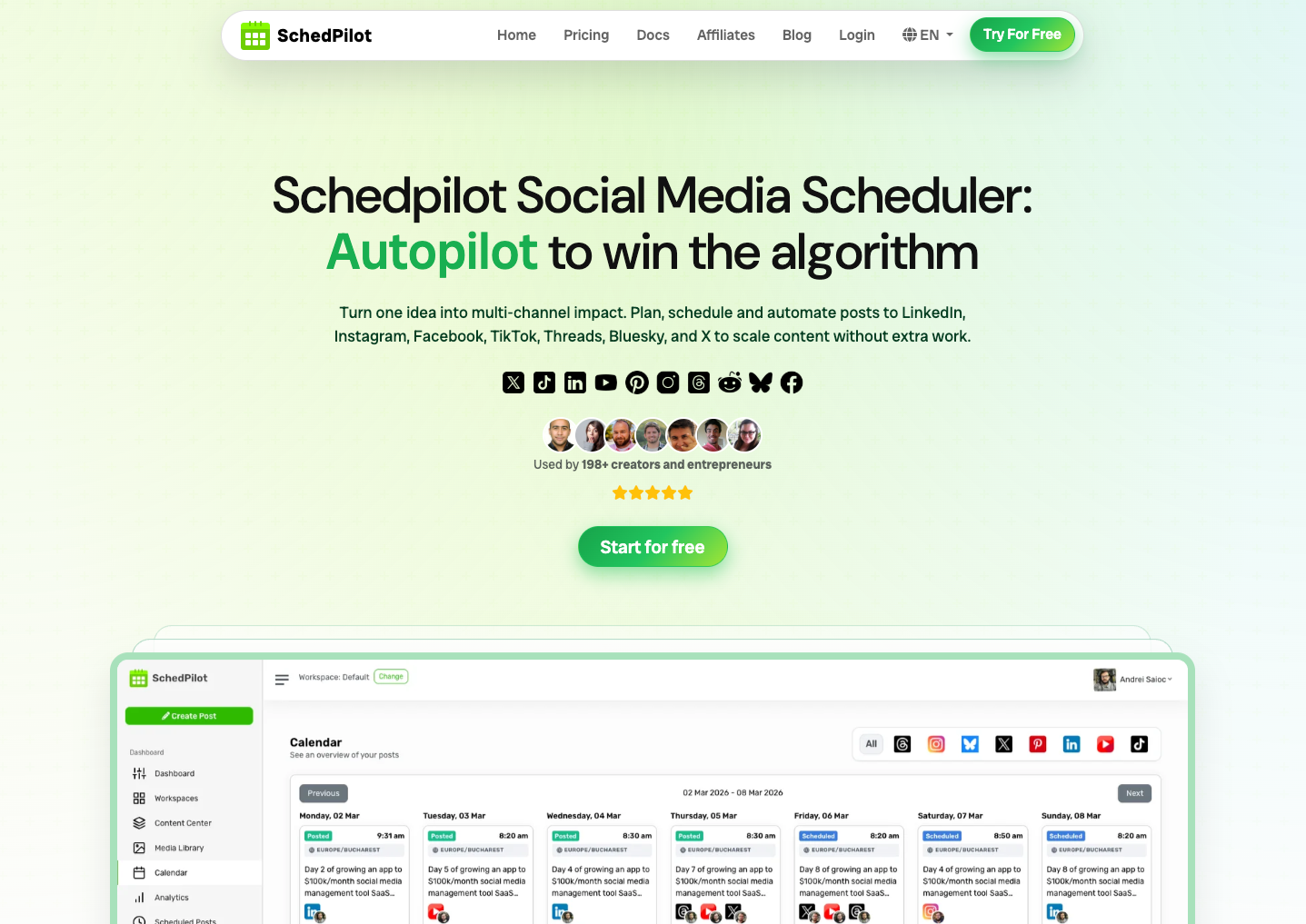
1. SchedPilot — Best for technical marketers and AI-agent workflows
SchedPilot is the tool I reach for first, and not just because I’m biased. It’s where I land when I want surgical control over my automations rather than a shiny dashboard with a “schedule” button.
The thing that makes SchedPilot different in 2026 is the API. Most tools on this list will let you queue posts and call it a day. SchedPilot exposes a proper social media API that plugs straight into n8n, Zapier, custom AI agents, and platforms like OpenClaw. That means I can build flows like “AI agent drafts five LinkedIn posts based on my latest blog, runs them past me in Slack, and schedules whichever I approve” — all without touching the SchedPilot UI.
Learn more about how to automate social media with n8n.
For most people that’s overkill. For anyone building AI-powered content systems in 2026, it’s the only tool on this list that’s actually built for it.
The other thing worth saying: it’s cheap. Most of the polished SaaS competitors charge $30–$100/month for ten accounts. SchedPilot starts at $21.
Best for: Solo marketers, small agencies, and anyone running AI-agent or n8n workflows who doesn’t want to pay $100/month for the privilege.
Pricing: 7-day trial, then from $11/month.
Standout features:
- Full social media API for custom integrations
- Native n8n and Zapier connectivity
- Works with AI agent frameworks (OpenClaw, Hermes, custom)
- Multi-platform: X, LinkedIn, Instagram, TikTok, Threads, Facebook, Pinterest, Bluesky, YouTube, Reddit
- Approval workflows for keeping humans in the loop
Pros:
- Genuinely affordable — under $100/month gets you 10+ accounts
- API-first design means it adapts to your stack instead of forcing you into theirs
- Clean, no-bloat interface
- Responsive support
Cons:
- Smaller team than the giants — fewer integrations than Hootsuite or Buffer
- Native analytics are functional but not industry-leading
- The API-first approach is a feature for technical users and a hurdle for non-technical ones
also is easy to connect schedpilot to claude and create posts straight from there
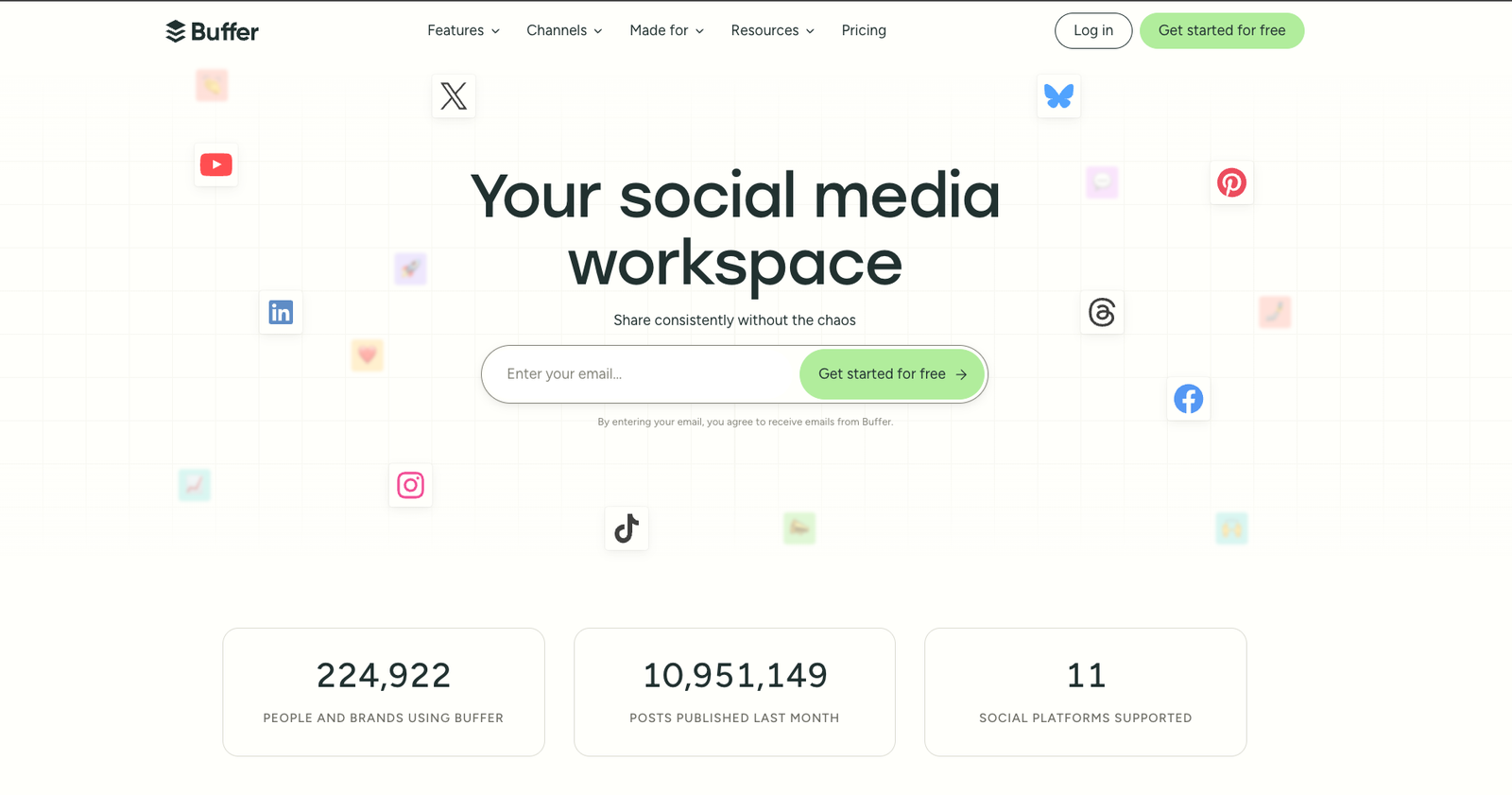
2. Buffer — Best for simple cross-platform scheduling
Buffer is the comfort food of social media tools. It’s been around forever, it just works, and the interface is so clean my mum could probably figure it out.
Where Buffer earns its keep is at the simple end of the spectrum. You connect your accounts, drop posts into a queue, and Buffer publishes them at the times you set. There’s an AI assistant for caption rewrites that’s actually decent, a Start Page (link-in-bio) feature, and a Community tab that handles basic engagement.
The catch is the per-channel pricing model. At $6/month per channel it sounds great until you realize that managing a brand across 10 channels means $60/month for what is, ultimately, a scheduler. Once you cross that threshold, flat-rate competitors get cheaper fast.
Best for: Solo creators and small teams who want to schedule across a handful of platforms without thinking about it.
Pricing: Free plan for up to 3 channels. Paid from $6/month per channel.
Standout features:
- Free plan that’s actually usable
- AI assistant included on every tier
- Clean drag-and-drop calendar
- Visual grid preview for Instagram
Pros:
- Simplest interface on this list
- Generous free plan
- AI assistant is unlimited even on the free tier
- Reliable native scheduling for Instagram, TikTok, and the rest
Cons:
- Per-channel pricing punishes you at scale
- Analytics are shallow compared to Metricool or Sprout
- No content recycling
3. Hootsuite — Best for enterprise teams
Hootsuite is the heavy hitter I bring out when a client has a 20-person social team and a legal department that wants approval chains documented in triplicate. It’s overkill for most people, but it’s exactly right for the use case it was built for.
What you’re paying for is the depth: social listening across 30+ networks, OwlyWriter AI for content generation, DM automation that’s been benchmarked to lift Instagram lead gen by 329% (their own social team’s published number), and reporting that’s actually defensible in a board meeting.
The downside is price and learning curve. The cheapest plan is now $99/month, and the dashboard has so much going on that first-time users tend to bounce off it.
Best for: Mid-to-large teams, enterprise organizations, and anyone with a budget who needs governance, social listening, and detailed reporting.
Pricing: 30-day trial, then from $99/user/month.
Standout features:
- OwlyWriter AI for content generation and repurposing
- Industry-leading social listening
- DM automation with measurable conversion tracking
- Approval workflows for regulated industries
Pros:
- Most complete enterprise feature set on the market
- Detailed analytics with industry benchmarking
- Strong governance and compliance tooling
Cons:
- Expensive — the entry price has more than doubled in two years
- Steep learning curve
- Some advanced features (sentiment, listening) are paid add-ons
4. PostPlanify — good for agencies
PostPlanify is best positioned for premium agencies and teams managing multiple branded clients under one roof. It works well for agencies that need clean client separation, organized approvals, brand-specific calendars, and a more polished workflow for handling several accounts at once. Instead of competing directly with lighter schedulers like Buffer or broader tools like SocialPilot, PostPlanify can own the “multi-brand client management” angle for agencies that want structure, control, and a professional client experience.
Best for: Agencies
Pricing: 7-day trial, then from $79/month.
5. SocialBee — Best for content recycling
SocialBee is built around one idea that other tools still don’t do well: your evergreen content shouldn’t die after one post. Their category-based scheduling lets you bucket content into types (tips, blog posts, promotional, behind-the-scenes), assign each category its own posting slots, and let SocialBee cycle through them on autopilot.
Once you set it up, your social calendar fills itself. Publish a new tip post, drop it into the “tips” category, and SocialBee takes it from there.
There’s also an AI Copilot that’ll generate a full social media campaign — content categories, posting times, even the posts themselves — based on a few questions about your brand. It’s the closest thing to “automate my entire strategy” that I’ve found.
Best for: Bloggers, creators, and anyone with a deep library of evergreen content.
Pricing: 14-day trial, then from $29/month.
Standout features:
- Category-based scheduling and recycling
- AI Copilot that generates a whole strategy
- Expiration rules for seasonal content
- RSS feed automation
Pros:
- Best-in-class recycling
- The AI Copilot is genuinely unique
- Easy to set up
Cons:
- UI feels slightly dated
- Analytics are basic
- No free plan, only a trial
6. Postiz — Best self-hosted / open-source option
Postiz is the answer to “I’m tired of SaaS pricing creeping up every quarter and I’d like to actually own my marketing stack.” It’s open source, you can self-host it on a small VPS, and the community is actively shipping new features and integrations.
I host my instance on a $5 Hetzner box and pay nothing else. The interface holds its own against paid tools, the documentation is genuinely good, and there’s no monthly bill quietly inflating in the background.
The trade-off is honest: you have to set it up. If “deploy a Docker container” sounds intimidating, this isn’t your tool.
Best for: Technically comfortable users who value data ownership and predictable costs.
Pricing: Free if you self-host. Hosted plans available if you don’t want to.
Standout features:
- Open source — full transparency, no vendor lock-in
- Self-hosting for full data control
- Community plugins
- Modern, responsive interface
Pros:
- Costs almost nothing to run
- You own your data
- Active development
Cons:
- Setup requires comfort with servers
- Smaller integration ecosystem than the SaaS giants
- Support is community-based, not 24/7
7. Metricool — Best for analytics nerds
If your morning routine involves checking how every campaign is performing before you’ve finished your coffee, Metricool was built for you. The reporting is the best I’ve used in this price bracket — heatmaps for posting times, competitor benchmarking, automated client-ready PDFs, integrated ad tracking for Meta and Google.
It’s also a competent scheduler, but the analytics are why you’d actually pick it over the alternatives. The SmartLink feature lets you build a custom landing page for your bio that tracks every click back to a campaign.
Best for: Data-driven marketers and small agencies that need real reporting without paying enterprise prices.
Pricing: Free plan available. Paid from $22/month.
Standout features:
- Real-time analytics across all platforms
- Competitor tracking and benchmarking
- Automated PDF reports
- Integrated Meta + Google Ads management
Pros:
- Reporting depth is genuinely impressive at this price
- Free plan is usable
- Heatmaps for best time to post
Cons:
- Calendar can lag with high post volumes
- UI takes some getting used to
- Not the strongest at recycling or DMs
8. Later — Best for visual-first brands
Later was built for Instagram and it shows. The visual planner lets you drag images onto a calendar and see exactly what your grid will look like before anything goes live, which matters more than people admit when you’re building a brand on aesthetics.
The Linkin.bio feature is one of the better link-in-bio tools because it actually maps clicks back to specific posts, so you can see which Reels are driving traffic to which products.
If your audience lives on Instagram, TikTok, or Pinterest, Later is hard to beat.
Best for: Visual-first creators, fashion and travel brands, and anyone who lives or dies by their Instagram grid.
Pricing: Free plan available. Paid from $25/month.
Standout features:
- Visual grid preview
- Strong Linkin.bio with attribution
- User-generated content scheduling with credit tagging
- Hashtag suggestions
Pros:
- The best visual planner on the market
- Made for short-form video and image-heavy networks
- Easy for non-technical creators
Cons:
- Weaker for text-heavy networks like LinkedIn or X
- Analytics are decent but not deep
- Pricing climbs quickly with extra users
9. Ocoya — Best for AI content creation
Ocoya is what you reach for when your content well has run dry. It bundles a Canva-style graphic editor, an AI copywriter (Travis), thousands of templates, and a hashtag finder into one tool. You can go from idea to finished, scheduled post without leaving the platform.
I generated a month of content during a single lunch break using Ocoya and the output was genuinely usable, not the generic AI sludge most tools spit out. It’s not going to replace a brand strategist, but for filler posts and time-sensitive content, it earns its place.
Best for: Solo entrepreneurs and small businesses who need to produce visual content fast.
Pricing: 7-day trial, then from $19/month.
Standout features:
- Built-in graphic design editor
- Travis AI for caption generation
- Thousands of templates
- Trending hashtag suggestions
Pros:
- One of the few tools that handles copy AND visuals well
- Templates are genuinely usable
- API available for technical users
Cons:
- Native scheduling is solid but not best-in-class
- Some templates feel generic
- Learning the editor takes a session or two
10. SocialPilot — Best for agencies on a budget
SocialPilot is the agency tool I’d recommend to anyone who can’t justify the Hootsuite or Sprout Social price tags. It does most of what they do — bulk scheduling (500+ posts), client approvals, white-label reports, AI captions — at a fraction of the cost.
The Approvals-On-The-Go feature makes client review faster than any tool I’ve used; reports auto-deliver to clients on a schedule you set; and pricing is transparent and reasonable.
Best for: SMBs and agencies managing multiple client accounts who want enterprise features without enterprise pricing.
Pricing: 14-day trial, then from $30/month.
Standout features:
- Bulk scheduling up to 500 posts
- White-label client dashboards
- Approvals-On-The-Go
- AI Pilot for captions and hashtags
- MCP server for AI integrations
Pros:
- Great value for agencies
- Solid client collaboration features
- Transparent pricing
Cons:
- No social listening
- Some accounts occasionally need re-authentication
- Analytics are basic on the cheapest plan
11. Pallyy — Best for content creators
Pallyy is what I’d recommend to a friend just getting serious about social media without the budget for an agency-grade tool. The drag-and-drop calendar is the fastest of any tool I’ve tested — you literally drag images from your media library onto dates and they’re scheduled.
The social inbox is clean, the planning grid lets you preview your Instagram feed before publishing, and the entry pricing is one of the most affordable on this list.
Best for: Solo creators and small brands focused on Instagram and TikTok.
Pricing: Free plan available. Paid from $18/month per social set.
Standout features:
- Drag-and-drop content calendar
- Instagram grid preview
- Social inbox with automation rules
- Customizable workflows
Pros:
- Best entry-level pricing in the category
- Genuinely fast scheduling experience
- Clean, modern UI
Cons:
- Pricing isn’t team-friendly (pay per social set)
- Designed for creators, not agencies
- Weaker on cross-platform reporting
12. ManyChat — Best for DM and comment funnels
ManyChat doesn’t belong in the same conversation as the other ten tools, and that’s the point. It doesn’t schedule posts. What it does is automate the messaging side of social — specifically, turning comments into DMs into customers.
Set up a keyword trigger (“comment GUIDE for the free download”) and ManyChat sends an instant DM with the link, captures the lead, and routes them through whatever follow-up flow you build. The visual flow builder is genuinely beginner-friendly even when you’re chaining conditions, tags, and branching logic.
If you sell anything on Instagram or Facebook, this is the missing piece most marketers ignore.
Best for: Creators, SMBs, and ecommerce brands running DM-based lead funnels on Meta or TikTok.
Pricing: Free plan up to 1,000 contacts. Paid from $15/month.
Standout features:
- Keyword-triggered DM automation
- Visual flow builder
- Cross-platform: Instagram, Facebook, TikTok
- Lead capture and tagging
Pros:
- Best-in-class DM automation, period
- Beginner-friendly despite the underlying power
- Pairs well with any of the schedulers above
Cons:
- Doesn’t replace a scheduling tool — buy it alongside one
- TikTok comment automation is limited
- Can feel overwhelming if you over-build flows
How to choose the right social media automation tool
Don’t pick the tool with the most features. Pick the one that matches the work you actually do. Here’s the short version of how I’d think about it:
1. Count your accounts. If you’re managing 1–3 channels, Buffer or Pallyy will save you money. If you’re at 10+, look at flat-rate tools like SchedPilot, Metricool, or SocialPilot.
2. Identify your bottleneck. If creating content is your bottleneck, Ocoya or SocialBee. If reporting is your bottleneck, Metricool or Sprout. If responding to DMs is your bottleneck, ManyChat.
3. Decide how much automation you actually want. If you want a clean dashboard that lets you click “schedule,” Buffer is fine. If you want to build AI agents that draft, schedule, and report on your behalf, you need a tool with API access — that’s SchedPilot.
4. Consider your team. Solo? Almost any tool works. Multi-person team with approvals? Hootsuite, SocialPilot, or Sendible. Agency with clients? White-label features matter — look at SocialPilot or Sendible.
5. Budget realistically. Add up the per-account or per-user cost at your real volume, not the entry tier. Per-channel pricing on Buffer or per-user on Hootsuite gets expensive fast.
How to actually automate your social media in 5 steps
Picking the tool is the easy part. Here’s how to actually build a system that runs without you.
Step 1: Audit what you do manually. List every repetitive task you do each week — drafting captions, picking posting times, exporting analytics, replying to the same FAQ in DMs. Those are your automation candidates.
Step 2: Set your posting cadence. Decide how many times per week you’ll post on each platform and at what times. Most tools will recommend optimal times based on your audience. Use that data.
Step 3: Batch your content creation. One block per week (or two), create everything at once. Captions, assets, AI variations. Then upload it all in one session via bulk import.
Step 4: Set up your automation rules. Beyond scheduling, layer in:
- A recycling queue for evergreen posts
- RSS automation if you have a blog
- DM keyword triggers (this is where ManyChat earns its place)
- Auto-reports delivered weekly to your inbox
Step 5: Review and adjust monthly. Look at what’s working, prune what isn’t, and resist the urge to automate everything on day one. The system gets better the more you trust it with the boring 80%.
What you should never automate
Automation is powerful but it’s not a substitute for judgment. Don’t automate:
- Crisis communication. A scheduled promotional post going live during a bad news cycle is a brand problem you can’t easily clean up.
- Sensitive customer issues. Auto-replies on legitimate complaints make you look uncaring.
- Original strategy. AI can draft, but your point of view has to come from you.
- Comments on emotional content. Real people, real responses.
- Anything that violates platform terms. Auto-following, mass-liking, scraping — these get accounts banned.
The rule of thumb I use: automate the predictable, keep humans on the unpredictable.
Risks of social media automation (and how to avoid them)
A few honest warnings before you go all-in:
- Sounding robotic. Generic AI captions are obvious. Always edit AI output before publishing.
- Bad timing. A scheduled post during a sensitive news moment can age you a decade in twenty minutes. Have a process to pause your queue when something happens.
- Platform policy violations. Stick to API-compliant tools. Anything promising auto-likes or auto-follows is a fast track to a banned account.
- Over-automation. If everything is automated, you lose the relationship layer that makes social actually work. Reserve real human time for real human moments.
- Compliance risk. If you’re in healthcare, finance, or any regulated space, make sure your tool supports the audit trails and approval chains you’ll need.
Try SchedPilot for free
Free trial · No upfront payment · 10+ platforms
Post on 10 platforms at once. Great for influencers, marketers, agencies.
Frequently asked questions
What’s the difference between social media scheduling and automation?
Scheduling is one thing automation does. Automation is the broader category — it includes scheduling, AI content generation, DM responses, social listening, automated reporting, and approval workflows. A scheduler is a hammer; an automation tool is a workshop.
Is social media automation safe?
Yes, when you use legitimate, API-compliant tools. Every tool on this list works through official platform APIs and won’t get your account banned. The risk comes from sketchy third-party tools that promise auto-following, mass-liking, or fake engagement — those violate platform terms and get accounts suspended.
Will automation hurt my engagement?
No, when used correctly. Multiple studies (including Hootsuite’s own internal testing) show scheduled posts perform as well as or better than manually published ones. What hurts engagement is generic AI content with no human review, posting at random times, and ignoring your audience when they reply.
How much does social media automation cost?
Anywhere from free (Postiz, Buffer’s free tier, Pallyy’s free tier) to $400+/month for enterprise tools like Sprout Social. Most small-to-mid users land in the $11–$50/month range. SchedPilot at $11 is on the affordable end of useful; tools above $100 are usually paying for governance, listening, or large team features.
What’s the best free social media automation tool?
Buffer’s free plan covers up to 3 channels with basic scheduling and the AI assistant. Pallyy’s free plan is good for solo creators. Postiz is free if you self-host. ManyChat’s free plan is generous for DM automation. For full-featured automation, plan to pay something — even $11/month gets you significantly more.
Can I automate Instagram DMs?
Yes. ManyChat is the best dedicated tool for this; Hootsuite has DM automation built into its higher plans. You can trigger DMs from comments, build conversation flows, and capture leads — all within Instagram’s official rules.
What’s the cheapest social media automation tool?
If you’re willing to self-host, Postiz is free. If you want hosted with multi-account support, SchedPilot at $11/month is the cheapest serious tool I’d recommend. Buffer’s free plan works for very small needs but caps at 3 channels.
Do I need a separate tool for each social network?
No. Every tool on this list publishes to multiple networks from one dashboard. The difference is which networks they support — most cover the big six (X, Instagram, LinkedIn, Facebook, TikTok, YouTube), and a smaller number support newer ones like Bluesky and Threads. SchedPilot supports all of them including Bluesky and Reddit.
What is the best social media automation tool for agencies ?
We think the absolute best combination between price and features, is SchedPilot for agencies automating social media management.
Try SchedPilot for free
Free trial · No upfront payment · 10+ platforms
Post on 10 platforms at once. Great for influencers, marketers, agencies.
Final thoughts
There’s no single best social media automation tool — there’s the one that fits how you actually work. If you’re a solo creator on Instagram, Buffer or Pallyy. If you’re an agency, SocialPilot or Sendible. If you’re an enterprise, Hootsuite. If you’re building AI-driven content systems, SchedPilot.
The tools have improved enormously in the last year, but the principle hasn’t changed. Automate the predictable, keep humans on the meaningful, and use the time you save to actually engage with the people who care about what you’re building.
Pick one, give it two weeks, and see how much of your week you get back.
Ready to try affordable, API-first social media automation? Start your 7-day SchedPilot trial — no credit card required.
Related posts
How to Automate Social Media Posts With AI (5 Setups, Prompts Included)
October 25, 2026
10 AI Agents Automation Tools for Social Media in 2026, Ranked by How Much They Do Without You
October 8, 2026
6 Best MCP Servers for Social Media Management in 2026
July 5, 2026
15 Ways to Use AI Agents for Social Media Management
July 5, 2026