 SchedPilot
10 Best Social Media APIs in 2026, Compared on What You’ll Actually Pay
Short answer: for posting to your own or your clients’ accounts, SchedPilot gives you a REST API, an MCP server for AI agents and a full scheduling app from $29 a month. If your product’s users connect their own accounts, look at Ayrshare or Zernio. If you only care about the lowest price per post, Post for Me starts at $10. If it has to run on your own server, Postiz is open source, but you need to have your own oauth apps and that takes weeks to setup. If you are want to start right away and need unlimited posts for under $100, then Schedpilot is the best.
TL;DR: the 10 social media posting APIs
- SchedPilot: API, MCP and a scheduling app in one plan. Best for agencies, brands, clipping channels and AI agents. From $29.
- Ayrshare: profile-based API for SaaS products whose users connect their own accounts. From $149.
- Zernio: pay per connected account, first 2 free. The cheapest way to start.
- Upload-Post: 22 networks and a free plan. Strong for video uploads.
- Postiz: open source, self-host it or pay from $29 hosted.
- Buffer: API on every plan, including free, with request caps per channel.
- Blotato: 20 accounts for $29, but the trial excludes the API.
- bundle.social: free tier for testing, then $100 for 10,000 posts.
- Post for Me: $10 for 1,000 posts a month, unlimited accounts.
- PostFast: 11 networks, priced in euros from €15.
Social media posting APIs at a glance
| API | You pay for | Entry price | Free plan or trial | Networks (vendor’s count) | MCP server |
|---|---|---|---|---|---|
| SchedPilot | Plan with accounts included | $29 ($21 yearly), 5 accounts | 7-day trial, card required, $0 today | 9 | Yes |
| Ayrshare | User profiles | $149, 1 profile | 28-day trial on Launch | 14+ | Yes |
| Zernio | Connected accounts | $0 for 2, then $6 each | 2 accounts free | Social, messaging, blogs, ads (no total given) | Yes |
| Upload-Post | Plan with profiles included | $24 ($16 yearly), 5 profiles | Free: 2 profiles, 10 uploads a month, no TikTok | 22 | Yes |
| Postiz | Plan with channels included | $29 ($23 yearly), 5 channels | 7-day trial; self-host free | 30 | Yes |
| Buffer | Channels | $5 per channel | Free: 3 channels, API included | Not stated | Yes |
| Blotato | Plan with accounts included | $29, 20 accounts | 7-day trial, without API | 11 | Paid plans only |
| bundle.social | Posts per month | $100, 10,000 posts | Free: 20 posts a month | 15 | Linked on site |
| Post for Me | Posts per month | $10, 1,000 posts | None listed | About 10 named | Not listed |
| PostFast | Plan with accounts included | €15 (€12.50 yearly), 4 accounts | 7-day trial, no card | 11 | Yes |
The four ways these APIs charge
The sticker price tells you very little until you know what’s being counted. Every API on this list bills by one of four things, and which one suits you depends almost entirely on how many accounts you post to and how often.
Flat plans are the most predictable. You pay one price, get a number of accounts, and post as much as you like within it. Per-profile pricing (Ayrshare’s model) makes sense when every customer of your app is a separate “profile” with their own logins. Per-account pricing is the cheapest way to start and the most expensive way to grow. Per-post pricing is great until a client asks for a daily Story on 40 accounts.
What 10 accounts and 600 posts a month cost
Here’s one common case priced across all ten: a small agency with 5 clients, 2 accounts each, posting about 20 times a day in total.
SchedPilot isn’t the cheapest line here, and I won’t pretend otherwise. The $39 buys something the cheaper rows don’t: a calendar your team works from, five separate workspaces so client A never sees client B, and room to grow to 20 accounts without a price change. If all you need is a pipe that pushes 1,000 posts a month, Post for Me at $10 is hard to argue with.
Push the same agency to 100 accounts and the order flips. Zernio climbs to roughly $318 (2 free, 8 at $6, 90 at $3), Buffer to around $500 before its volume discount, and SchedPilot’s Enterprise plan covers 100 accounts for $99.
The 10 best social media posting APIs
1. SchedPilot
Best for: agencies, brands and AI agents posting to accounts you manage.
SchedPilot is a scheduler with the API built in, not an API with a dashboard bolted on. One REST endpoint schedules a post to any mix of Instagram, Facebook, TikTok, X, LinkedIn, YouTube, Pinterest, Threads and Bluesky. A separate endpoint handles image and video uploads, and dedicated tools cover Instagram carousels and Stories, LinkedIn carousels and TikTok slideshows. Everything your code creates lands in the same calendar your team uses, so a human can check tomorrow’s queue without reading logs.
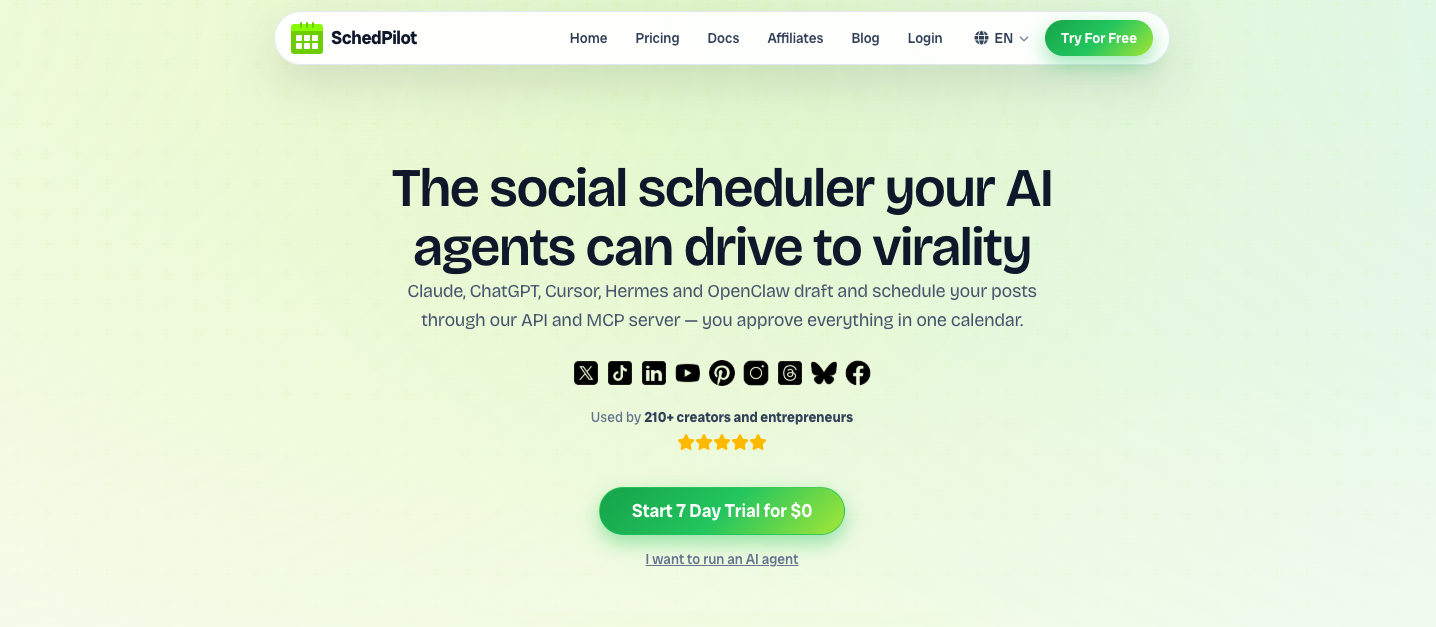
The MCP server is the other half. Paste one URL into Claude, ChatGPT, Cursor or any MCP client, sign in, and the agent can list accounts, upload media, schedule and read analytics. There are setup guides for Claude, ChatGPT, Claude Code and a dozen more agents.
Pricing: Silver $29 (5 accounts, 450 posts a month), Gold $39 (20 accounts, unlimited posts), Platinum $59 (40), Enterprise $99 (100 accounts, approval workflow). Yearly billing drops Silver to $21. API access on every plan. Downside: 9 networks, fewer than Upload-Post or Postiz, and no per-end-user profile model, so it’s the wrong fit if thousands of your app’s users each connect their own accounts. But still the best social media api for under $100 with unlimited posts.
2. Ayrshare
Best for: SaaS products where each of your users connects their own social accounts.
Ayrshare is the established name in this category, and its profile model is built for exactly one job: you run an app, your users link their socials through Ayrshare, and your backend posts on their behalf. It covers 14+ networks and has an MCP server. Premium is $149 for one profile (up to 14 accounts), Launch $299 for 10 profiles with a 28-day trial, Business $599 for 30.
Downside: the entry price. For an agency posting to a handful of client accounts, $149 to $299 a month is a lot of money for what a flat plan does. We compare the two in detail in our Ayrshare alternative page.
3. Zernio
Best for: developers who want to start free and pay per account.
Zernio bills per connected account with unlimited posts: the first 2 free, $6 each up to 10, $3 each up to 100, $1 after that. Ten accounts cost $48. Beyond social networks it reaches messaging apps, blog platforms and ad accounts, which is unusual here. There’s an MCP server.
Downside: linear pricing. Every new client account adds to the bill, which is lovely at 3 accounts and less lovely at 100.
4. Upload-Post
Best for: video-heavy workflows across lots of networks.
Upload-Post lists 22 networks, the widest spread after Postiz. The free plan gives you 2 profiles and 10 uploads a month (TikTok excluded). Paid plans run Basic $24 (5 profiles), Professional $50 (25), Advanced $147 (75) and Business $438 (225), all with unlimited uploads and MCP access.
Downside: it’s an API first, so your team gets less of a working calendar than with a scheduler. See Upload-Post alternative for the side-by-side.
5. Postiz
Best for: teams that need to self-host.
Postiz is open source, so you can run it on your own server for nothing but the hosting bill. The hosted version is Standard $29 (5 channels), Team $39 (10), Pro $49 (30) and Ultimate $99 (100), with API and MCP on all of them. Its channel list runs to 30 platforms, the longest here.
Downside: self-hosting is real work. You maintain the server, handle updates, and typically register your own developer apps with each network. Our Postiz alternatives roundup covers when that trade is worth it, and Mixpost alternative covers the other popular self-hosted option.
6. Buffer
Best for: teams already on Buffer who want to script it.
Buffer includes API keys on every plan, even the free one (3 channels). Paid plans are $5 per channel on Essentials and $10 on Team, with a 14-day trial. The limits are counted in requests per channel per 30 days: 1,000 on Free, 3,000 on Essentials, 10,000 on Team. There’s also a Social Media MCP for Claude and ChatGPT.
Downside: per-channel pricing and request caps. Fine for a solo brand, costly at agency scale. More in Buffer API alternative and Buffer pricing.
7. Blotato
Best for: creators who want AI content tools plus an API.
Blotato’s Starter plan gives you 20 accounts for $29, which is generous. Creator is $97 for 40 accounts, Agency $499. It covers 11 platforms, and every paid plan includes the API and MCP with no separate API tier.
Downside: the 7-day trial doesn’t include the API, and generating an API key ends the trial and starts billing. You can’t test the integration for free. See Blotato alternative.
8. bundle.social
Best for: high-volume apps that want to test for free first.
bundle.social prices by posts: Free gives you 20 a month to test the API, Pro is $100 for 10,000 posts with unlimited accounts and a 14-day trial, Business $400 for 100,000. It lists 15 networks.
Downside: the gap between free and paid. Going from 20 posts to 10,000 is a $100 step with nothing in between.
9. Post for Me
Best for: the lowest cost per post.
$10 a month buys 1,000 successful posts with unlimited accounts, API keys and team members. Go over and it moves you up a tier at your next billing cycle rather than cutting you off. It covers the main networks, including TikTok, Instagram, LinkedIn, YouTube and Bluesky.
Downside: there’s no free plan or trial listed, and it’s a developer tool, not something your client will log into.
10. PostFast
Best for: European teams on a tight budget.
PostFast is a scheduler with an API and MCP server on every plan, priced in euros: Starter €15 (4 accounts), Creator €29 (12), Growth €49 (30), Pro €99 (120), Enterprise €239 (500). It covers 11 networks, including Telegram and Google Business Profile, and the 7-day trial doesn’t ask for a card.
Downside: euro billing adds a currency line to your invoices if you’re outside Europe, and the account limits on the lower plans are tight.
Which social media API fits your case
You post for your own brand or for clients
You know which accounts you post to, and the number grows slowly. A flat plan wins here, because you can post as often as the networks allow without watching a meter. SchedPilot’s workspaces keep clients apart, and the same posts show up in a calendar people can review. If you’re wiring it into automations, the n8n and Zapier guides have ready-made setups, and posting clips across many accounts walks through a high-volume case.
Your product’s users connect their own accounts
This is a different problem. You need an OAuth flow your users go through, a way to keep thousands of accounts separate, and pricing that scales with your customers. Ayrshare’s profiles, Zernio’s per-account billing and bundle.social’s post buckets are all built for it. I’d prototype on Zernio’s free accounts or bundle.social’s free tier and decide on pricing once you know your posts per user.
You’re building an AI agent
Pick an API that ships an MCP server, so the agent can call it without you writing tool definitions. Most on this list now do. The things that matter more than the server’s existence: whether the agent can upload media (many can’t take a file from the chat), whether it confirms before posting, and whether a human can see the result somewhere other than a log. Our best MCP servers for social media roundup and the MCP social media scheduler page go deeper. For specific agents, see connecting ChatGPT to LinkedIn and connecting Claude to social media.
You want to run it on your own server
Postiz is the realistic choice. Budget a few hours a month for upkeep, and expect to go through each network’s developer approval yourself.
You run clipping channels
Clippers are some of the heaviest API users there are: one clip, cut from a stream or a podcast, goes to TikTok, YouTube Shorts and Instagram Reels on several accounts, three or four times a day. That changes which pricing model wins. Take 30 accounts posting 3 clips a day, about 2,700 posts a month. Post for Me’s $10 tier stops at 1,000 posts. Buffer comes to $150 at $5 a channel, Zernio to about $108. Postiz Pro covers exactly 30 channels for $49, and SchedPilot Platinum covers 40 accounts with unlimited posts for $59, so you can add ten more channels before the price moves.
Check three things before you pick: that the API takes video from a URL (your clip tool exports somewhere, and you don’t want to download and re-upload), that it supports a YouTube title separate from the caption, and that one upload can be reused across accounts. SchedPilot does all three: upload a clip once, then reuse its media ID in every post. The step-by-step setup is in how to automate posting clips across multiple accounts. If you’re just getting started, read how to start a clipping channel and how to make money clipping videos first. For specific sources, there are guides to podcast clipping, Twitch clips, turning YouTube videos into Shorts and GTA 6 gameplay, plus 150+ TikTok captions for clips.
Why not just use each network’s own API?
You can. It’s free in some cases and the most control you’ll ever have. It’s also nine sets of docs, nine app reviews and nine kinds of token expiry. Instagram’s Graph API only publishes to professional accounts and needs Meta’s app review (what the Instagram API really costs). Posting as a LinkedIn company page needs LinkedIn’s Community Management API, which you apply for (LinkedIn API pricing). X charges for its API. TikTok audits apps before they can post publicly.
A unified social media API has already done all of that. For one network and a developer with time, go direct. For three or more, a unified API pays for itself in the first week.
What to check before you choose
- What’s counted: profiles, accounts, channels or posts. Price your real numbers, not the entry plan.
- Whether the trial includes the API. Blotato’s doesn’t.
- Media handling: direct uploads, public URLs or both, and the video size limits.
- Network-specific formats you need: Instagram carousels and Stories, LinkedIn document posts, TikTok slideshows, X threads.
- Whether non-developers on your team can see and fix what the API scheduled.
- Rate limits on the plan you’d actually buy.
FAQ
What is the best social media posting API?
It depends on what’s being counted. For posting to your own or clients’ accounts, SchedPilot’s flat plans with API, MCP and a calendar are the best value. For apps whose users connect their own accounts, Ayrshare or Zernio. For the lowest cost per post, Post for Me.
Is there a free social media posting API?
Several have free tiers: Buffer (3 channels), Zernio (2 accounts), Upload-Post (10 uploads a month) and bundle.social (20 posts a month). Postiz is free if you self-host it. The networks’ own APIs are free in some cases but need app reviews.
Which social media API works with AI agents?
Any API with an MCP server. SchedPilot, Ayrshare, Zernio, Upload-Post, Postiz, Buffer, Blotato and PostFast all offer one. SchedPilot’s works with Claude, ChatGPT, Cursor and other MCP clients through one URL and an OAuth sign-in.
What is a unified social media API?
One API that posts to many networks. You send one request with your text, media and target accounts, and the service handles each network’s own API, formats and tokens.
How much does a social media API cost?
From $0 to several hundred dollars a month. For 10 accounts and 600 posts a month, the ten APIs here range from $10 (Post for Me) to $299 (Ayrshare), with SchedPilot at $39.
Count your accounts and your posts per month first, then price those numbers on two or three of the APIs above. If you post for your own brand or clients, start a SchedPilot trial: 7 days, $0 today, API and MCP included.
Related posts
How to Do Affiliate Marketing With YouTube Shorts (2026)
November 24, 2026
How to Connect LinkedIn to ChatGPT: Post, Schedule and Make Carousels (2026)
November 23, 2026
Can ChatGPT Post to Social Media? What Actually Works in 2026
November 23, 2026
Zapier Social Media Automation: Schedule Posts to 9 Networks From One Zap
November 22, 2026