 SchedPilot
12 Best Social Media Scheduling Tools in 2026 (Tested & Compared)
TL;DR
Scheduling tools let you plan and publish to every network from one dashboard, so you batch a week of posts in one sitting instead of living inside five social media apps. Particularly useful if you are managing multiple accounts for yourself, or you run a social media management agency
The things that matter: broad platform coverage (including Threads and Bluesky), official API publishing so your reach isn’t penalized, a visual drag-and-drop calendar, sane pricing, and increasingly, AI automation.
SchedPilot is the best overall pick and the cheapest full-featured option, with an MCP server and API that let Claude, ChatGPT or n8n draft and schedule posts for human approval. Buffer suits beginners, Hootsuite and Sprout Social suit enterprises with budget, Later is for Instagram-first brands, Planable for teams that need client approvals, and SocialBee or MeetEdgar for evergreen recycling.
The 12 tools covered
- SchedPilot – best overall for creators, agencies and AI-powered scheduling (9 networks, MCP/API, from $21/mo)
- Buffer – best for beginners, free plan up to 3 channels
- Hootsuite – best for enterprise teams, 20+ networks, social listening
- Later – best for visual Instagram-first brands, feed planner and link-in-bio
- Sprout Social – best premium all-in-one, unified inbox and CRM
- SocialBee – best for evergreen recycling via categorized queues
- ContentStudio – best for content discovery and AI suggestions
- Zoho Social – best for businesses already on Zoho CRM
- Planable – best for team approval workflows and visual previews
- Publer – best for bulk CSV scheduling on a budget
- MeetEdgar – best for set-and-forget content recycling
- Velocity
Free trial · No upfront payment · 10+ platforms
Try SchedPilot for free
Post on 10 platforms at once. Great for influencers, marketers, agencies.
Staying consistent on social media is hard, especially if you have 20-50-100 accounts or even more.
That’s especially true when you’re juggling Instagram, TikTok, LinkedIn, X, and three more platforms at once. Social media scheduling tools solve this: they let you plan, organize, and publish content across every channel from one dashboard, so you can batch a week of posts in one sitting instead of living inside five different apps.
Whether you’re a solo creator, a startup founder, or running an agency with dozens of client accounts, the right scheduler changes how you work.
We’ve tested the most talked-about platforms on the market and broke down the 12 best social media scheduling tools below — with pros, cons, pricing, and who each one is actually best for.
Free trial · No upfront payment · 10+ platforms
Try SchedPilot for free
Post on 10 platforms at once. Great for influencers, marketers, agencies.
Quick comparison: the best social media schedulers at a glance
| Tool | Best for | Standout feature | Free option |
|---|---|---|---|
| SchedPilot | Creators, agencies & AI-powered workflows | AI agents can draft & schedule via MCP/API | 7-day free trial, plans from $21/mo |
| Buffer | Beginners & solopreneurs | Simple queue-based scheduling | Free plan (3 channels) |
| Hootsuite | Enterprise teams | Social listening & deep analytics | Trial only |
| Later | Visual-first Instagram brands | Drag-and-drop feed planner | Limited free plan |
| Sprout Social | Large teams with big budgets | CRM + unified inbox | Trial only |
| SocialBee | Evergreen content recycling | Categorized content queues | Trial only |
| ContentStudio | Agencies doing content discovery | AI content suggestions | Trial only |
| Zoho Social | Businesses in the Zoho ecosystem | CRM integration | Trial only |
| Planable | Teams with approval workflows | Visual post previews & comments | Limited free plan |
| Publer | Bulk schedulers on a budget | CSV bulk uploading | Limited free plan |
| MeetEdgar | Set-and-forget automation | Automatic content recycling | Trial only |
| Velocity | Marketing teams and agencies creating on-brand social content | AI social media agents turn campaign briefs into posts and visuals | Limited free plan |
What they cost: starting prices compared
Prices below were checked on each vendor’s pricing page in November 2026. The billing model matters more than the headline number: some tools charge per channel, some per user, some per client workspace, and some a flat price per plan. Once you pass five accounts, that difference decides which tool is actually the most affordable.
| Tool | Starts at | Billed by | Free plan |
|---|---|---|---|
| SchedPilot | $21/mo billed yearly ($29 monthly), 5 accounts | Flat per plan | No, 7-day trial |
| Buffer | $6 per channel/mo ($5 billed yearly) | Per channel | Yes, 3 channels |
| Hootsuite | $99 per user/mo, billed yearly | Per user | No |
| Later | $25/mo ($18.75 billed yearly) | Per social set | No, 14-day trial |
| Sprout Social | $79 per seat/mo, billed yearly | Per seat | No, 30-day trial |
| SocialBee | $29/mo ($24 billed yearly), 5 profiles | Flat per plan | No, 14-day trial |
| ContentStudio | About $19/mo billed yearly | Flat per plan | No, 14-day trial |
| Zoho Social | $15/mo ($10 billed yearly), 1 brand | Per brand | Yes, very limited |
| Planable | $39 per workspace/mo ($33 billed yearly) | Per workspace | Yes, 50 posts in total |
| Publer | $5/mo for 1 account, then $4 per extra account | Per account | Yes, 3 accounts, no X |
| MeetEdgar | $29.99/mo, 5 accounts | Flat per plan | No |
| Velocity | Free plan, paid plans for more AI quota | Per plan | Yes |
So what’s the cheapest social media scheduler? For one to three accounts, Publer or Buffer’s free plan. At 20 accounts the picture flips: Buffer Essentials comes to about $100/month, Publer to roughly $75–80, and SchedPilot’s Gold plan is $35/month billed yearly. At 100 accounts, SchedPilot Enterprise is $79/month billed yearly ($99 monthly), with 10 team seats included. If you want a paid tool at a reasonable cost rather than the cheapest free one, that per-account math is the thing to run before you sign up.
How to post on all social media at once
To publish to multiple social media accounts at the same time — or plan a full calendar a week or a month ahead — you need a scheduling tool that connects to each platform’s official API. You write (or bulk-upload) your content once, pick the accounts and times, and the tool publishes everything automatically. Having all your content in one platform also means one content plan across different accounts and different clients, which is exactly why agencies rely on these tools. If you’re new to batching, here’s how to plan a week’s worth of social media posts in one hour.
How an online scheduler connects to your social accounts (and your chats)
When you add an account, the scheduler sends you to the network’s own login screen: Instagram, LinkedIn, TikTok and so on. You approve access there, and the network hands the scheduler a token. The scheduler never sees your password. From then on, it publishes through the platform’s official API at the time you picked.
Those tokens expire. Meta and LinkedIn periodically ask you to reconnect, and changing a password usually breaks the link. Check that a tool warns you when a connection drops, otherwise you find out when a post silently fails to go out. If that has already happened to you, here’s why Instagram scheduled posts stop working and how to fix it.
The same connection can cover comments and DMs if the tool has an inbox. Sprout Social and Hootsuite pull messages from every network into one unified inbox, SchedPilot lets you reply to posts and comments from the dashboard on its Gold plan and up, and Buffer includes engagement tools on paid plans. Recycling-focused tools like MeetEdgar are built for publishing, not for conversations.
What to look for in a social media scheduling tool
Before we get to the list, here’s what actually separates a good scheduler from a frustrating one:
Platform coverage. At minimum you want Instagram, TikTok, LinkedIn, X (Twitter), Facebook, and YouTube. Newer networks like Threads and Bluesky are a bonus that many older tools still lack.
Official API publishing. Tools that publish through platform-approved APIs won’t hurt your reach and won’t get your accounts flagged — scheduling posts instead of posting live has real benefits, but only when it’s done through official channels.
A visual calendar. Drag-and-drop planning across all your channels in one view is the feature you’ll use every single day.
Pricing that scales sanely. Entry plans in this category range from $20/month to $199+/month for broadly similar core features, so check what you’re actually paying for before committing.
Automation and AI. Best-time-to-post suggestions, AI captions, bulk scheduling, and — increasingly — the ability to let AI agents handle your posting entirely.
First comment and hashtag management. If Instagram is a big channel for you, saved hashtag sets and first-comment scheduling save real time every week. SchedPilot and Publer both schedule the first comment.
Native video publishing. Reels, TikToks and YouTube Shorts should publish directly, not as a phone notification you have to finish by hand.
Social listening, only if you need it. Most schedulers don’t do it. Hootsuite and Sprout Social are the two tools here with real listening, and both charge enterprise prices for it.
With that in mind, here are the 12 best social media scheduler platforms in 2026.
1. SchedPilot — best overall for creators, agencies & AI-powered scheduling
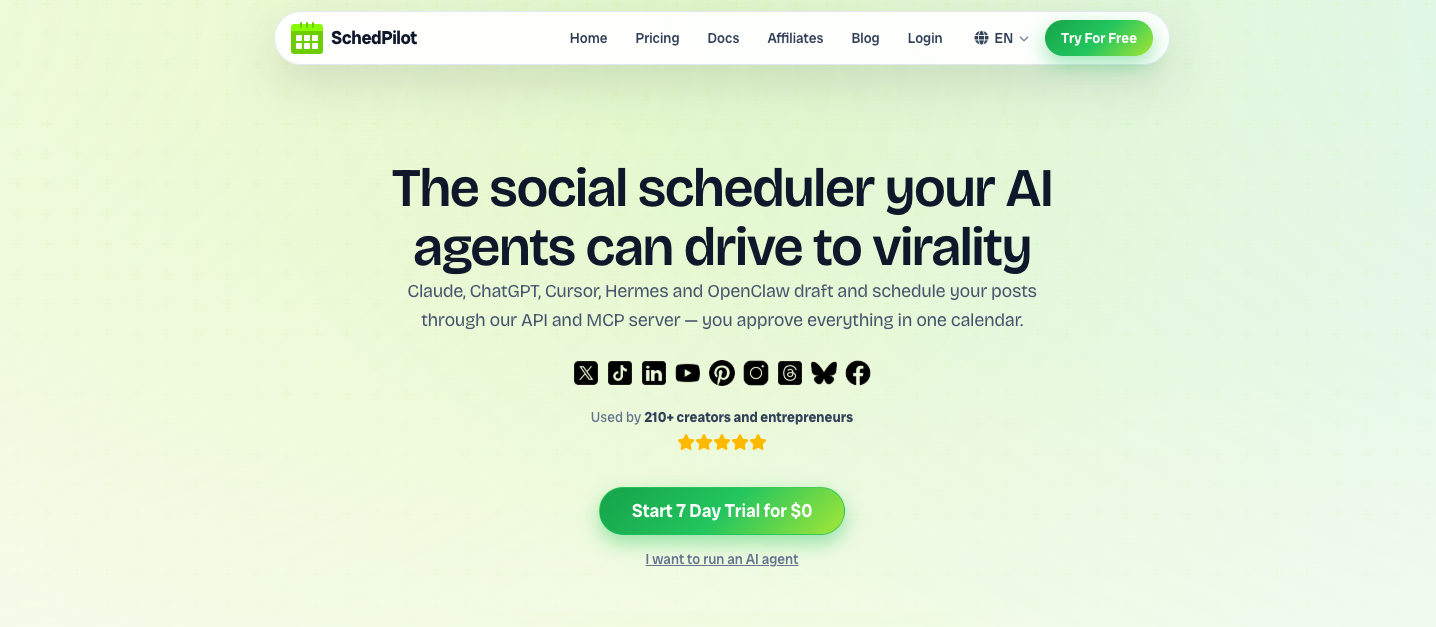
SchedPilot is a powerful and intuitive social media scheduling tool built for creators, agencies, and small businesses.
It covers 9 networks: Instagram, TikTok, LinkedIn, X (Twitter), YouTube, Facebook, Threads, Pinterest, and Bluesky — all from a sleek visual calendar where you can plan social media posts for one brand or a whole roster of clients.
What makes SchedPilot genuinely different is its AI-agent layer: it ships with a REST API and MCP server, so Claude, ChatGPT, Cursor, or your n8n workflows can draft and schedule posts for you in plain language — while every post still lands in your calendar for one-click human approval before it goes live. No other scheduler on this list offers that.
Beyond the agent features, you get a dedicated TikTok scheduler, LinkedIn scheduler, Instagram scheduler with first-comment and hashtag sets, a YouTube & Shorts scheduler, a built-in video/UGC editor for Reels and Shorts, best-time-to-post insights, analytics with client reports, and agency workspaces with roles and approvals.
Pros:
- Intuitive UI, fast performance, and a visual calendar across all 9 networks
- AI agents can draft & schedule via MCP server and social media scheduling API — with human approval before publishing
- Built-in video/UGC editor, AI captions, bulk CSV scheduling, and best-time insights
- Agency workspaces, roles, approval workflows, and client reporting
- Affordable pricing starting at just $21/month with a 7-day free trial
- ideal for solo creators, small agencies, small businesses
Cons:
- Still expanding integrations for niche platforms
- No native mobile app yet
- Newer to the market than legacy tools
Pricing: From $21/month. 7-day free trial, no payment upfront.
All in all, SchedPilot lets you post to multiple social networks at once and manage everything from a single dashboard — and it’s the cheapest full-featured social media scheduler on this list by a wide margin.
2. Buffer — best for beginners
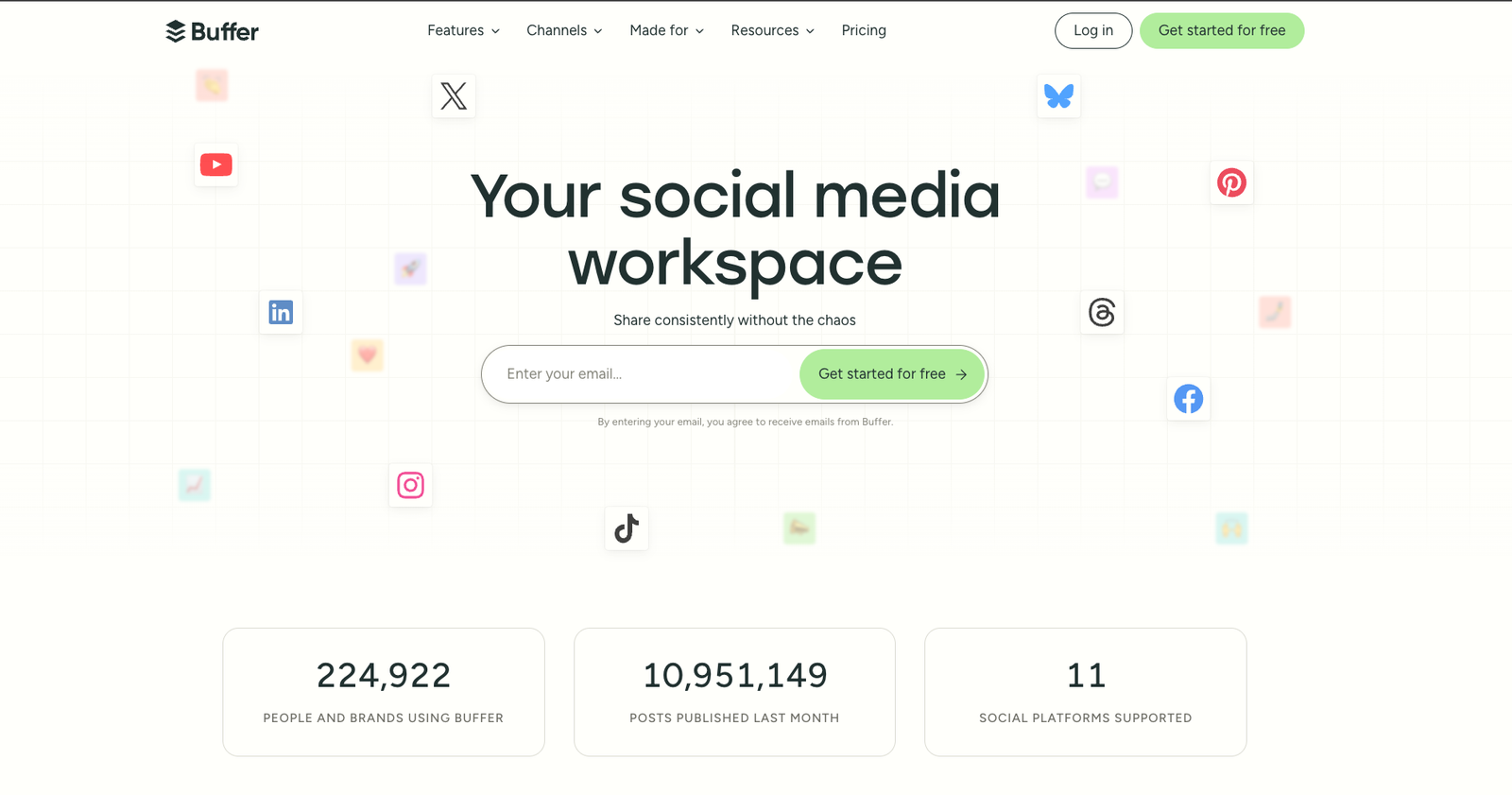
Buffer remains one of the most popular social media scheduling tools, known for its clean interface and simple queue-based workflow. It works well for solopreneurs and small businesses who want straightforward scheduling of social media posts across Facebook, X, LinkedIn, Pinterest, and Instagram, with basic analytics and a handy browser extension. If Buffer’s per-channel pricing starts adding up, we’ve covered the best Buffer alternatives separately.
Pros:
- Clean, easy-to-use interface with queue-based scheduling
- Browser extension for quick sharing
- Free plan available (up to 3 channels)
- Supports team collaboration on higher tiers
Cons:
- Per-channel pricing gets expensive as you add accounts
- Limited analytics on the free plan
- Instagram scheduling can be restrictive
- Fewer automation options than newer tools
Pricing: Free plan; paid plans from around $6/month per social channel.
3. Hootsuite — best for enterprise teams
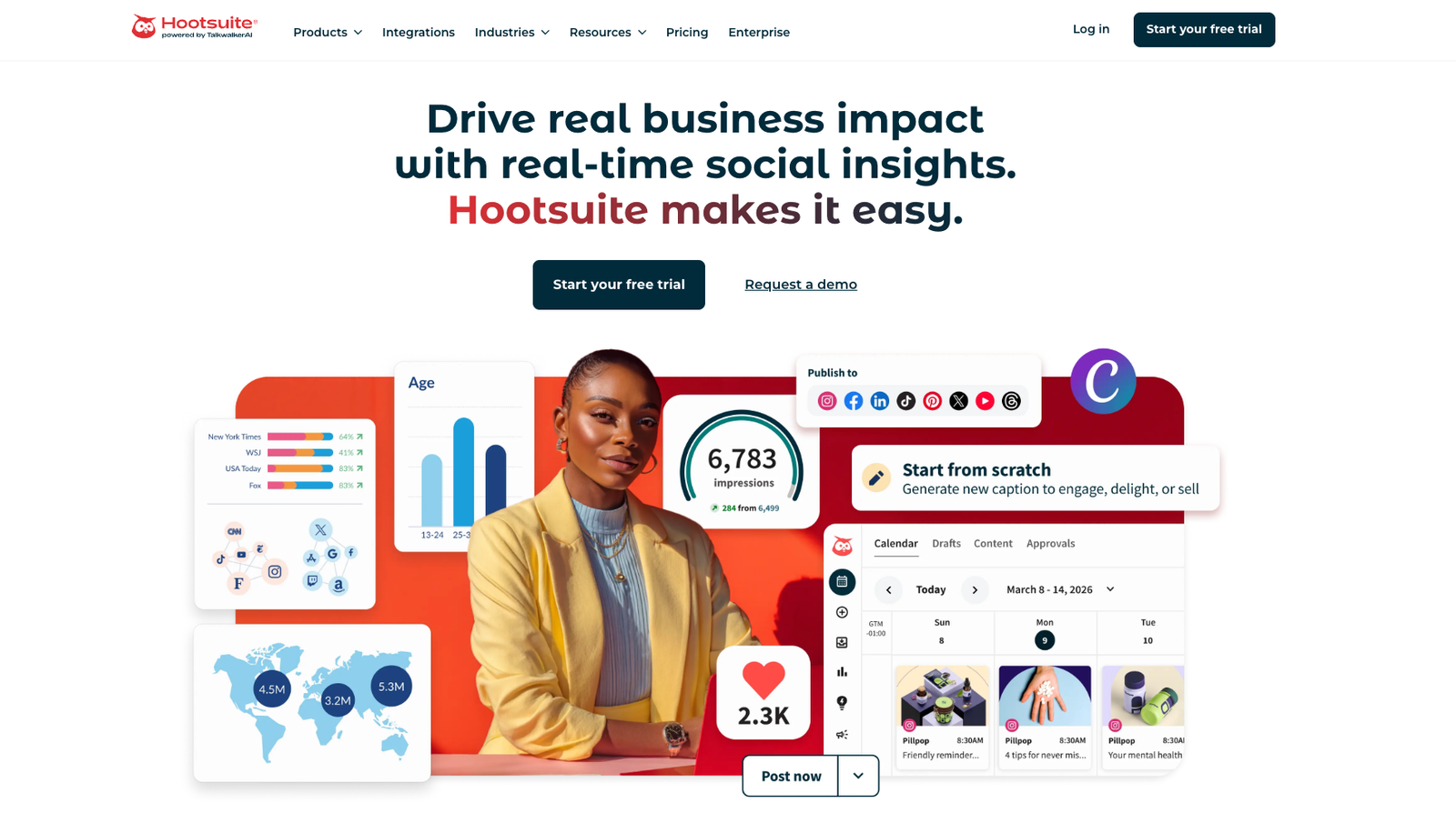
Hootsuite is a comprehensive social media management platform used by enterprises and large teams. It supports 20+ networks, multiple users, and offers advanced analytics, social listening, and approval workflows. It’s more than a post scheduler — it’s a full-scale social media command center, including a solid Twitter/X scheduler. The catch: Hootsuite’s pricing has climbed steeply in recent years, which is why smaller teams increasingly look at Hootsuite alternatives.
Pros:
- Extensive platform integrations
- Advanced analytics, reporting, and social listening
- Team workflows and approvals
- Battle-tested at enterprise scale
Cons:
- Expensive — entry plans start around $99–199/month
- Steeper learning curve and a cluttered interface
- Extra fees for some features
Pricing: From roughly $99/month, billed annually.
4. Later — best for visual Instagram-first brands
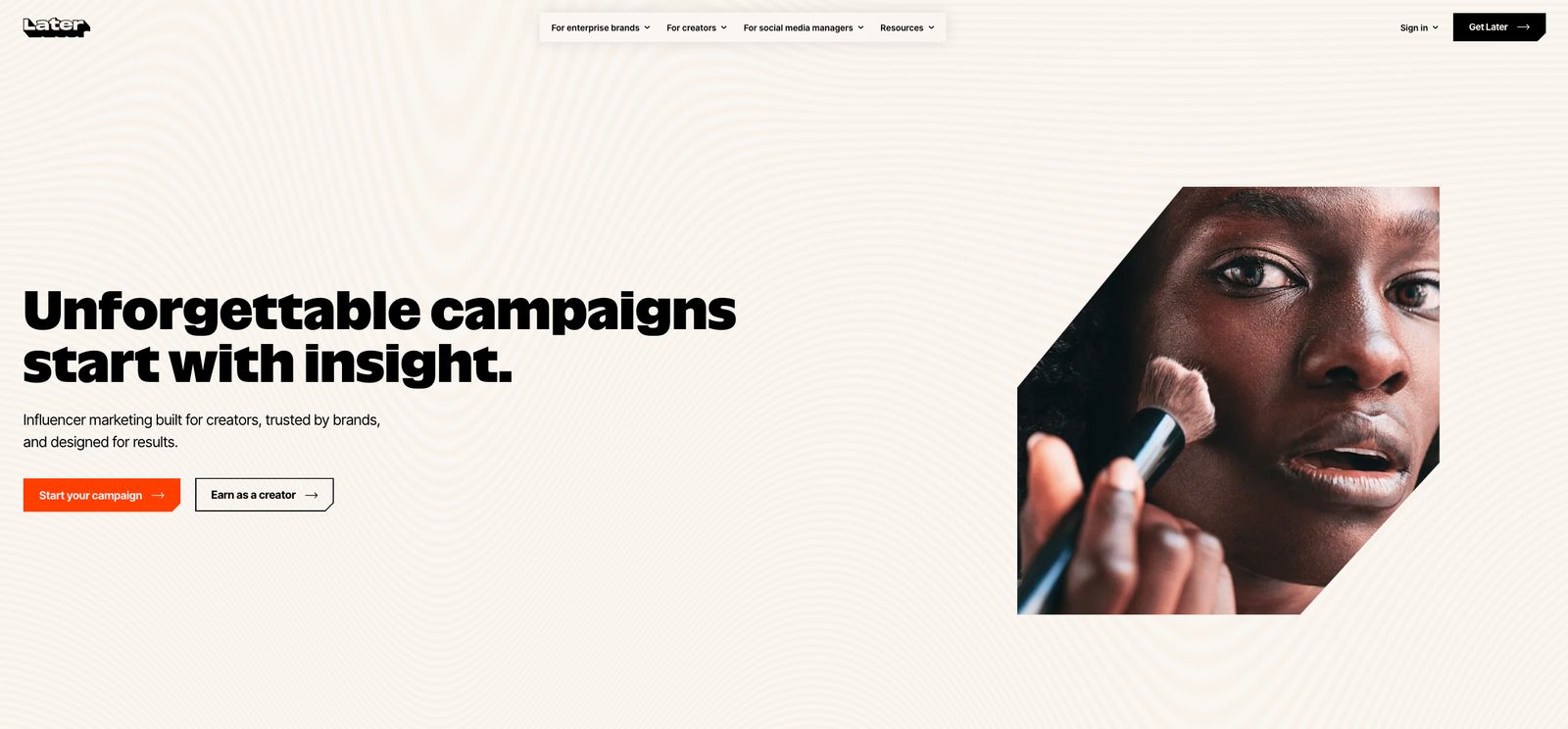
Later is a social media planner focused on visual content, making it especially strong as an Instagram post planner. Its drag-and-drop calendar and media library let you preview exactly how your feed will look before anything publishes, and its link-in-bio tool turns your profile into a mini landing page. Ideal for brands built on visual storytelling.
Pros:
- Visual feed planner with drag-and-drop calendar
- Easy to use, great for Instagram and Pinterest
- Link-in-bio tool included
- 14-day free trial on every plan
Cons:
- Weaker on TikTok, X, and LinkedIn
- Meaningful analytics locked to higher plans
- Limited automation features
Pricing: Limited free plan; paid plans scale with social sets and users.
5. Sprout Social — best premium all-in-one platform
Sprout Social combines publishing, analytics, engagement, and CRM features into one polished platform. Its unified inbox, deep reporting, and human support on every plan make it a favorite of larger organizations that treat social as a revenue channel. For everyone else, the price tag is the main obstacle — you can genuinely spend more on Sprout than on a freelancer.
Pros:
- Best-in-class analytics and reporting
- Unified inbox for engagement across channels
- CRM and customer-care features
- Strong human support on all plans
Cons:
- Very expensive — entry plans start around $199–249/user/month
- Overkill for solo creators and small teams
- Annual billing requirements on some plans
Pricing: From $79 per seat/month (Essentials, billed yearly). Standard, with the full inbox, is $199 per seat/month.
6. SocialBee — best for evergreen content recycling
SocialBee is built around categorized content queues: you sort posts into buckets (tips, blog promos, offers), set a posting schedule per category, and SocialBee keeps recycling your evergreen content automatically. It’s a smart approach for solopreneurs who want consistent activity without constantly creating new posts — one of the top benefits of automating your social media posts.
Pros:
- Categorized content queues
- Evergreen content recycling
- Supports all major platforms
- Customizable posting schedules
Cons:
- Interface feels dated
- Initial setup takes time
- Limited analytics on lower tiers
Pricing: Mid-range monthly plans; free trial available.
7. ContentStudio — best for content discovery
ContentStudio blends social media scheduling with content discovery — it surfaces trending content in your niche and offers AI-powered suggestions, which makes filling a content calendar much faster. With workflow approvals and multi-client management, it’s a solid pick for agencies that curate as much as they create.
Pros:
- AI content suggestions and discovery tools
- Workflow approval systems
- Good multi-client management for agencies
Cons:
- Learning curve for beginners
- Dense UI
- Full reporting locked behind higher tiers
Pricing: Mid-range monthly plans; free trial available.
8. Zoho Social — best for Zoho users
Zoho Social is part of the wider Zoho suite, which is its biggest selling point: if your business already runs on Zoho CRM, the integration between social activity and sales tracking is genuinely useful. It’s an affordable, user-friendly scheduler for small businesses managing multiple brands.
Pros:
- Affordable for small teams
- Real-time monitoring and engagement
- Tight CRM integration
- Good mobile app
Cons:
- Limited analytics on lower tiers
- UI can feel slow
- Weaker fit for individual creators
Pricing: Budget-friendly monthly plans; free trial available.
9. Planable — best for team approval workflows
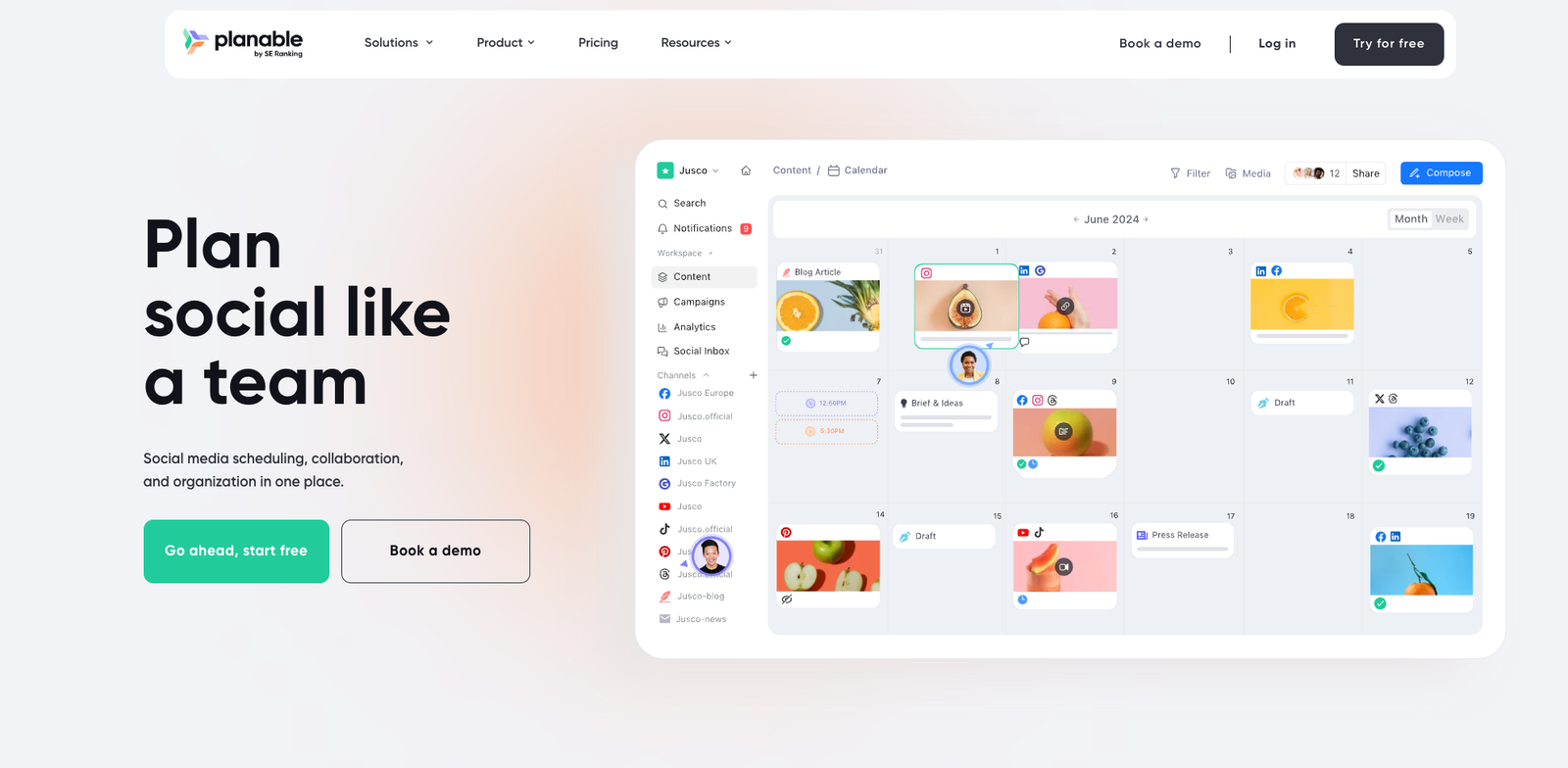
Planable is a collaborative social media planner built for content teams and marketing departments. Its visual post previews, real-time comments, and one-click approval flows make client sign-off painless — stakeholders can review posts exactly as they’ll appear, without logging into anything complicated.
Pros:
- Excellent collaboration and approval workflows
- Pixel-accurate visual post previews
- Intuitive drag-and-drop calendar
Cons:
- Less compelling for solo users
- Pricing scales quickly with team size
- Limited analytics
Pricing: Limited free plan; paid plans priced per user.
10. Publer — best for bulk scheduling on a budget
Publer is a rising star in the social publishing space, offering flexible scheduling, link shortening, watermarking, and CSV bulk uploading. It supports nearly every major platform and hits a sweet spot between affordability and functionality for power users who schedule in large batches.
Pros:
- Bulk post scheduling via CSV
- Link shortener with click analytics
- Team collaboration support
- Affordable pricing
Cons:
- UI can feel technical
- Limited integrations beyond core platforms
- No CRM features
Pricing: Limited free plan; affordable paid tiers.
11. MeetEdgar — best for set-and-forget automation
MeetEdgar focuses on automation and evergreen recycling: it builds a library of your content, then automatically re-queues posts to keep your feeds active indefinitely. If you want a scheduler you configure once and rarely touch again, Edgar is the classic pick.
Pros:
- Automatic content recycling
- True hands-off scheduling
- Supports most major platforms
Cons:
- Limited analytics
- Higher starting price than comparable tools
- Lacks team collaboration features
Pricing: Mid-range monthly plans; free trial available.
12. Velocity – best for marketing teams and agencies creating on-brand social content
Velocity is an AI social media agent for marketing teams and agencies. It turns campaign briefs into on-brand
social posts and visuals, while keeping human review, scheduling, and publishing connected in one workflow.
Pros:
- AI social media agents turn campaign briefs into on-brand posts and visuals.
- Brand Identity helps keep campaign output aligned with each brand.
- Human review stays connected to scheduling and publishing.
- Free plan available with 15 scheduled posts that refill anytime.
Cons:
- A weaker fit if you only need a basic queue for occasional posts.
- The Free plan has a limited quota for AI social media agents.
- Best suited to teams that already work from campaign briefs and brand guidance.
Pricing: Velocity’s Free plan is free forever, with a limited quota for AI social media agents, 15 scheduled
posts that refill anytime and 1 Brand Identity, without needing a trial period or a card.
All in all, Velocity is a strong choice for marketing teams and agencies that want AI social media agents to
turn campaign briefs into on-brand content before it moves through review, scheduling, and publishing.
Best schedulers for agencies, teams and multiple brands
Once you manage several brands, three things matter: a separate workspace per client, client approvals before anything goes live, and how the bill grows with each new account. Per-seat tools like Sprout Social and Hootsuite get more expensive with every teammate. Per-workspace tools like Planable get more expensive with every client. Flat plans grow the slowest.
SchedPilot’s Enterprise plan covers 100 accounts, 20 workspaces, 10 team seats and a post-approval workflow for $79/month billed yearly, which is hard to beat for a small agency. Planable has the most polished client approval flow if approvals are the whole point, at $33–39 per client workspace. Large agencies with hundreds of client profiles and a budget to match tend to land on Sprout Social. More on this in our guide to the social media scheduler for agencies.
Scheduling Reels, TikTok and YouTube Shorts
For video creators, the question is whether a tool publishes vertical video directly. SchedPilot publishes Reels, TikToks and Shorts straight through each platform’s API and has a built-in video editor. Later and Publer are also solid for Instagram video. Before paying for any of them, check two things: whether licensed audio survives scheduling (on Instagram it often doesn’t), and whether you can pick the cover frame. Step-by-step guides: how to schedule Instagram Reels and how to schedule YouTube Shorts.
Which social media scheduler is right for you?
It depends on how you work:
- You want the most features for the least money (and AI agents that post for you): SchedPilot, from $21/month.
- You’re a beginner with 2–3 accounts: Buffer’s free plan is enough to start.
- You’re an enterprise with budget: Hootsuite or Sprout Social.
- You live on Instagram: Later — or SchedPilot’s Instagram scheduler if you also post elsewhere.
- You need client approvals above all: Planable.
- You recycle evergreen content: SocialBee or MeetEdgar.
- You post mostly Reels, TikToks and Shorts: SchedPilot or Later.
- You need social listening as well as scheduling: Hootsuite or Sprout Social.
- You mostly post to X: see our roundup of the best tweet schedulers.
- You want Claude or ChatGPT to post for you: SchedPilot, through its MCP server.
- You have 50-100 accounts and want to be affordable: Schedpilot $99/month covers 100 accounts, unlimited posts for MCP, API and traditional social media scheduling
- You want AI social media agents to turn campaign briefs into on-brand social posts and visuals: Velocity.
If you run an agency or manage several brands, also check our guide to the top social media management tools for small businesses.
Free trial · No upfront payment · 10+ platforms
Try SchedPilot for free
Post on 10 platforms at once. Great for influencers, marketers, agencies.
Frequently asked questions
Is there a completely free social media scheduler?
A few tools on this list (Buffer, Zoho Social, Planable, Publer) offer free plans, but they’re heavily limited — usually a handful of accounts and a small monthly post cap. For real multi-platform scheduling, expect to pay at least a few dollars a month. SchedPilot’s pricing starts at $21/month with a free 7-day trial, which is the closest you’ll get to free without the free-plan restrictions. And if you only post to one or two networks, the free native schedulers are worth trying first: Meta Business Suite for Facebook and Instagram, YouTube Studio, and the built-in schedulers on LinkedIn and Pinterest. None of them cross-post, and each keeps its analytics inside its own app.
What is the cheapest social media scheduler?
It depends on how many accounts you connect. For one to three accounts, Publer ($5/month for a single account) or Buffer’s free plan cost the least. Past five accounts, flat plans win: SchedPilot is $21/month billed yearly for 5 accounts and $35/month for 20, while 20 channels on Buffer Essentials come to about $100/month. Buffer looks cheap at ~$6/channel, but the per-channel model adds up fast once you connect five or six accounts.
Do scheduling tools hurt your reach?
No — as long as the tool publishes through platform-approved official APIs (every tool on this list does), scheduled posts get the same treatment as native posts. Timing matters more than the tool: use a best time to post calculator to publish when your audience is actually online.
Can AI schedule my social media posts for me?
Yes — this is the newest frontier. SchedPilot exposes an MCP server and REST API, so AI agents like Claude and ChatGPT can draft, schedule, and publish posts across all your accounts from a single prompt, with every post waiting in your calendar for approval before it goes live.
Is there an MCP server that can publish one post to Instagram, TikTok and LinkedIn at the same time?
Yes. SchedPilot’s MCP server works with Claude, ChatGPT, Cursor and other MCP clients. You ask once, it creates one post per network (Instagram, TikTok, LinkedIn, Facebook and the rest), and each post waits in your calendar for approval before it goes live. The same actions are available through the social media scheduling API for n8n or your own agent. Hootsuite has also added MCP connectors to its paid plans, with a limited number of monthly credits.
Which social media scheduler also has social listening?
Hootsuite and Sprout Social. Hootsuite keeps its full listening tools on the Enterprise tier, and Sprout sells listening as a paid add-on. If you only need to schedule and reply to comments, you don’t need to pay for either.
What’s the best social media scheduler for marketing agencies?
If it’s a small agency then SchedPilot is the best, but if its a bigger agency that manages hundreds of customers, then you could use Sprout Social.
What is the best social media scheduler for LinkedIn?
Most of the tools in this listicle are good for Linkedin scheduling. If you are a small agency or a solo creator and even wanting to delegate linkedin scheduling to AI Agents, then Schedpilot is the best for this.
Try SchedPilot for free
Free trial · No upfront payment · 10+ platforms
Post on 10 platforms at once. Great for influencers, marketers, agencies.