 SchedPilot
Best Instagram Profile & Post Viewer Tools in 2026 (Free, No Login Required)
You want to look at an Instagram profile, a single post, a Story, or a Reel, and this without the account owner knowing it was you.
Maybe you’re sizing up a competitor, saving a design idea, vetting an account before you reply to a DM, or you just don’t want to log in. That’s exactly what an Instagram profile viewer is for: it lets you browse public content anonymously, with no account and no trace.
The catch is that most of these tools are mediocre. They’re slow, buried in pop-up ads, capped at one search a day, or they quietly funnel you toward a paid upsell. A handful actually work.
This guide explains what these viewers really do, walks through the eight worth your time (with an honest verdict on each), and gives you a side-by-side comparison table so you can pick in thirty seconds instead of testing ten sites yourself.
Also check this guide how to view instagram stories anonymously.
Try SchedPilot for free
Free trial · No upfront payment · 10+ platforms
Post on 10 platforms at once. Great for influencers, marketers, agencies.

What Is an Instagram Profile Viewer?
An Instagram profile viewer is a third-party, usually web-based tool that acts as a proxy between you and Instagram. You type in a public username, and the tool pulls that account’s public data — posts, Stories, Reels, Highlights, profile picture, follower and following counts — and displays it on its own page.
Because you’re never logged in, Instagram’s view-tracking (which is tied to logged-in accounts) never registers you. The owner doesn’t see you in their Story viewers list, and your visit doesn’t skew their analytics. Think of it as looking through a shop window instead of walking in and ringing the bell.
One thing to be clear about up front: these tools only ever show public content. None of them can open a private account. More on that myth below.
Why People Use Anonymous Instagram Viewers
There are really four reasons people reach for a viewer, and they all come down to anonymity and convenience.
Competitor and market research. This is the professional use case. You want to track a rival’s posting cadence, study which Reels are working for them, or watch how their follower base shifts — without your views polluting their Story analytics or tipping them off that you’re watching.
Saving and archiving content. Instagram makes downloading deliberately awkward. Many viewers add a one-click download for photos, videos, and Stories in full quality, which is handy for building a swipe file of inspiration or backing up your own posts.
Browsing without an account. Maybe you don’t want an Instagram account, or the app is blocked on a work or school network. A viewer gets you to public information without the login wall.
Tracking activity and recent follows. A smaller group of tools goes further than passive viewing and surfaces an account’s recent follows — useful for spotting new partnerships, sponsorships, or who a creator is suddenly paying attention to.
Instagram Profile Viewer vs. Instagram Post Viewer
Most people who land on this page typed “instagram post viewer”, not “profile viewer”, and the tools handle those two jobs differently.
A profile viewer takes a username and shows you the whole account: bio, follower count, the grid, Highlights. A post viewer takes a single post link (the instagram.com/p/… or /reel/… URL) and shows you just that photo, carousel or Reel, usually with the caption and like count, and often a download button. You want the second one when someone sends you a link and you don’t want to sign in, when you’re on a work laptop where the app is blocked, or when you want to save one specific Reel without touching the rest of the account.
Of the eight tools below, the ones that accept a raw post link are Inflact, BoostFluence, Save Free, AnonyIG and Picuki. Paste the URL instead of the username and they render the post. SchedPilot and InstaPV work from the username only; they’re about the account, not one post.
“Recent posts” viewers are the third variant you’ll see advertised. They load a public account’s last dozen or so posts in a grid, without Stories or Highlights. Every profile viewer on this list does that by default, so you don’t need a separate tool for it. A site that markets itself as a “recent post viewer” is a profile viewer with fewer features.
No login required is the part that matters. Not one tool here asks for an Instagram password, and if a post viewer ever does, close the tab. Instagram has been tightening what it serves to logged-out browsers, so a viewer that worked last month can break this month. That’s why reliability, not feature count, decides the ranking below. (Picuki is the usual casualty.)
One more thing. A post viewer cannot show you who looked at a post. Instagram doesn’t expose that data to anyone, including the account owner, for feed posts; only Stories have a viewer list. If you came here to find out who viewed your profile or post, read how to check who viewed your Instagram profile instead, because the honest answer is different from what the “profile viewer tracker” sites promise.
The 8 Best Instagram Profile Viewer Tools for 2026
We looked at speed, what each tool actually loads, download quality, ad load, daily limits, and whether it tried to upsell us mid-task. Here’s how they stack up.
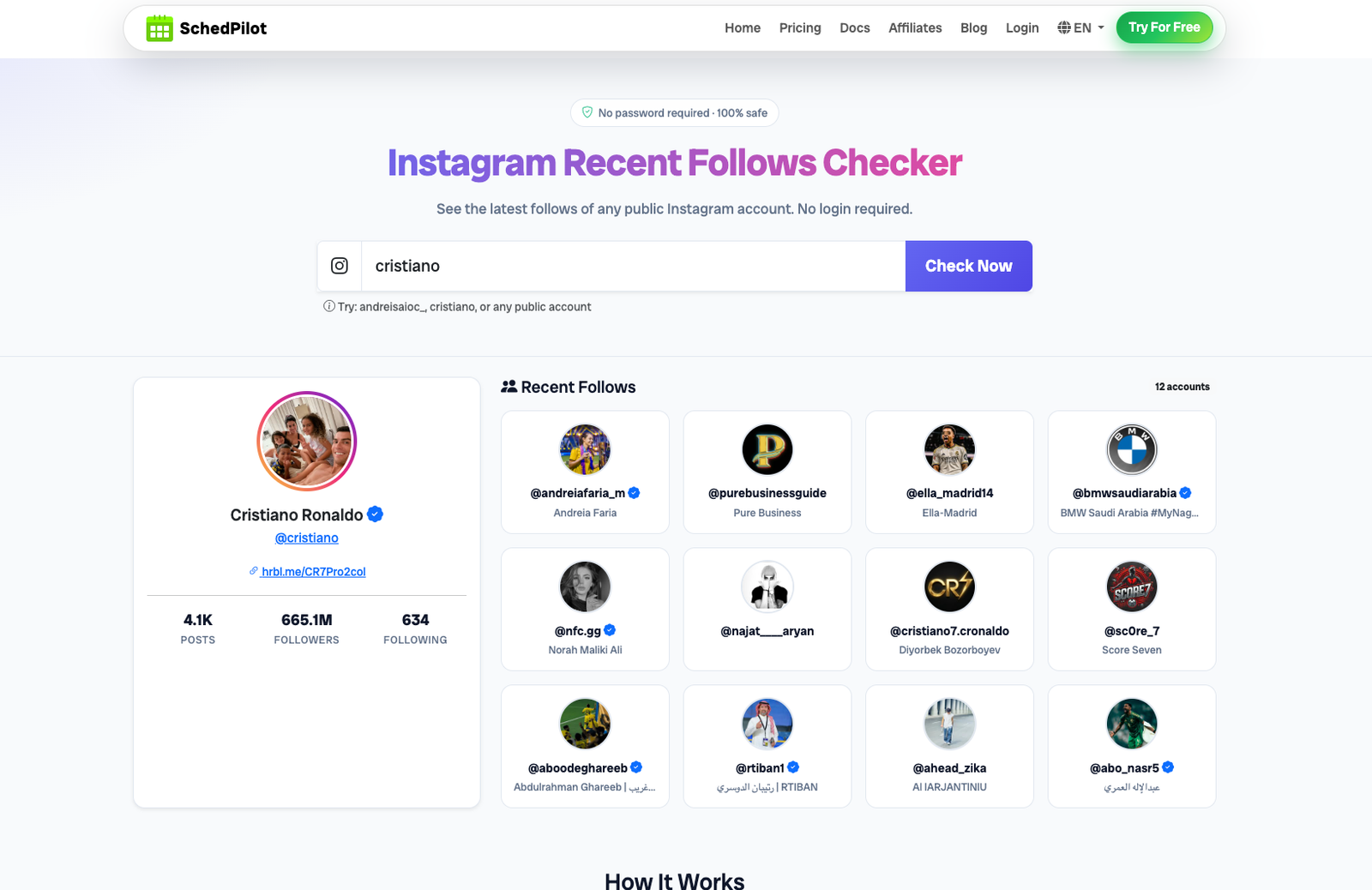
1. SchedPilot — Instagram Recent Follows Checker
SchedPilot’s Instagram viewer is the standout for anyone who cares about activity, not just static content. Paste in any public username (or full profile URL) and it returns the profile stats — posts, followers, following — plus the most recent accounts that profile has followed. No login, no password, nothing to install.
That recent-follows view is the differentiator. Most viewers show you what an account posts; SchedPilot shows you what an account is doing — the new creators, brands, or competitors it just started following. For competitor research, influencer vetting, and partnership-spotting, that’s the more valuable signal.
- Recent follows tracking: See the latest accounts any public profile has followed, in order.
- Profile stats at a glance: Post, follower, and following counts without opening the app.
- No login, no password: Fully anonymous; it only ever reads public data.
- Part of a real platform: It sits inside SchedPilot’s broader scheduling and analytics suite, so if you go from researching to actually posting, you’re not switching tools.
Verdict: The best pick for anyone doing genuine research rather than casual snooping. Clean interface, no ad maze, and the recent-follows angle is something almost no free viewer offers. If you also manage accounts, having the viewer live next to a real instagram scheduler is a meaningful bonus.
2. Inflact
A comprehensive web viewer that bolts basic analytics onto anonymous viewing.
- Profile analyzer: Surfaces engagement rates, top posts, and frequently used hashtags.
- HD downloads: Saves Stories, Reels, and posts without a watermark.
- Anonymous viewing: Works across all public content.
Verdict: Genuinely useful for market research, but the free tier is tight — often one profile per day before it nudges you to pay.
3. BoostFluence
A no-frills free viewer built around unlimited access. BoostFluence is really an Instagram growth and automation company out of Tallinn, and the viewers (profile, post, Story, Highlights, profile picture) are the free tools it uses to get people in the door.
That explains the good and the bad. The viewers are free and uncapped because they’re marketing, and they stay maintained for the same reason. Expect a pitch for the paid growth service along the way. Ignore it; the viewer works without it.
- Unlimited views: No daily cap on how many profiles you check.
- Content downloads: Posts, Stories, and Reels, watermark-free.
- No login required: Fully anonymous.
Verdict: The right call for high-volume casual browsing. You trade away deep insights for the freedom to look at as many accounts as you want.
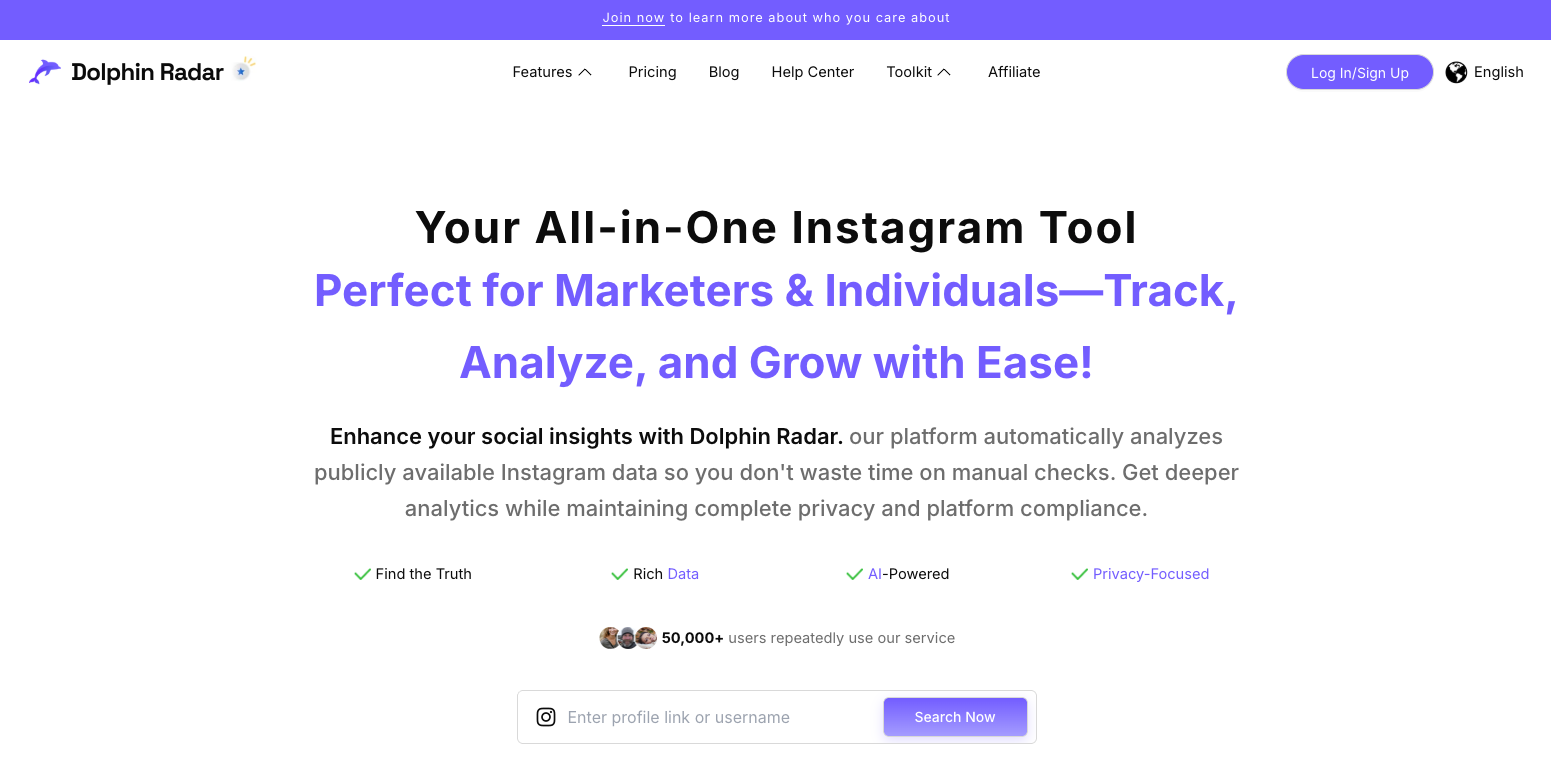
4. Dolphin Radar
Less a single viewer than a set of them. Dolphin Radar (a lot of people search for it as the “Dolphin viewer”) runs separate tools for Stories, posts, Reels and comments, plus follower tracking, all for public accounts and all behind its own sign-up.
The free tier is a sample: about one search a day, a few downloads, around 15 comments in the comment viewer. Ongoing tracking and alerts sit on the paid plans. If you only want to look at one profile or one Reel, that’s a lot of registration for very little, and BoostFluence or AnonyIG will have it open while you’re still confirming your email. If you want to watch a single account over several weeks, it’s the most complete option here.
- Top-post display: Highlights an account’s best content with like and engagement counts.
- Story and post viewing: Public accounts only.
- Limited free downloads: Three downloads after sign-up.
Verdict: The free version is too restrictive (roughly one search a day) to lean on. Worth a quick look only if you specifically want a snapshot of an account’s top-performing posts.
5. Save Free
As the name says, this one is built for downloading — and it has a lightweight Android app.
- HD downloads: Stories, Reels, and posts in HD MP4.
- Full-size profile picture grab: Saves avatars at full resolution.
- No viewing limits: Browse freely.
Verdict: A reliable, simple archiver. Great if your goal is saving media; it won’t help with metrics or activity tracking.
6. InstaPV
A niche viewer whose one trick is network activity.
- Recent follower/following tracker: Shows who an account recently followed and gained.
- Story explorer: Browse and download Stories anonymously.
- Completely free: No limits, no login.
Verdict: A one-feature tool. If raw follower/following changes are all you need and you don’t want the cleaner experience of a dedicated platform, it does the job.
7. AnonyIG
The minimalist option — pure viewing and downloading, nothing else.
- Stripped-back design: Built for speed.
- One-click Story save: Fast downloads.
- No registration: Fully anonymous.
Verdict: Reach for this when you just need to grab a Story or a profile picture quickly without an upsell in your face.
8. Picuki
A long-running classic that’s showing its age.
- Post and Story browsing: Public accounts.
- No login required: Anonymous.
- Basic photo editing: Light edits before you download.
Verdict: Still works, but its popularity made it a target — expect slow loads and occasional downtime. Keep it as a backup, not your first choice.
9. RizzyView (also tested)
RizzyView didn’t make the main eight, but enough people land here looking for it that it gets a verdict. It’s a username-search viewer. Type a public handle and it shows the account’s posts, Reels and tagged photos, with no login.
Quick Comparison: Instagram Profile Viewers at a Glance
| Tool | Best for | Recent follows | Single post by URL | Downloads | Login required | Daily limit |
|---|---|---|---|---|---|---|
| SchedPilot | Research & activity tracking | ✅ Yes | ❌ Username only | — | ❌ No | None |
| Inflact | Analytics | ❌ No | ✅ Yes | ✅ HD | ❌ No | ~1/day free |
| BoostFluence | High-volume browsing | ❌ No | ✅ Yes | ✅ Yes | ❌ No | None |
| Dolphin Radar | Top-post snapshots | ❌ No | ⚠️ Limited | ⚠️ 3 free | ⚠️ Sign-up | ~1/day free |
| Save Free | Downloading media | ❌ No | ✅ Yes | ✅ HD | ❌ No | None |
| InstaPV | Follower changes | ✅ Yes | ❌ Username only | ⚠️ Stories | ❌ No | None |
| AnonyIG | Quick Story grabs | ❌ No | ✅ Yes | ✅ Yes | ❌ No | None |
| Picuki | Backup browsing | ❌ No | ✅ Yes | ✅ Yes | ❌ No | None |
What a Public Instagram Account Viewer Can and Can’t Show
Every tool on this page is a public account viewer. Type in a handle (people also call it the Insta ID; it’s the username, and you never need the numeric user ID) and the tool loads whatever that account has left open to the world. The useful question is how much more that is than what Instagram’s own website gives you when you’re signed out, because instagram.com is itself a web viewer. Just a stingy one.
| What you want to see | instagram.com, signed out | Third-party web viewer |
|---|---|---|
| Bio, profile picture, follower and following counts | Yes | Yes |
| The post grid | The top of it, then a login prompt covers the page | Recent posts, no prompt |
| One post or Reel from its link | Usually opens, with a login pop-up over it | Yes, on the tools that accept a link |
| Stories | No, login required | Yes, anonymously |
| Highlights | No | On most of them |
| Comments | A handful under each post | Mostly just the count; Dolphin Radar has a separate comment viewer |
| Followers and following lists | No, counts only | Recent follows only (SchedPilot, InstaPV) |
| Anything on a private account | No | No |
The middle column is how things stood in October 2026. Instagram moves that login wall around a few times a year, nearly always in the direction of showing less.
An “Instagram web viewer” is the same thing under another name: a site that runs in the browser, on a phone or a laptop, with nothing to install. All eight tools here work that way. Most people reading this are on a phone, and the instinct on a phone is to go looking for an app. Don’t bother. An app adds nothing a browser tab doesn’t have, and it can ask for permissions a website can’t.
A Reel is a post as far as these tools care, so anything that opens a /p/ link also opens a /reel/ link. Stories are the odd one out because they expire after 24 hours and, on Instagram itself, log who watched. There’s a separate guide to viewing Instagram Stories anonymously if that’s what you came for.
And an open account is only as open as its owner made it. Close Friends stories, subscriber-only “exclusive” posts and archived posts never reach a viewer, public account or not.
Instagram Followers and Following Viewers
This is where expectations and reality part ways. Signed out, Instagram shows you the two numbers and nothing else; tap “followers” and you get the login screen. Signed in, you can scroll the lists, but on big accounts Instagram tends to stop loading them long before the end.
No free web viewer hands you a complete follower list for a public account either. What two of them do instead is show the newest entries. SchedPilot’s recent follows checker lists the latest accounts a public profile started following, in order, and InstaPV does a version of the same with ads around it. For research that’s usually the part you wanted anyway. The handful of accounts a competitor followed this month say more than the 40,000 they’ve collected since 2019. Dolphin Radar goes further with ongoing follower and unfollower tracking, on its paid plans.
Followers of a private account stay private. Anyone can see the counts. Nobody outside the approved list can see the names, and a “private account followers viewer” is the private profile viewer scam with a different headline.
Which Instagram Profile Viewers Are Actually Free?
“Free Instagram profile viewer” is the most common way people find this page, and the word “free” does a lot of work on these sites. Here is what it means for each tool, as of September 2026.
Fully free with no daily cap: SchedPilot’s recent follows checker, BoostFluence, Save Free, InstaPV, AnonyIG and Picuki. You can use any of them all day without creating an account. You pay with ads on BoostFluence, Save Free and Picuki, and with downtime on Picuki.
Free with a leash: Inflact gives you roughly one profile analysis a day before it asks you to pay. Dolphin Radar makes you register first and then meters downloads. Both are worth it only if you specifically want the analytics they add.
Not free in any meaningful sense: anything marketed as a “private Instagram viewer” or a “free private profile viewer”. Those run on survey walls, app-install offers or subscriptions and deliver nothing, because the thing they advertise is impossible. More on that in the next section.
So if you just need a free viewer for public profiles, use BoostFluence for volume or AnonyIG for speed and stop reading. If you want the free tool that tells you something the others can’t, the recent-follows view in SchedPilot’s viewer has no free equivalent on this list apart from InstaPV, and InstaPV has ads.
Is There a Private Instagram Account Viewer That Works? (The Honest Answer)
No. And anyone telling you otherwise is selling something.
That goes for every version of the pitch: private profile viewer, locked profile viewer, private post viewer, private followers viewer, and the newer “AI private viewer” pages. AI can’t reconstruct photos it was never given. What those sites actually generate is a loading bar, followed by a survey or an app install.
Instagram’s privacy is enforced server-side. When an account is set to private, its posts, Stories, followers, and Highlights are hidden from everyone except approved followers — there is no front-end trick, “API reflection,” or “cached metadata layer” that unlocks them. Every legitimate viewer in this guide works only because it reads data Instagram already serves publicly.
So when a site advertises a “private Instagram viewer” that promises to reveal locked profiles, treat it as a red flag. These pages are almost always one of three things: a phishing trap that asks for your Instagram login, a survey-and-ad maze that never delivers, or outright malware bait. The only real way to see a private account’s content is to send a follow request and get accepted.
Are Instagram Profile Viewers Safe?
For viewing public content, reputable viewers are generally safe for your device. The real risks are about privacy and the sketchier end of the market:
- Never log in. No legitimate viewer needs your Instagram credentials. If a tool asks you to log in “to unlock” something, leave.
- Watch the ads. Ad-funded viewers sometimes serve low-quality or malicious pop-ups. A clean, ad-light tool is safer.
- Mind your data. You’re handing a third party your browsing activity. Stick to tools with a clear interface and a real company behind them.
A simple rule: use viewers for public content only, and never enter personal information into one.
How to Choose the Right Viewer for You
Match the tool to the job:
- Doing competitor or influencer research? Pick a tool that shows activity and stats, not just static posts — SchedPilot’s recent-follows checker is built for exactly this.
- Archiving media? Prioritize HD, watermark-free downloads (Save Free, AnonyIG, Inflact).
- Just browsing a lot? Go for an unlimited, no-login option (BoostFluence).
- Opening one post from a link? Any of the URL-friendly tools in the table; AnonyIG is the fastest.
- Want analytics? Inflact and Dolphin Radar surface engagement data, with the usual free-tier strings attached.
Looking for a BoostFluence, RizzyView or InstaPV Alternative?
A good share of the people reaching this page want a replacement for one specific viewer, usually because it went down, started capping searches, or drowned in ads. A quick map, based on what each tool was actually good at.
If you used BoostFluence for unlimited free browsing, the closest match is Save Free: same no-cap viewing, and a better downloader. If you were using BoostFluence for research rather than browsing, switch to SchedPilot’s viewer instead; you lose the downloads but gain the account’s recent follows, which tells you more than its grid does.
RizzyView alternatives
Most people looking for a RizzyView alternative hit the same wall: the page doesn’t load. Which replacement fits depends on what you used it for.
For plain browsing of a public account’s posts and Reels, AnonyIG does the same job with less clutter and no sign-up. If you want numbers next to the grid, Inflact adds engagement rates and top posts, with a cap of roughly one profile a day on the free tier. BoostFluence is the answer if that cap annoys you. And if you were using RizzyView to keep an eye on a competitor, SchedPilot’s Instagram viewer shows something RizzyView never did, which is the accounts that profile recently followed.
One gap to know about. RizzyView works from a username, so if all you need is to open one post from a link, skip the list above and use AnonyIG or Save Free.
Sites similar to InstaPV are harder to find, because recent-follows tracking is rare. SchedPilot’s Instagram viewer is the direct replacement for that feature, with a cleaner interface and no ads. If what you liked about InstaPV was the Story explorer rather than the follow tracking, go to Inflact or AnonyIG.
And if you’re leaving Picuki because it keeps timing out, any tool in the list will do. AnonyIG is the closest like-for-like.
When a Viewer Isn’t Enough: From Watching to Growing
Profile viewers are read-only by design. You can look, download, and stay anonymous — but you can’t post, engage, schedule, or actually build a presence with them. The moment your goal shifts from watching an account to running one, you’ve outgrown the category.
That’s the gap SchedPilot fills. Beyond the Instagram viewer, it’s a full social media scheduler: plan and queue posts, find your best time to publish, and manage Instagram alongside X, TikTok, LinkedIn, Threads, Facebook, Pinterest, Bluesky, YouTube, and Reddit — all from one dashboard. So you can research a niche with the viewer in the morning and schedule a week of content against what you learned that same afternoon, without ever switching apps.
Free trial · No upfront payment · 10+ platforms
Try SchedPilot for free
Post on 10 platforms at once. Great for influencers, marketers, agencies.
Frequently Asked Questions
What is an Instagram profile viewer, and how is it different from the app? It’s a third-party site that shows public Instagram content without you logging in. The difference is anonymity — because you’re not signed in, the account owner can’t see that you viewed their profile or Story.
What is the best free Instagram post viewer with no login? For opening a single post or Reel from its link, AnonyIG is the fastest and cleanest; BoostFluence and Save Free do the same with a download button attached. None of them need an account. If you want to see an account’s recent posts rather than one specific post, any profile viewer on this list shows the latest grid by default.
What is the best RizzyView alternative? AnonyIG, for most people. It shows the same public posts and Reels with no login and fewer ads. Use Inflact if you want engagement stats, or SchedPilot’s viewer if you want to see who an account recently followed.
Can I view someone’s Instagram posts without an account? Yes, as long as the account is public. Paste the username (or the post URL) into one of the viewers above and it loads the content in your browser. Instagram itself limits how much a logged-out visitor can see on instagram.com, which is why these tools exist.
Can a free Instagram viewer show me private accounts? No. Private content is hidden server-side and can’t be unlocked by any tool. Anything claiming to reveal private accounts is a scam, a phishing attempt, or malware. The only legitimate route is following the account and being approved.
Will the account owner know I looked at their profile? No. Instagram only notifies users about Story views, and only for logged-in viewers. A profile viewer reads public data anonymously, so there’s nothing for the owner to see.
Is there an Instagram profile viewer that tracks who viewed my profile? No, and be suspicious of any “profile viewer tracker” that claims otherwise. Instagram does not expose profile visitors or feed-post viewers to anyone. The viewers on this page work in the other direction: they let you look at accounts anonymously.
Can I see who recently followed an account? Yes — with the right tool. SchedPilot’s recent-follows checker and InstaPV both surface the latest accounts a public profile has followed, which is one of the most useful signals for research.
What can a public Instagram account viewer show? Bio, counts, recent posts and Reels, and on most tools Stories and Highlights, all without a login. It can’t show full follower lists, Close Friends stories or anything from a private account.
Is there an Instagram viewer app, or is a web viewer enough? A web viewer is enough. Every tool here runs in a phone or desktop browser with nothing to install. Save Free has an Android app if you download a lot. Skip any “viewer app” that asks for your Instagram login.
Is there an app that shows who viewed my Instagram profile? No. Instagram doesn’t hand that data to any app, free or paid, so the ones that claim it are showing you made-up names. The longer answer is in how to check who viewed your Instagram profile.
Do these work as a Facebook or Threads profile viewer too? No, they’re Instagram only. Public Threads profiles and Facebook pages open in a browser without an account, so you rarely need a viewer for those.
What makes one viewer better than another? Reliability (does it actually load?), download quality, low ad load, no daily cap, and useful extras like analytics or activity tracking. Many free viewers are interchangeable, so the ones offering real insight stand out.
Is it safe to use these tools? For public content, reputable viewers are generally fine. The risk comes from sites that demand a login, bombard you with ads, or promise the impossible. Never enter your Instagram password into any viewer.
Do these tools work on mobile? Most are web-based and work in any mobile browser. A few, like Save Free, also offer a dedicated app, but you don’t need one to view or download public content.
Related posts
Does scheduling reels affect views on Instagram?
October 13, 2026
An Inflact Alternative That Schedules and Tracks Instagram and 8 Other Networks
October 9, 2026
Best Times to Post on Instagram in 2026: The 5 Hours Sprout and Buffer’s Data Agree On
September 20, 2026
Does Instagram Notify When You Screenshot a Story? (2026 Answer)
July 20, 2026