 SchedPilot
Does Instagram Notify When You Screenshot a Story? (2026 Answer)
Quick answer: No. Instagram does not notify anyone when you screenshot their story. Not for regular stories, not for Close Friends stories, not for highlights. The only time Instagram sends a screenshot alert is when you capture a disappearing photo or video in DMs (View Once media or Vanish Mode chats).
Everything else is completely silent.
We’ve all been there. You’re watching someone’s story, you want to save it, and your thumb hovers over the buttons while you wonder if they’re about to get a notification with your name on it.
Good news: they won’t. Here’s exactly how Instagram screenshot notifications work in 2026, where the one real exception is, and what story owners can and can’t see about you.
Free trial · No upfront payment · 10+ platforms
Try SchedPilot for free
Post on 10 platforms at once. Great for influencers, marketers, agencies.
Free trial · No upfront payment · 10+ platforms
Try SchedPilot for free
Post on 10 platforms at once. Great for influencers, marketers, agencies.
Instagram Screenshot Notifications at a Glance (2026)
| What you screenshot | Does the other person get notified? |
|---|---|
| Regular stories | No |
| Close Friends stories | No |
| Story highlights | No |
| Feed posts, carousels and Reels | No |
| Profiles and bios | No |
| Regular DMs | No |
| Live videos and video calls | No |
| Stories viewed on a computer | No |
| View Once photos or videos in DMs | Yes |
| Vanish Mode messages | Yes |
The rule of thumb is simple. If the content is designed to disappear after viewing, Instagram tells the sender when you capture it. If it’s regular content that sits on someone’s profile or in a normal chat, you can screenshot it freely and nobody will ever know.
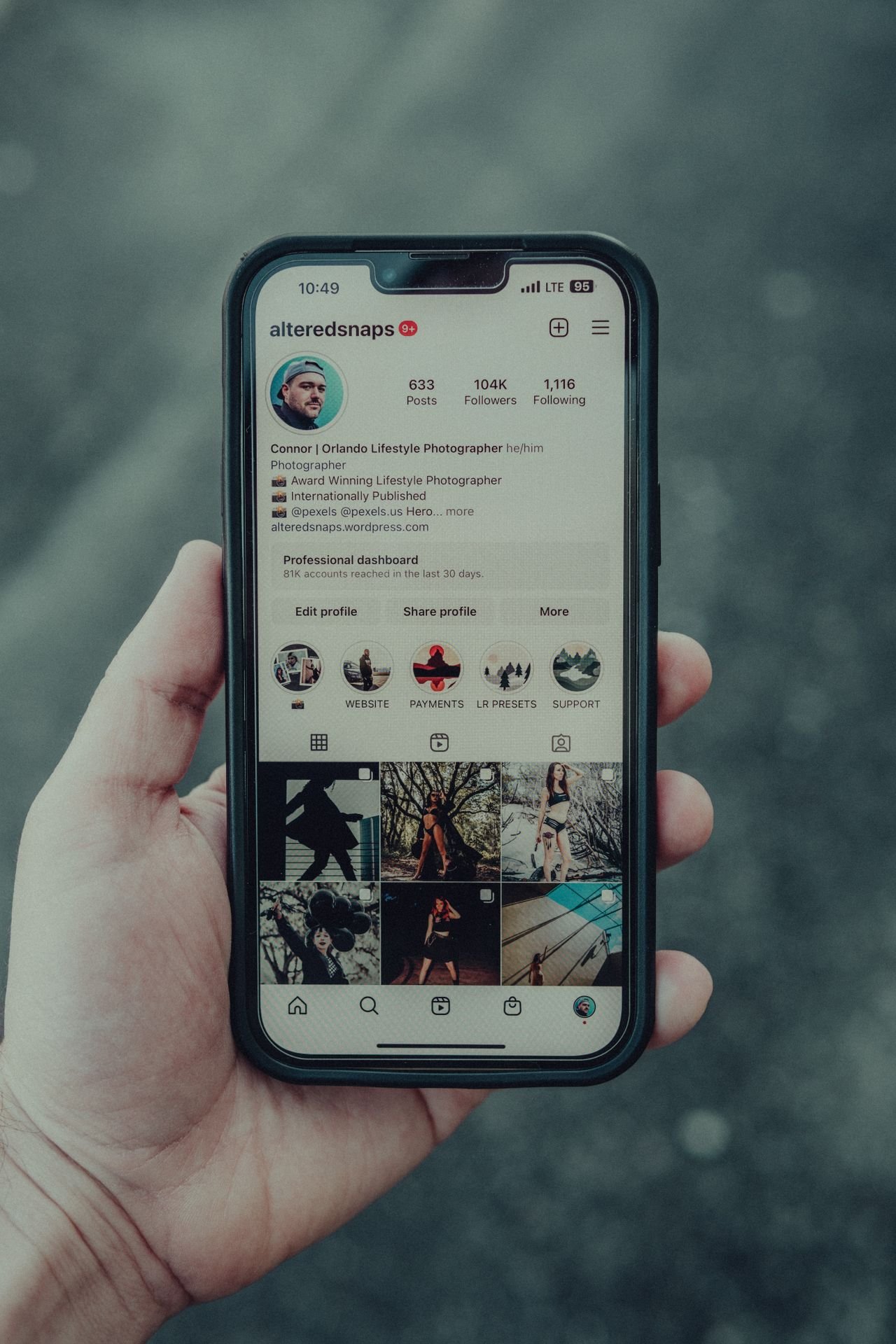
Does Instagram Notify When You Screenshot a Story?
No. When you screenshot an Instagram story, the person who posted it gets nothing. No push notification, no icon next to your name in their viewer list, no entry in any activity log. You’ll show up as a regular viewer, exactly the same as everyone else who watched the story.
This applies across the board:
- Public accounts. Screenshot away, no alert is sent.
- Private accounts. Same deal. Being an approved follower doesn’t change anything.
- Close Friends stories. Even stories shared with that green-circle inner group can be screenshotted without any notification. The Close Friends feature controls who can see the story, not what viewers do with it.
- Story highlights. Highlights are just old stories pinned to a profile, and the same rules apply. Screenshot them whenever you want.
So if you’ve been wondering “can people see if you screenshot their Instagram story,” the answer is a clear no. There is no direct or indirect way for someone to find out.
What About Screen Recording a Story?
Screen recording works exactly like screenshots. You can record your screen while watching someone’s story, Reel, or feed post and the account owner won’t be alerted. Instagram treats a recording of regular content the same way it treats a still capture: it doesn’t track it at all.
Does It Matter If You Screenshot From a Computer?
No. Some people assume viewing Instagram on a desktop somehow changes the rules, but it doesn’t. Whether you screenshot a story from the Instagram app, the mobile browser, or instagram.com on your laptop, no notification is sent. Same goes for snipping tools, screen capture software, or just photographing your monitor with another phone (which, for the record, no app on earth can detect).
The One Exception: View Once and Vanish Mode DMs
Here’s where you actually need to be careful. Instagram will notify the other person if you screenshot or screen record:
- View Once photos or videos sent in a DM (media that disappears after you open it)
- “Allow Replay” photos or videos in DMs
- Any message in Vanish Mode (the chat mode where messages disappear once you leave the conversation)
When you capture any of these, the sender sees a small starburst icon and an alert right in the chat thread, usually within seconds. There’s no way to see the content and screenshot it without the alert firing.
An easy way to remember it: if the message is temporary, assume a screenshot will be reported. If it stays in the chat permanently, you’re fine.
You might have seen the airplane mode trick floating around, where you load the message offline, screenshot it, and force close the app before reconnecting. Sometimes it works, sometimes it doesn’t, and Instagram patches these loopholes regularly. If keeping someone’s trust matters, don’t bet on it.
Didn’t Instagram Used to Notify Story Screenshots?
Briefly, yes, and that short-lived test is the reason this question refuses to die.
In early 2018, Instagram tested story screenshot notifications with a small group of users. It wasn’t even a push notification. People who screenshotted a story got a small camera shutter icon placed next to their name in the story’s viewer list. That was it.
The backlash was immediate. Users hated feeling watched, story posting and viewing dropped among test users, and by June 2018 Instagram confirmed it was killing the feature. It has never come back, and Instagram hasn’t announced any plans to revive it.
One more thing worth flagging: every few months, viral posts claim Instagram just rolled out screenshot notifications “this year.” These make the rounds on TikTok and Reddit like clockwork, and they’re consistently false. As of July 2026, nothing has changed. Stories, posts, Reels, and profiles are still screenshot-safe.
What CAN Someone See When You View Their Story?
Screenshots are invisible, but your viewing isn’t. Here’s what a story owner actually sees:
- That you viewed the story. Your account appears in their viewer list the moment you open it.
- Your reactions and replies. If you tap an emoji reaction or reply, that lands in their DMs.
- Poll, quiz, and question responses. Interactive sticker answers are visible to the creator, with your name attached.
- Overall reach and impressions, if they have a business or creator account.
What they can’t see: how many times you rewatched the story, whether you screenshotted it, whether you screen recorded it, or whether you shared the screenshot with someone else afterward.
Instagram vs Snapchat, TikTok and WhatsApp: Who Notifies Screenshots?
A lot of the confusion around this comes from Snapchat, which built its whole identity on screenshot alerts. Here’s how the big platforms compare in 2026:
| Platform | Screenshot notifications? |
|---|---|
| Only for View Once media and Vanish Mode DMs | |
| Snapchat | Yes, for snaps, stories and chats |
| TikTok | No |
| No (but View Once media blocks screenshots entirely) | |
| X (Twitter) | No |
If you’re used to Snapchat’s rules, unlearn them on Instagram. The two platforms took opposite approaches, and Instagram’s lighter touch is a big part of why its Stories overtook Snapchat’s in the first place.
Can Any App Tell You Who Screenshotted Your Story?
No, and this one’s important. You’ll find plenty of third-party apps and websites claiming they can reveal who screenshots your Instagram stories. None of them work. Instagram’s API simply doesn’t expose screenshot data to anyone, so there is nothing for these apps to report. They’re either showing you made-up results or fishing for your login credentials.
Never hand your Instagram password to one of these services. Best case, you paid for fake data. Worst case, you just gave a stranger the keys to your account.
How to Protect Your Own Stories
Instagram can’t stop people from screenshotting your stories, and it won’t tell you when they do. What you can control is who sees your content in the first place:
- Switch to a private account. Settings → Privacy → Account Privacy. Only approved followers can view your stories.
- Use Close Friends for personal stuff. Share sensitive stories with a hand-picked list instead of your whole following.
- Hide your story from specific people. Settings → Privacy → Story → Hide Story From. Useful when there’s one particular person you’d rather not have watching.
- Send truly sensitive media through disappearing DMs. View Once messages are the only place on Instagram where screenshots trigger an alert, which at least tells you when it happens.
- Watermark content you don’t want stolen. A small username or logo in the corner means that even if your story gets screenshotted and reposted, your name travels with it.
That last one matters most if you’re posting as a brand or creator. Your stories will get screenshotted, by fans, by competitors doing research, by aggregator accounts. You can’t prevent it, so make it work for you. Bake your handle into your story templates so every capture doubles as free attribution. If you plan and schedule your stories with a tool like SchedPilot’s instagram scheduler, set up branded templates once and every story you push out is automatically protected.
Better Ways to Save Instagram Content (Without Screenshots)
Screenshots are fine, but they’re honestly not the best way to save things. They clutter your camera roll, compress the image, and you’ll never find that recipe again three weeks later. Some better options:
- Save (bookmark) posts and Reels. Tap the bookmark icon under any post and it goes to your Saved tab. Sort saves into Collections like “Content ideas” or “Recipes” so they’re actually findable later.
- Share to yourself. DM the post to your own account or a saved chat, and it sits there as a permanent link.
- Copy the link. Tap the three dots on any post or profile and copy the URL to save it anywhere you like.
A note for marketers and social media managers: if you’re screenshotting competitor stories for your swipe file, you’re in the clear. Nobody gets notified, and it’s standard practice. The problem is that a camera roll full of random screenshots is a terrible content research system. Stories vanish after 24 hours, so if you’re serious about tracking what competitors post, when they post, and what formats they lean on, you want that organized somewhere purposeful. SchedPilot’s content planning tools let you build out an idea library and turn competitor inspiration into a scheduled story strategy of your own, instead of a graveyard of screenshots you’ll never open again.
Frequently Asked Questions
Does Instagram notify when you screenshot a Close Friends story?
No. Close Friends stories follow the same rules as regular stories. The creator controls who can view them, but screenshots go completely undetected.
Can someone tell if you screenshot their Instagram story in 2026?
No. There’s no notification, no icon in the viewer list, and no log anywhere in the app. The only thing a story owner can see is that you viewed the story.
Does Instagram notify when you screen record a story?
No. Screen recording a story, post, Reel, or profile sends no alert. The only exception is recording disappearing DM content, which notifies the sender just like a screenshot would.
How do I know if someone screenshotted my story?
You can’t. Instagram doesn’t collect or share that information with anyone, and any app claiming otherwise is a scam. The same applies to apps that claim to show who viewed your Instagram profile.
Does Instagram notify when you screenshot a DM?
Not for regular DMs. Text, photos, voice notes, and shared posts in a normal chat can all be screenshotted silently. The exception is View Once media and Vanish Mode messages, which notify the sender immediately.
Does Instagram notify when you screenshot a post or Reel?
No. Feed posts, carousels, and Reels can be screenshotted or screen recorded without any notification, whether the account is public or private.
Will Instagram bring back story screenshot notifications?
There’s no sign of it. The feature was tested and scrapped in 2018 after heavy backlash, and Instagram has announced nothing since. Recurring social posts claiming it’s back are hoaxes.
Does Instagram notify when you screenshot a profile or profile picture?
No. You can screenshot someone’s profile grid, bio, or profile picture (DP) and they won’t get an alert. This is the same for public and private accounts.
Covers: screenshot a profile, can you screenshot someone’s instagram profile, instagram dp screenshot notification
Can you screenshot an Instagram post without the person knowing?
Yes. Photos, carousels and Reels in the feed carry no screenshot tracking at all, so the owner has no way to find out. A screenshot isn’t a like, a save or a share, and it doesn’t show up in their Insights.
Covers: screenshot of post without them knowing, screenshot a picture / photo, can people see if you screenshot their instagram posts
Can you screenshot Instagram stories?
Yes. Instagram doesn’t block screenshots of stories on iPhone, Android or desktop, and the capture saves to your camera roll like any other. Reposting someone’s story without asking is a different matter, and that part is on you.
Covers: can you screenshot instagram stories, instagram story screenshot, screenshot ig stories
Does Instagram notify if you screen record a Close Friends story?
No. A Close Friends story behaves like a regular story, so a screen recording goes unnoticed. The green ring limits who can watch, and that’s all it does.
Covers: screen record close friends, ig screen record notification
Can you screen record disappearing messages on Instagram?
You can, but the sender finds out. Recording a View Once photo or video, or anything in Vanish Mode, triggers the same in-chat alert as a screenshot.
Covers: can you screen record disappearing messages on instagram, does instagram tell you if you screen record
What does Instagram officially say about screenshot notifications?
Instagram’s Help Center says you’ll get a notification if it detects a screenshot in Vanish Mode. It lists no such alert for stories, posts, Reels or profiles.
Covers: instagram official help screenshot story notification
Is the “Instagram now notifies story screenshots” rumor on Reddit and TikTok true?
No. As of October 2026, Instagram still doesn’t notify anyone when you screenshot a story. The posts claiming otherwise resurface every few months and trace back to the 2018 test.
Covers: …2026 reddit, ig story screenshot notification 2026, august 2026, instagram doesn’t notify screenshots
Does Instagram notify when you download a video?
No. Downloading a Reel with the built-in download option, or saving it with a screen recording, sends nothing to the creator.
Covers: does instagram notify when you download a video
Does Instagram notify when you leave a group chat?
Nobody gets a push notification, but a line saying you left appears inside the chat, so anyone who opens the thread will see it.
Covers: does instagram notify when you leave a group chat (position 25.5)
Does Instagram notify someone when you turn on notifications for their account?
No. Turning on post, story or Reel notifications for an account is private, and the other person never finds out.
Covers: does instagram notify when you turn on notifications for someone (position 22)
Does Snapchat still notify screenshots in 2026?
Yes. Snapchat alerts the other person when you screenshot a snap, a story or a chat. Saving your own snap to your camera roll notifies no one, but saving a photo or video someone sent you in chat shows up in the conversation.
Covers: does snapchat still notify screenshots 2026, does snapchat notify if you save to camera roll
Does WhatsApp notify when you screenshot a status?
No. WhatsApp sends no alert for screenshots of a status or a normal chat. View Once photos and videos are the exception, because WhatsApp blocks the screenshot entirely.
Covers: will whatsapp notify screenshots of story
Does Facebook tell someone if you screenshot their story?
No. Facebook stories work like Instagram stories here, with a viewer list and no screenshot alert. Messenger only reports screenshots of disappearing messages in encrypted chats.
Covers: does facebook tell someone if you screenshot their story
Can people see if you screenshot their TikToks?
No. TikTok doesn’t notify creators about screenshots or screen recordings of their videos.
The Bottom Line
Instagram does not notify when you screenshot a story, and it hasn’t since a brief failed experiment in 2018. Stories, posts, Reels, profiles, highlights, and regular DMs are all fair game. The single exception is disappearing content in DMs, where View Once media and Vanish Mode messages will report your screenshot to the sender the moment you take it.
Screenshot politely, watermark your own stuff, and if half your camera roll is competitor story screenshots, it might be time to give your content research an actual home.
Planning your own Instagram stories? SchedPilot lets you design, schedule, and auto-publish stories across all your accounts from one calendar. Try it free at schedpilot.com.
Free trial · No upfront payment · 10+ platforms
Try SchedPilot for free
Post on 10 platforms at once. Great for influencers, marketers, agencies.
Related posts
Does scheduling reels affect views on Instagram?
October 13, 2026
An Inflact Alternative That Schedules and Tracks Instagram and 8 Other Networks
October 9, 2026
Best Times to Post on Instagram in 2026: The 5 Hours Sprout and Buffer’s Data Agree On
September 20, 2026
Best Instagram Profile & Post Viewer Tools in 2026 (Free, No Login Required)
May 28, 2026