 SchedPilot
How to Clip GTA 6 Gameplay and Post It to TikTok, Shorts and Reels on Autopilot
The whole workflow in 8 steps:
- Record your GTA 6 sessions with a capture card and OBS, or the PS5/Xbox capture button.
- Upload the recordings to OpusClip, Klap or Vizard to auto-cut the best moments into vertical clips with captions.
- Write a short hook for each clip and turn it into a voiceover with ElevenLabs.
- Mix the voiceover over the clip, with the game audio lowered underneath.
- Upload the finished clips to a public folder on Cloudflare R2, S3 or a Dropbox direct link.
- Let Claude pull each clip into SchedPilot via MCP and schedule it to TikTok, YouTube Shorts and Instagram.
- Set it up as a daily scheduled task so new clips get posted automatically.
- Skip story cutscenes and keep violence out of the first 7 seconds to avoid takedowns and keep YouTube monetization.
GTA 6 came out on November 19 for PS5 and Xbox Series X|S, and within two days a whole crowd showed up who barely care about the story. They play for the police chases, the glitches and the strange NPC moments, then clip everything for TikTok. Some of these accounts already post five or six times a day.
You don’t need to be a good editor to do the same. Here’s the workflow we’d use, and most of it runs without you once it’s set up.

Record full sessions first
GTA 6 is console-only for now (the PC version is expected sometime in 2027), so recording happens on PS5 or Xbox. The built-in capture button works, but it saves short buffers and getting files off the console is tedious. A capture card like the Elgato HD60 X plugged into a laptop running OBS is the better setup. Record whole sessions. You’ll throw away most of the footage, and that’s fine.
Let AI find the good moments
Upload the recordings to OpusClip, Klap or Vizard. They scan for spikes in action and audio, crop to 9:16 and burn in captions. They miss sometimes, so expect to delete about a third of what they hand back. Still much faster than scrubbing through three hours of footage yourself.
Add a hook and a voiceover
Raw gameplay with no context rarely survives the first second of scrolling. Write one line per clip (“This cop chase lasted 11 minutes and ended in a swamp”) and turn it into a voiceover with ElevenLabs. Put the voice on top and drop the game audio to around 20 to 30 percent underneath. CapCut does this in a couple of clicks.
Post everything with Claude and SchedPilot
Upload finished clips to a public folder: Cloudflare R2, an S3 bucket, or a Dropbox direct link all work. SchedPilot just needs a URL it can fetch.
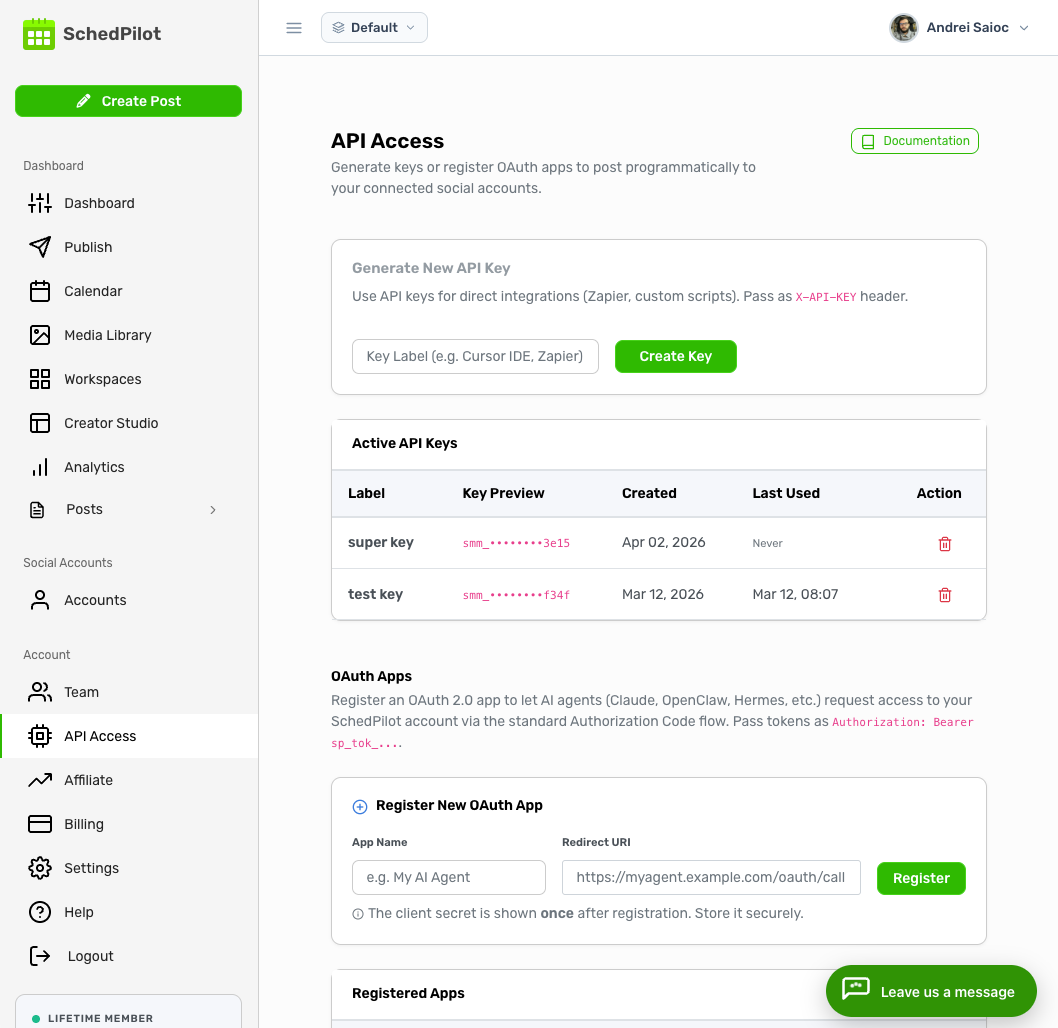
Then connect SchedPilot to Claude through MCP and give it one instruction, something like: “Take every new clip in the folder, write a caption for each, and schedule them to TikTok, YouTube Shorts and Instagram Reels, one every three hours.” Claude pulls each file into SchedPilot, writes the captions and fills the queue.
The last piece is turning that instruction into a daily scheduled task in Claude. From then on, whatever you dropped in the folder last night is queued by morning, and you never open a scheduler.
This is where most clippers lose time. Editing is fun. Uploading the same clip to three apps, writing three captions and picking times is not, and it’s the part people quit on after week two.
Keep your clips from getting taken down
Skip the story cutscenes. Rockstar’s cinematics are the footage most likely to get claimed, and reposting them adds nothing that people can’t see on a hundred other accounts. Your own gameplay with your own voice on top is much safer ground.
Also keep violence out of the first seven seconds. YouTube’s advertiser rules are strictest about what shows up at the very start of a video, so a Short that opens on a shootout can lose monetization even when the rest is tame. Open on the setup instead: the car, the wanted level climbing, the bad idea about to happen. The payoff can come at second eight.
Related posts
Can People See If You Screenshot Their TikToks?
November 2, 2026
How to Automate Social Media Posts With AI (5 Setups, Prompts Included)
October 25, 2026
Does Scheduling a YouTube Video Affect Views?
October 13, 2026
10 AI Agents Automation Tools for Social Media in 2026, Ranked by How Much They Do Without You
October 8, 2026