 SchedPilot
9 Best Instagram Scheduling Tools
Looking for the best Instagram scheduling tools to schedule Instagram posts, auto-publish Reels, and stop posting manually? I tested the top Instagram schedulers so you don’t have to. Here’s the shortlist, the pricing, and the pros and cons of each.
Scheduling Instagram posts has gone from a nice-to-have to a non-negotiable. If you want to grow your Instagram followers or keep your feed consistent, a good Instagram scheduler does the heavy lifting for you.
Sure, you can manually post every day. But setting alarms to upload at 9am — or worse, doing it across a dozen client accounts as an agency — is a fast track to burnout. The better move: batch your content once, schedule it, and let an Instagram post scheduler auto-publish on autopilot.
I’ve tested and ranked the best tools for scheduling Instagram content below, with pricing, standout features, and honest pros and cons for each. Let’s dive in.
TL;DR — The Best Instagram Schedulers at a Glance
In a hurry? Here are my top picks:
- SchedPilot — Best overall + best AI-powered Instagram scheduler. Free plan available.
- Later — Best visual grid planner for creators.
- Buffer — Best free Instagram scheduler for simple, multi-platform posting.
- Hootsuite — Best for large teams and agencies.
- Pallyy — Best affordable scheduler for solo creators.
Free trial · No upfront payment · 10+ platforms
Try SchedPilot for free
Post on 10 platforms at once. Great for influencers, marketers, agencies.
How I Chose the Best Instagram Scheduling Tools
I didn’t just count “post” buttons. To rank these Instagram scheduling apps, I weighed:
- Auto-publish vs. notification publishing — does it post for you, or just remind you?
- Post type support — feed posts, Stories, Reels, and carousels
- Visual planning — drag-and-drop content calendar and grid/feed preview
- AI features — caption writing, hashtag suggestions, best-time-to-post
- Analytics — engagement tracking and performance reporting
- Pricing & free plans — including whether there’s a genuine free Instagram scheduler tier
- Team & agency features — approvals, multiple accounts, client onboarding
Why Use an Instagram Scheduler?
Save time and stay consistent
You’ve probably wondered: can you schedule Instagram posts natively from the app? You can, but it’s clunky and limited — no carousels in some cases, no real calendar, and weak analytics. A dedicated Instagram scheduler lets you plan an entire week or month of content in one sitting. It saves hours, and your audience sees you show up consistently — which is exactly how you get more Instagram followers without losing your mind.
Plan visually and post at the best time
The best Instagram planning apps give you a drag-and-drop content calendar plus a grid preview, so you can see your feed layout before anything goes live. Many also tell you the best time to post on Instagram based on when your audience is active, taking the guesswork out of timing.
What to Look for in an Instagram Scheduling Tool
- Auto-publish for posts, Stories, Reels, and carousels
- Drag-and-drop content calendar and grid/feed preview
- AI caption and hashtag suggestions
- Best-time-to-post recommendations
- Analytics to track engagement and growth
- A free plan or free trial to test before you pay
- Team collaboration and approval workflows (if you manage clients)
The 9 Best Instagram Scheduling Tools for 2026
1. SchedPilot
Best for: AI-powered Instagram scheduling (overall winner)
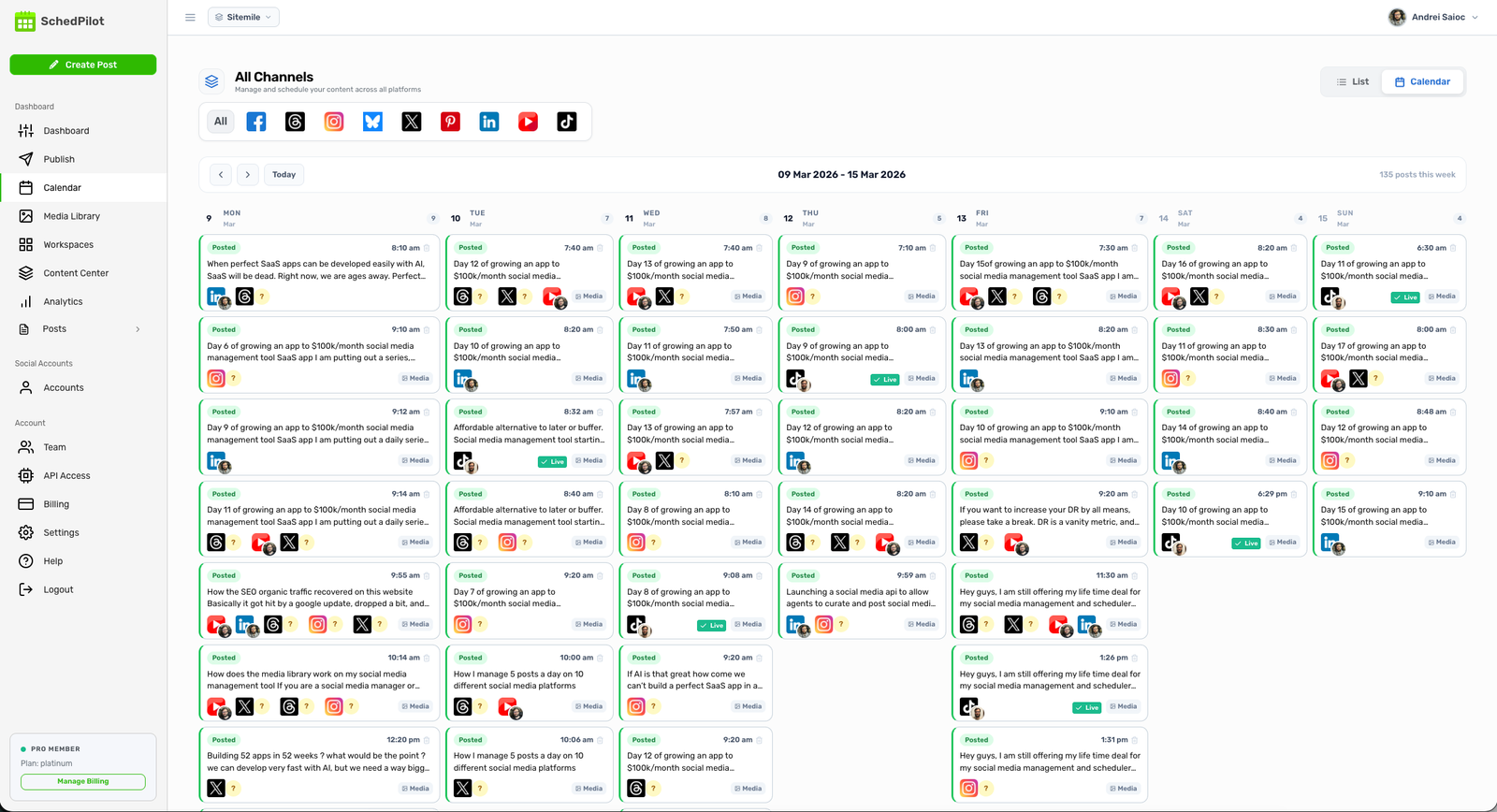
SchedPilot is my go-to Instagram scheduler. It’s like having a virtual assistant that knows when to post and what to say. You can schedule Instagram posts, Reels, and Stories in seconds, and its AI suggests captions, hashtags, and the optimal time to post for maximum reach.
It doubles as a full Instagram planning app, with a clean visual content calendar, drag-and-drop scheduling, and grid preview. There’s also a free plan for a single profile — great for creators just getting started — and it scales up to team collaboration for agencies managing multiple accounts.
Key features:
- AI-powered caption and hashtag suggestions
- Best-time-to-post recommendations
- Auto-publish posts, Reels, and Stories
- Visual content calendar and grid planner
- Team collaboration tools
Pros: AI does the heavy lifting; genuinely useful free tier; clean, fast interface; supports every Instagram post type. Cons: Newer than legacy tools, so a smaller community. Pricing: Free plan available; paid plans scale with profiles and team size.
Free trial · No upfront payment · 10+ platforms
Try SchedPilot for free
Post on 10 platforms at once. Great for influencers, marketers, agencies.
2. Later
Best for: Visual grid planning
Later has been a top Instagram scheduler for years, and it’s still the favorite for visual thinkers. The feed preview lets you see exactly how your grid will look before publishing — ideal if you care about a cohesive aesthetic.
You can auto-publish posts and Reels, build a content library, and use Linkin.bio to make your feed shoppable.
Key features:
- Visual Instagram grid planner and feed preview
- Auto-publish for posts and Reels
- Content library
- Linkin.bio link-in-bio tool
Pros: Excellent grid planner; generous free plan; clean interface. Cons: No auto-publishing on the free plan (notification-based); gets pricey for multiple accounts. Pricing: Free plan (notification publishing); paid plans add auto-publish and more profiles.
3. Buffer
Best for: Simple, free multi-platform scheduling
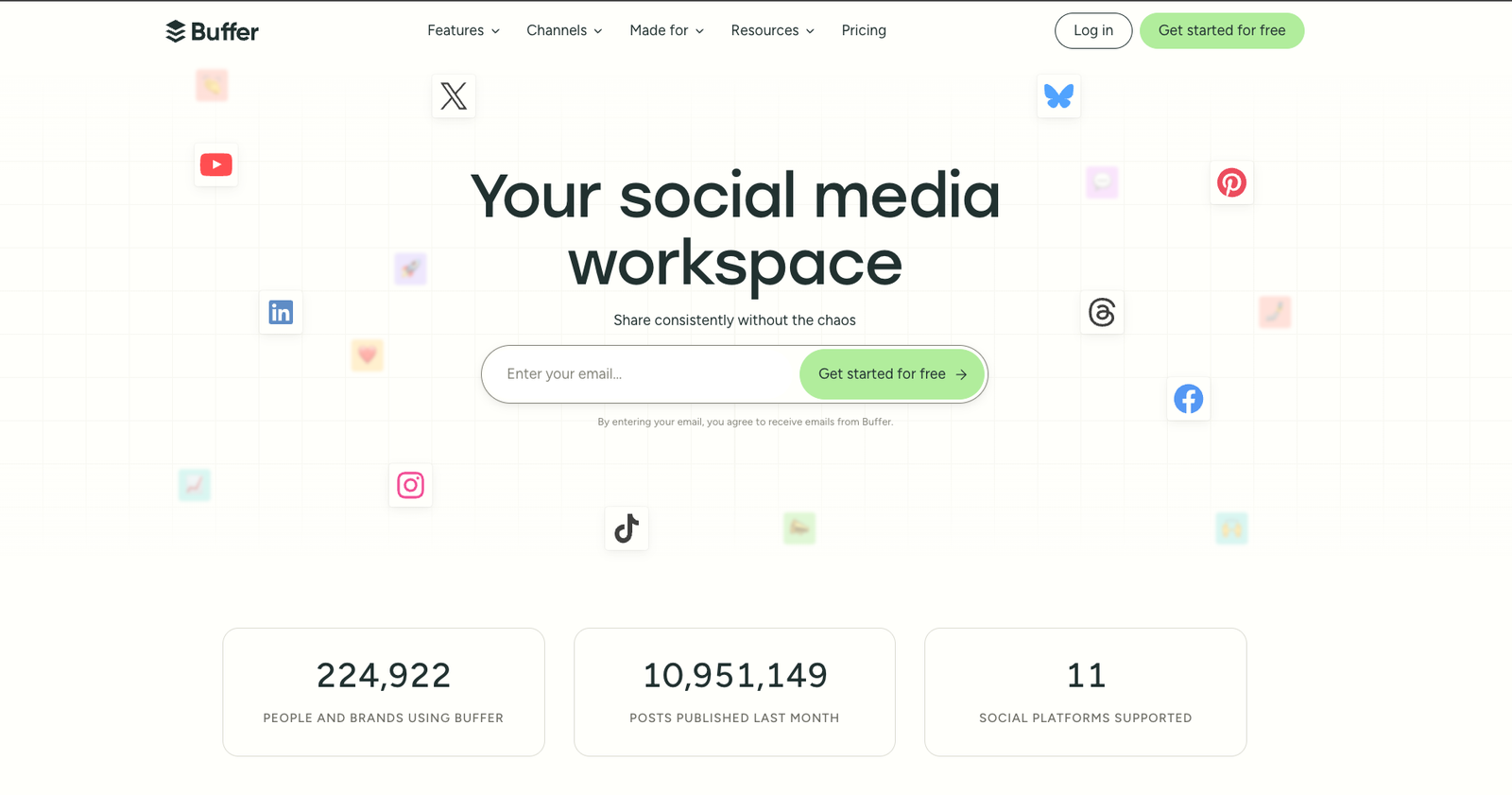
Buffer is perfect if you want a lightweight, no-frills way to schedule Instagram posts across platforms — Twitter/X, LinkedIn, Facebook, and Pinterest included. Its free plan is one of the most generous around, and it offers both auto-publishing and notification publishing.
If you’re weighing options, we also wrote a guide to the best Buffer alternatives for your social media calendar.
Key features:
- Schedule Instagram posts across multiple platforms
- Generous free plan
- Built-in analytics and browser extension
- Clean, fast interface
Pros: Easy to learn; strong free tier; reliable. Cons: Per-channel pricing adds up; basic Instagram-specific features. Pricing: Free plan available; paid plans priced per channel.

4. Hootsuite
Best for: Teams and agencies
If you’re managing multiple accounts or a marketing team, Hootsuite is a heavyweight choice. It’s been around forever and packs serious power — bulk scheduling, approval workflows, advanced analytics, and 150+ integrations.
It’s pricier than most, but if you’re juggling several brands or campaigns, the control is worth it.
Key features:
- Schedule posts and Stories
- Advanced analytics and reporting
- Approval workflows
- Bulk scheduling and 150+ integrations
Pros: Powerful for teams; huge integration library; mature platform. Cons: Expensive; can feel overwhelming for solo creators. Pricing: Higher-end; plans scale with users and profiles.
5. Planoly
Best for: Instagram aesthetics
Planoly helps you organize your feed like a magazine layout. Drag posts around until your grid looks perfect — it’s borderline addictive for design-minded creators. It supports posts, Stories, and Reels, with a built-in hashtag manager.
Key features:
- Drag-and-drop grid planner
- Grid/feed preview
- Schedule posts, Stories, and Reels
- Hashtag manager
Pros: Beautiful grid planning; intuitive for visual brands. Cons: Less suited to heavy multi-platform or agency use. Pricing: Free starter tier; paid plans for more uploads and users.
6. Tailwind
Best for: Hashtag help and smart posting times
Tailwind started as a Pinterest tool, but its Instagram features are now excellent. The hashtag finder and SmartSchedule posting times take a lot of the guesswork out of growing your reach.
Key features:
- SmartSchedule optimal posting times
- Hashtag finder
- Visual content calendar
- Repost suggestions
Pros: Great for hashtag strategy; smart timing recommendations. Cons: Best value if you also use Pinterest. Pricing: Free plan available; paid plans by post volume.
7. SocialBee
Best for: Category-based and evergreen content
SocialBee lets you organize posts into categories — promotions, tips, memes, personal — then assign each a posting frequency. Its standout is evergreen content recycling and an AI strategy generator (Copilot) that can build a whole content plan for you.
Key features:
- Category-based scheduling
- Instagram auto-posting
- Evergreen content recycling
- AI content strategy generator
- Multi-platform support
Pros: Best-in-class content recycling; strong AI tools; good value. Cons: No free forever plan; slight learning curve. Pricing: Free trial; affordable monthly plans.
8. Metricool
Best for: Analytics lovers
Metricool is built for data-driven marketers. You get deep analytics on every Instagram post, competitor tracking, and the ability to compare performance across platforms in one dashboard — plus scheduling and a link-in-bio tool.
Key features:
- Post scheduling
- Deep analytics and reporting
- Link-in-bio tool
- Competitor tracking
Pros: Outstanding analytics; affordable; multi-platform. Cons: Scheduling UI is secondary to its analytics focus. Pricing: Free plan available; affordable paid tiers.
9. Pallyy
Best for: Solo creators and freelancers
Pallyy is a lean, visual-first Instagram scheduler that feels purpose-built for the platform. It’s affordable, fast, and includes full auto-publishing (no notifications needed), Stories and Reels scheduling, a grid preview, and analytics.
Key features:
- Instagram post and Reel scheduler with auto-publish
- Drag-and-drop visual planner
- Grid/feed preview
- Affordable, straightforward pricing
Pros: Excellent value; built for Instagram; full auto-publishing. Cons: Smaller company; fewer integrations than the giants. Pricing: One simple, affordable paid plan; free plan available.
Quick Comparison: Best Instagram Scheduling Tools
| Tool | Best for | Auto-publish | Free plan | AI features |
|---|---|---|---|---|
| SchedPilot | AI-powered scheduling | ✅ | ✅ | ✅ Captions, hashtags, best time |
| Later | Visual grid planning | Paid only | ✅ | Limited |
| Buffer | Simple multi-platform | ✅ | ✅ | Limited |
| Hootsuite | Teams & agencies | ✅ | ❌ | ✅ |
| Planoly | Aesthetics | ✅ | ✅ | Limited |
| Tailwind | Hashtags & timing | ✅ | ✅ | ✅ |
| SocialBee | Evergreen content | ✅ | ❌ (trial) | ✅ |
| Metricool | Analytics | ✅ | ✅ | Limited |
| Pallyy | Solo creators | ✅ | ✅ | Limited |
How to Schedule Instagram Posts (Step by Step)
- Pick a scheduler from the list above and connect your Instagram account (you’ll need a Business or Creator account for auto-publishing).
- Upload your media — images, carousels, Reels, or Stories.
- Write your caption and let AI suggest hashtags and a hook if your tool supports it.
- Choose the best time to post, or use the tool’s recommended slot.
- Schedule and auto-publish — then check analytics to see what’s working.
Free trial · No upfront payment · 10+ platforms
Try SchedPilot for free
Post on 10 platforms at once. Great for influencers, marketers, agencies.
Frequently Asked Questions
Can you schedule Instagram posts for free? Yes. Several tools — including SchedPilot, Buffer, Later, and Metricool — offer free plans that let you schedule a limited number of Instagram posts. Free plans sometimes use notification publishing instead of full auto-publishing.
What’s the difference between auto-publish and notification publishing? Auto-publish posts your content automatically at the scheduled time with no action from you. Notification publishing sends you a reminder so you can publish manually — common on free plans because of Instagram API limits.
Can I schedule Reels and Stories, not just posts? Yes. Most of the tools on this list — SchedPilot, Later, Buffer, Pallyy, and others — support scheduling Reels, Stories, and carousels, not just standard feed posts.
Do I need a Business or Creator account? For automatic publishing, yes. Instagram’s API requires a Business or Creator account connected to a Facebook Page for true auto-posting.
Which is the best Instagram scheduler for beginners? SchedPilot and Buffer are the easiest starting points thanks to their free plans, clean interfaces, and AI assistance.
Final Thoughts: Which Instagram Scheduler Is Right for You?
If you want AI to handle captions, hashtags, and timing, SchedPilot is the best all-around pick — and the free plan makes it easy to start. If you live and breathe your grid aesthetic, Later or Planoly shine. Solo creators on a budget should look at Pallyy, while teams and agencies will get the most from Hootsuite or SocialBee.
The bottom line: pick one, batch your next 10 posts, schedule them, and take the weekend off. You’ve earned it.
Free trial · No upfront payment · 10+ platforms
Try SchedPilot for free
Post on 10 platforms at once. Great for influencers, marketers, agencies.
Related posts
Does Instagram Notify When You Screenshot a Story? (2026 Answer)
July 20, 2026
Best Instagram Profile Viewer Tools in 2026 (Tested, Compared & Ranked)
May 28, 2026
Instagram Search Query Optimization: The 2026 Playbook for Brands Tired of Posting Into the Void
May 8, 2026
How to Write a Bio for Instagram (The 150 Characters That Actually Convert)
May 6, 2026